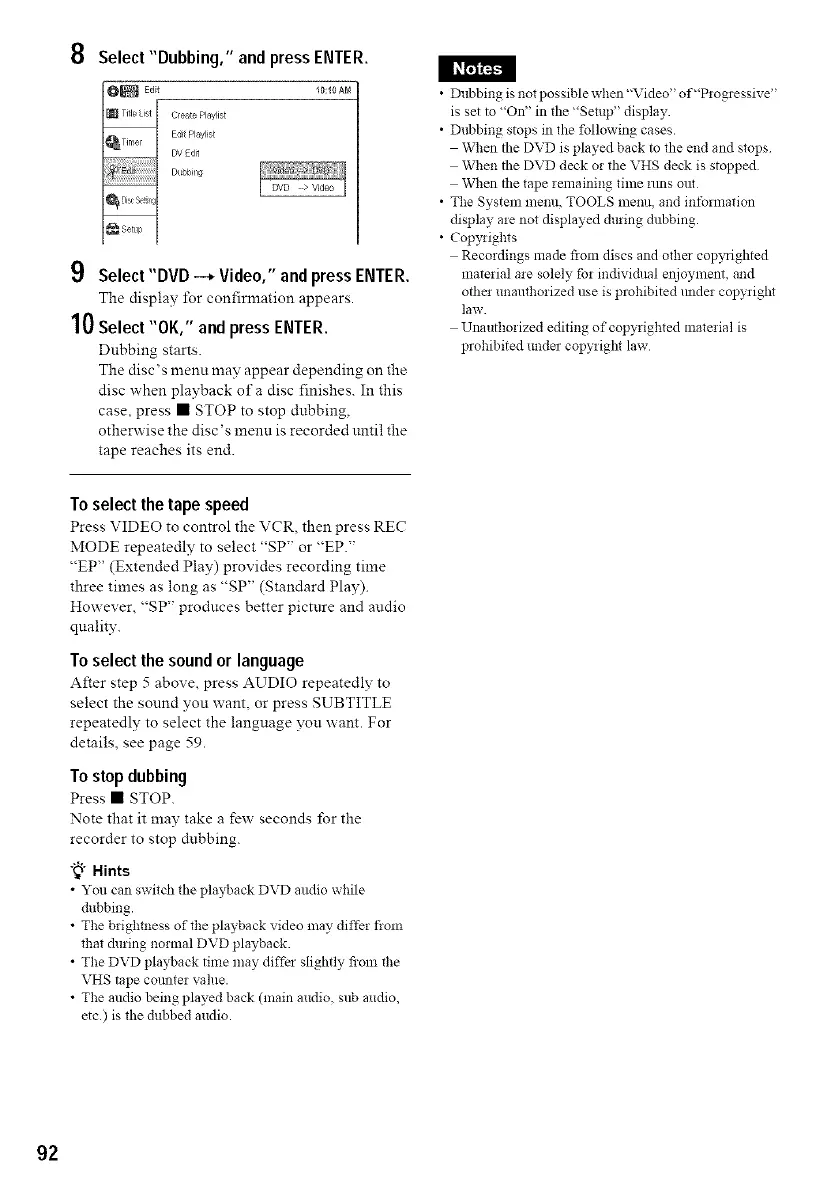
8 Select"Dubbing," and pressENTER.
Title st Ceate Playis
Edit Play ist
DV Edit
Dubbing
9 Select "DVD -_ Video," andpressENTER.
The display lbr confirmation appears.
10Select "OK," andpress ENTER.
Dubbing starts.
The disc's menu may appear depending on the
disc when playback of a disc finishes. In this
case, press • STOP to stop dubbing,
otherwise the disc's menu is recorded until the
tape reaches its end.
To select the tape speed
Press VIDEO to control the VCR, then press RE('
MODE repeatedly to select "SP" or "EP."
"EP" (Extended Play) provides recording time
three times as long as "SP" (Standard Play).
However, "SP" produces better picture and audio
quality.
To select the sound or language
After step 5 above, press AUDIO repeatedly to
select the sound you want, or press SUBTITLE
repeatedly to select the language you want. For
details, see page 59.
Tostop dubbing
Press • STOP.
Note that it may take a few seconds lbr the
recorder to stop dnbbing.
"_" Hints
• You can switch the playback DVD audio while
dubbing.
• The brighmess of the playback video may differ flom
that &bring normal DVD playback.
• The DVD playback time may diffbr slightly from the
VHS tape comlter value.
• The audio being played back (main audio, sub audio,
etc) is the dubbed audio.
• Dubbing is not possible when"Video" of"Progressive"
is set to "On" in the "Setup" display.
• Dubbing stops in the following cases.
When the DVD is played back to the end and stops
When the DVD deck or the VHS deck is stopped
When the tape remaining time _tms out
• The System menu, TOOLS menu, and information
display are not displayed during dubbing.
• Copyrights
Recordings made flora discs and othe_ copyrighted
material are solely for individual enjoyment, and
othe! unauthorized use is prohibited raider copyrigN
law.
Unauthorized editing of copyrighted material is
prohibited undm copyrigN law
92



 To Next Page