Unrecordablepictures
Pictures with copy protection cannot be recorded
on this recorder.
Copy control Recordable discs
signals
Copy-Free _
Copy-Once
Ver. 1.1 with CPRM*
Ver. 1.2 _ ith C PRIVI*
Copy-Never None
* The recorded disc can be played only on CPRM
compatible equipment.
Recording stops when a copy guard signal is detected.
DVDRecordingwithout the
Timer
TV/DVD'VIDEO
: INPUT
.... i_:'¸ i i¸ :i
........• STOP
....... • REC
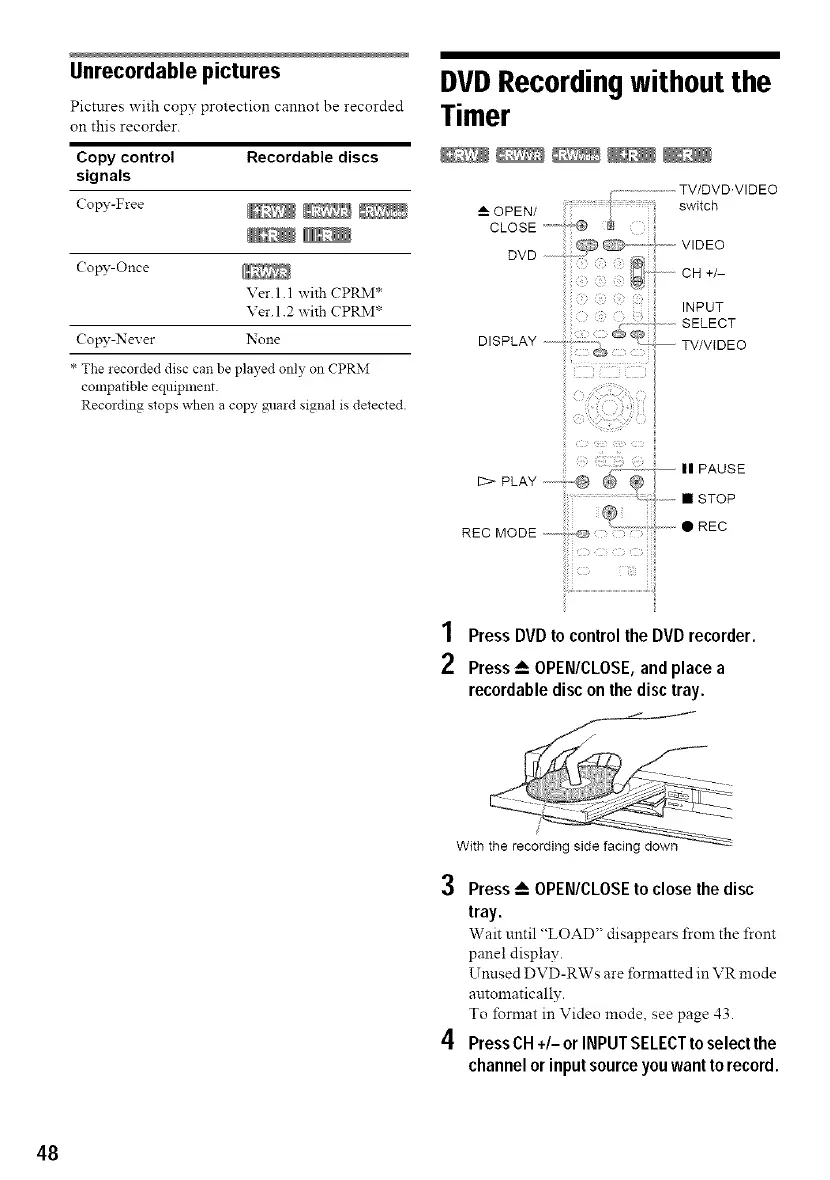
1 PressDVDtocontrolthe DVDrecorder.
2 Press_--OPEN/CLOSE,and place a
recordabledisc onthe disctray.
/
With the recording side facing down
3
4
Press_-- OPEN/CLOSEto closethe disc
tray.
Wait until "LOAD" disappears from the front
panel display.
Umlsed DVD-RWs are formatted in VR mode
automatically.
To format in Video mode, see page 43.
PressCN+/- orINPUTSELECTto select the
channelor inputsourceyou wantto record.
48



 To Next Page