SearchingUsingVarious
Functions
The VCR automatically marks the tape with an
index signal at the point where each recording
begins.
You can easily find a specific point using various
search functions.
Select "Go To Zero," and press ENTER.
The VCR starts searching and automatically
stops at the 0:00:00 point.
J I_GIFI
You cannot use these search flmctions dining DVD
iecording.
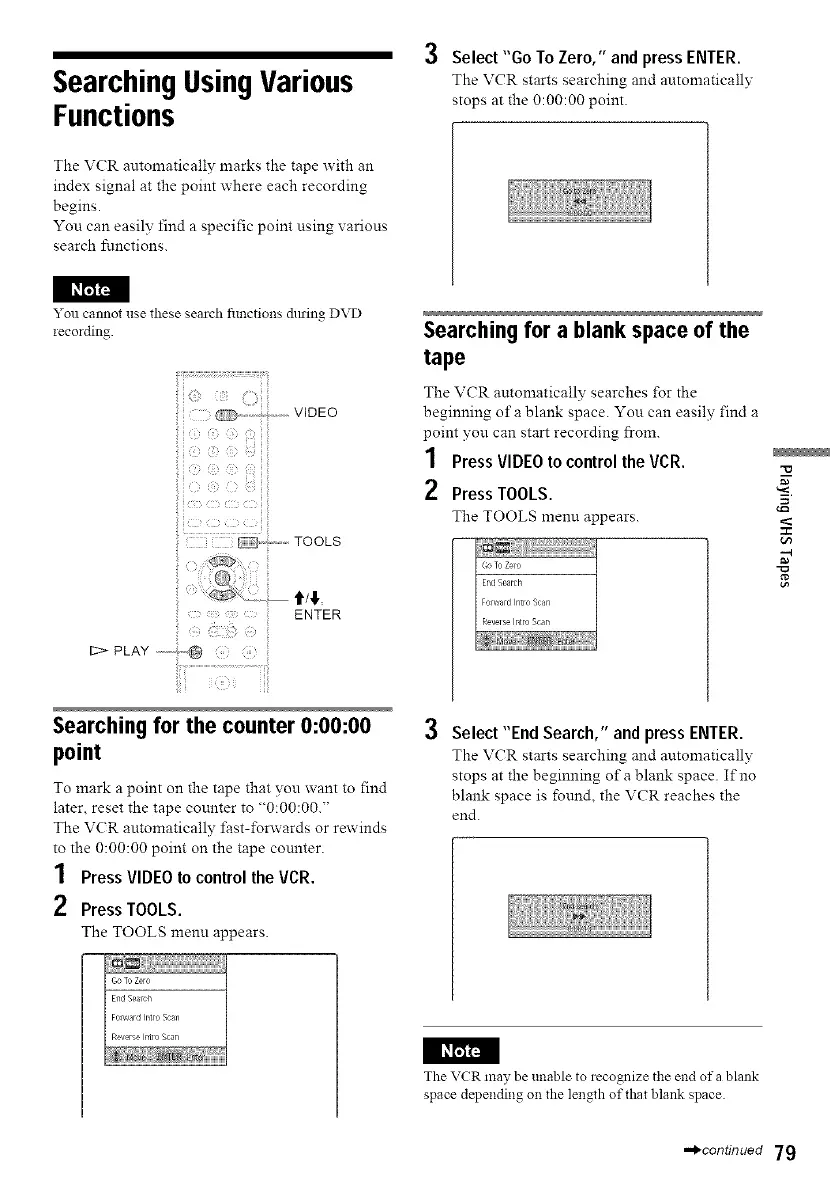
(i ! TOOLS
ENTER
12> PLAY ,-----;,_
Searchingfor a blank space of the
tape
The VCR automatically searches _r the
beginning of a blank space. You can easily find a
point you can start recording from.
1 Press VIDEO to control the VCR.
2 Press TOOLS.
The TOOLS menu appears.
-M
-g
Searching for the counter 0:00:00
point
To mark a point on the tape that you want to find
later, reset the tape counter to "0:00:00."
The VCR automatically fast-forwards or rewinds
to the 0:00:00 point on the tape counter.
1 Press VIDEO to control the VCR.
2 Press TOOLS.
The TOOLS menu appears.
Select "End Search," and press ENTER.
The VCR starts searching and automatically
stops at the beginning of a blank space. If no
blank space is found, the VCR reaches the
end.
I I_
The VCR may be unable to recognize the end of a blank
space depending on the length of that blank space.
==_continued 79



 To Next Page