Clock Setting (Clock Set)
The "Clock Set" setup helps you to make clock
setting for the recorder.
Select "(?lock Set" in the "Setup" display. To use
the display, see "Using the Setup Displays" on
page 96.
Auto (Auto Clock Set)
Turns on the Auto Clock Set function when a channel
in your local area broadcasts a time signal.
1 Follow steps 1 to 3 of"Using the Setup
Displays" on page 96 to select "Clock Set" in
the "Setup" display.
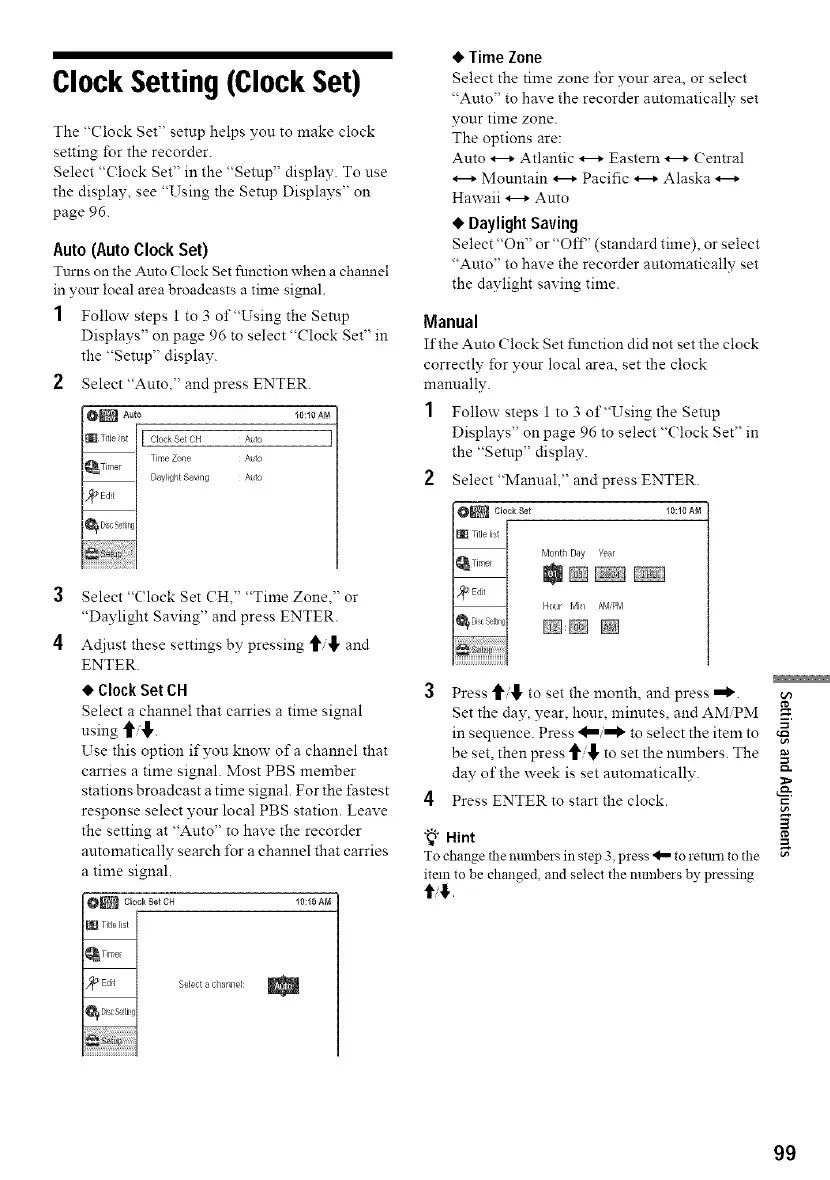
2 Select"Auto," and press ENTER.
0_ Auto 10:10 AM
Clock Set CH k_to
Time Zone A_to
3
4
Select "(lock Set CH," "Time Zone," or
"Daylight Saving" and press ENTER.
At[just these settings by pressing _i'l" and
ENTER.
• Clock Set CH
Select a channel that carries a time signal
using _/,1,.
Use this option if you know of a channel that
carries a time signal. Most PBS member
stations broadcast a time signal. For the fastest
response select your local PBS station. Leave
the setting at "Auto" to have the recorder
automatically search for a channel that carries
a time signal.
10:10 AN
Select a chan_/el:
• Time Zone
Select the time zone _r your area, or select
"Auto" to have the recorder automatically set
your time zone.
The options are:
Auto _ Atlantic _ Eastern _ Central
Mountain _ Pacific _ Alaska
Hawaii _ Auto
• Daylight Saving
Select "On" or "Of£' (standard time), or select
"Auto" to have the recorder automatically set
the daylight saving time.
Manual
If the Auto (lock Set function did not set the clock
correctly for your local area, set the clock
mannally.
1 Follow steps 1 to 3 of"Using the Setup
Displays" on page 96 to select "(?lock Set" in
the "Setup" display.
2 Select"Manual," and press ENTER.
10:10 AM
Month Day Year
Hour Min AM'F_M
_:_ @
3 Press t['i,[, to set the month, and press =_.
Set the day, year, hour, mimltes, and AMiPM
in sequence. Press to select the item to
be set, then press to set the numbers. The
day of the week is set automatically. :_
4 Press ENTER to start the clock.
=_"_° Hint
To change the numbas ill step 3 pless 4,,,,to relaml tothe
item to be changed, and select the numbers by pressing
ti#.
99



 To Next Page