Recordingfrom Connected
Equipmentwithout a Timer
You can record from a connected VCR or similar
device. To connect other VCR or similar device,
see "Connecting Another V(R or Similar Device"
on page 34.
Use the DV IN jack on the front panel if the
equipment has a DV output jack (i.LINK jack).
DVD
iNPUT
SELECT
• STOP
® o
REC MODE .......... REC
I_I_I
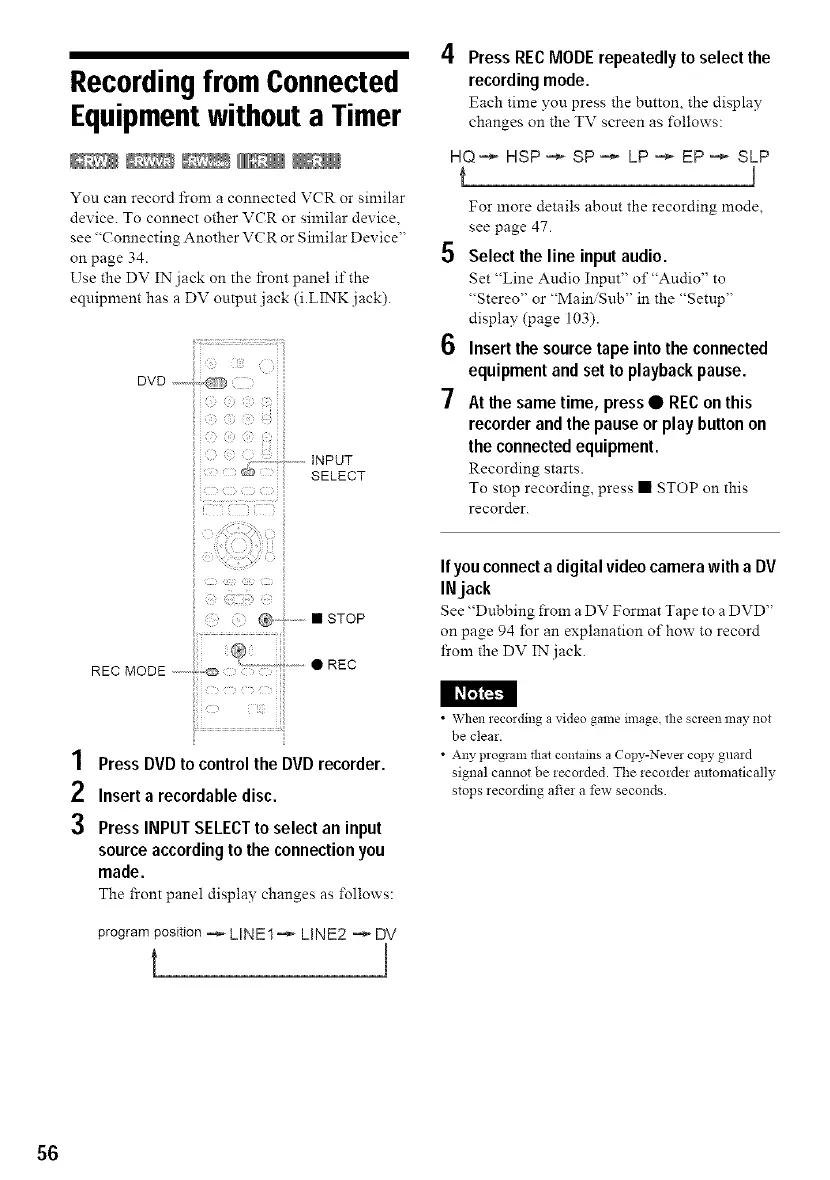
1 PressDVDtocontrolthe DVDrecorder.
2 Insert a recordabledisc.
3 PressINPUTSELECTto select an input
sourceaccordingtothe connectionyou
made.
The front panel display changes as follows:
program position -_ LINE1 -_" LINE2 -_ DV
t
4 Press RECMODErepeatedlyto select the
recordingmode.
Each time you press the button, the display
changes on the TV screen as follows:
HQ-_ HSP-_ SP-_ LP -_ EP-_ SLP
t I
For more details about the recording mode,
see page 47.
5 Select the line input audio.
Set "Line Andio Inpnt" o1""Audio" to
"Stereo" or "Main, Sub" in the "Setup"
display (page 103).
6 Insert the source tape into the connected
equipment and set to playback pause.
7 At the same time, press • REC on this
recorder and the pause or play button on
the connected equipment.
Recording starts.
To stop recording, press • STOP on this
recorder.
If you connect a digital video camera with a DV
INjack
See "Dubbing from a DV Format Tape to a DVD"
on page 94 lbr an explanation of how to record
from the DV IN jack.
• \Vhen recording a video ga111eimage, the screen 11laynot
be clear.
• Any program that contains a Copy-Never copy guard
signal cannot be recozded. The recorder automatically
stops recording after a few seconds.
56



 To Next Page