Step 4: Connectingto YourAV/Amplifier (Receiver)
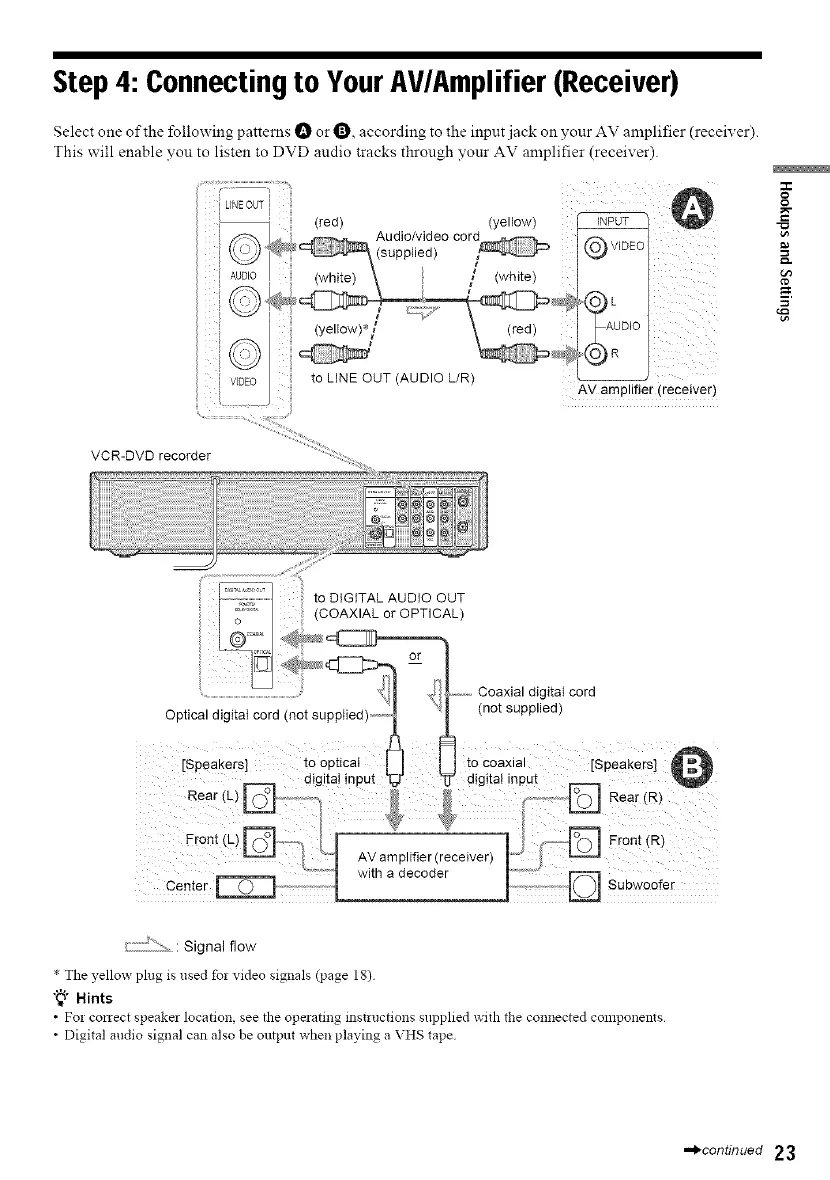
Select one of the following patterns t_ or O, according to the input jack on your AV amplifier (receiver).
This will enable you to listen to DVD audio tracks through your AV amplifier (receiver).
(yellow)
(yellow)*/
}}
!
(white)
AV amplifier (receiver)
VCR-DVD recorder
=1=
o
g
to DIGITAL AUDIO OUT
(COAXIAL or OPTICAL)
_:2[;12:::_.: Signal flow
* The yellow ph_g is used for video signals (page 18)
"_° Hints
• Fo! conect speaker location see the operating instructions supplied with the connected components
• Digital audio signal can also be output when playing a VHS tape
•._continued 23



 To Next Page