Recordingfrom Connected
Equipmentwithout a Timer
Yon can record from a connected VCR or similar '_'
device. To connect other VCR or similar device,
see "Connecting Another VCR or Similar Device" 6
on page 34.
II_l_t_
_:?_i:,;_i'ii_i?21?;_,gl;_ii
L
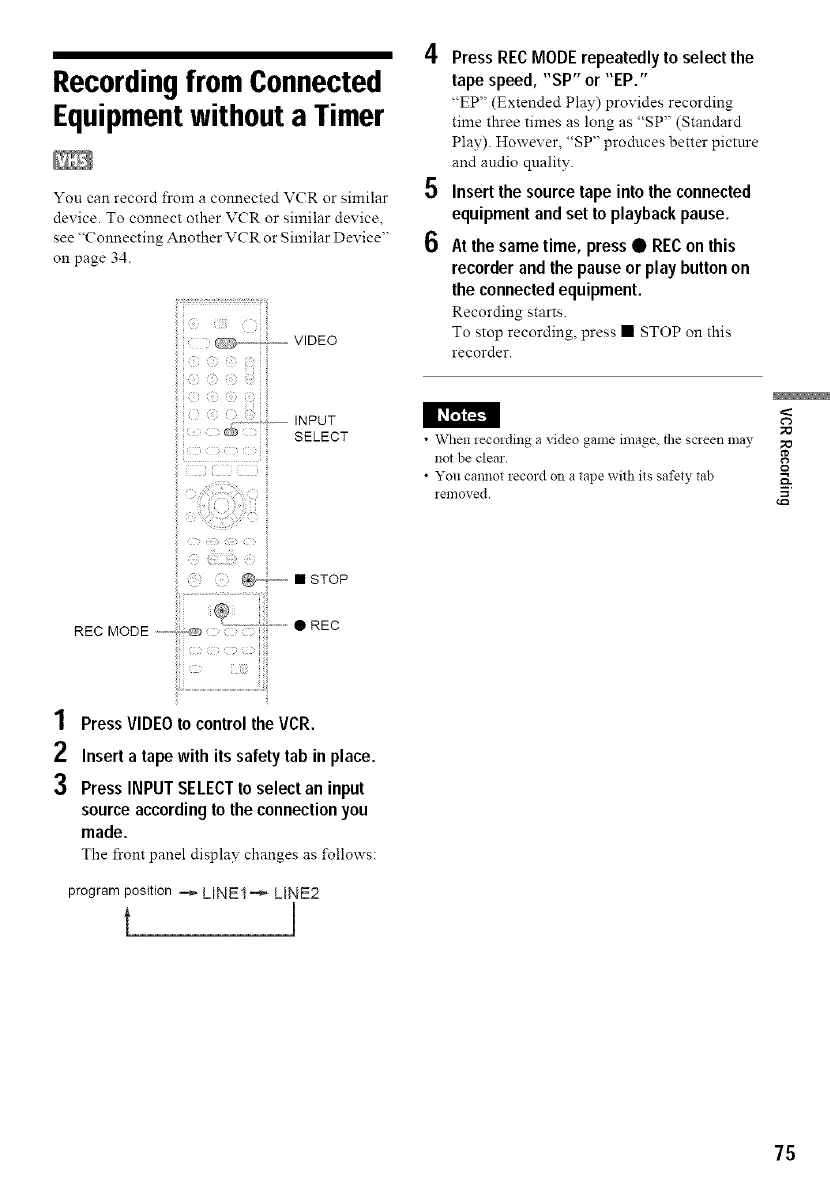
@........... • STOP
PressRECMODErepeatedlyto select the
tape speed, "SP" or "EP."
"EP" (Extended Play) provides recording
time three times as long as "SP" (Standard
Play). However, "SP" produces better pictnre
and audio quality.
Insert the source tape into the connected
equipment andset toplaybackpause.
At the same time, press• REConthis
recorder andthe pauseor play buttonon
the connectedequipment.
Recording starts.
To stop recording, press • STOP on this
recorder.
• When recording a video game image, the screen may
not be clear.
• You cannot record on a tape with its safety tab
renloved.
1 PressVIDEOto control the VCR.
2 Inserta tape with its safety tab in place.
3 PressINPUTSELECTto select an input
source according tothe connection you
made.
The front panel display changes as follows:
program position _ LINE1 _ LINE2
t I
75



 To Next Page