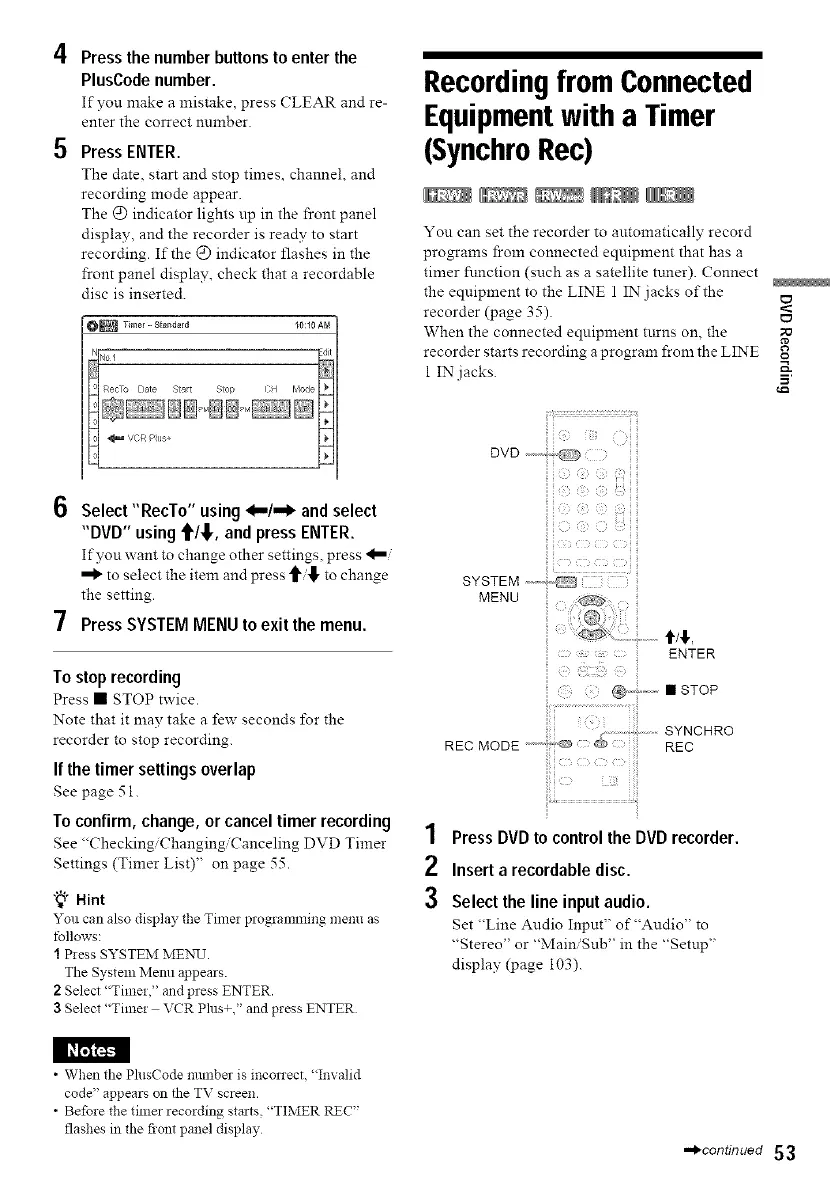
4 Press the number buttons to enter the
PlusCode number.
If you make a mistake, press CLEAR and re-
enter the correct m:mber.
5 Press ENTER.
The date, start and stop times, channel, and
recording mode appear.
The @ indicator lights up in the front panel
display, and the recorder is readv to start
recording. If the @ indicator flashes in the
front panel display, check that a recordable
disc is inserted.
O_Timer-Sta_dard IO:IOAM
6 Select "RecTo" using _,,,,/..,_ and select
"DVD" using '1'/_,, and press ENTER.
If you want to change other settings press
""_ to select the item and press to change
the setting.
7 Press SYSTEM MENU to exit the menu.
To stop recording
Press • STOP twice.
Note that it may take a f_w seconds for the
recorder to stop recording.
If the timer settings overlap
See page 51.
To confirm, change, or cancel timer recording
See "Checking Changing Canceling DVD Timer
Settings (Timer List)" on page 55.
"_° Hint
5"0::can alsodisplaytheTin:e:p:ogramming menu as
follows:
I Press SYSTEM MElX3J.
The System Menu appears.
2 Select "Timer," and press ENTER.
3 Select "Timer VCR Plus+," and press ENTER
Recordingfrom Connected
Equipmentwitha Timer
(SynchroRec)
You can set the recorder to atttomatically record
programs from connected equipment that has a
timer function (such as a satellite tuner). Connect
the equipment to the LINE 1 IN:jacks of the ¢_
recorder (page 35).
When the connected equipment t:Lrns on, the
recorder starts recording a program from the LIN_E o
1 IN jacks.
1
2
3
iili¸¸¸¸¸:g':;iiii
@ @' @
MENU
SYNCHRO
REC MODE "'""_ '© RED
Press DVDto control the DVDrecorder.
Inserta recordabledisc.
Select the line input audio.
Set "Line Audio Input" of "Audio" to
"Stereo" or "Main/Sub" in the "Setup"
display (page 103).
• When the Ph_sCode number is inconect, "Invalid
code" appears on the TV screen.
• Before the timer recording starts, "TIMER REC"
flashes in the fiont panel display
,-_continued 53



 To Next Page