To confirm, change, or cancel timer recording
See "Checking,Changing, Canceling DVD Timer
Settings (Timer List)" on page 55.
To use the Rec Mode Adjust function
When you are recording a program in the Auto
mode and there is not enough available disc space
lbr the recording, the recorder automatically
ac[iust the recording mode to enable the entire
program to be recorded.
"_° Hints
• You can play the recozded pzogram by selecting the
program title in the Title List menu.
• When the stair time and the channel or input somce to
be recorded are the same but the "RecTo" setting
differs, the program is recorded to both the DVD disc
and the VHS tape.
• You can also display the Timel programming metal as
tbllows:
I Press SYSTEM MENU
The System Menu appears.
2 Select "Timer," and press ENTER
3 Select "Timer Standard," and press ENTER.
• To recold a cable or satellite proNam, turn on the cable
box or satellite receiver and select the proNam you
want to record. Leave tile cable box or satellite receiver
mined on until the recorder finishes recording.
• Even if the timer is set, timer recordings cannot be
made while recording a program that has priority.
• Before the timer recording starts, "TIMER REC"
flashes in the front panel display
RecordingTV programsusing the
VCRPlus+ system
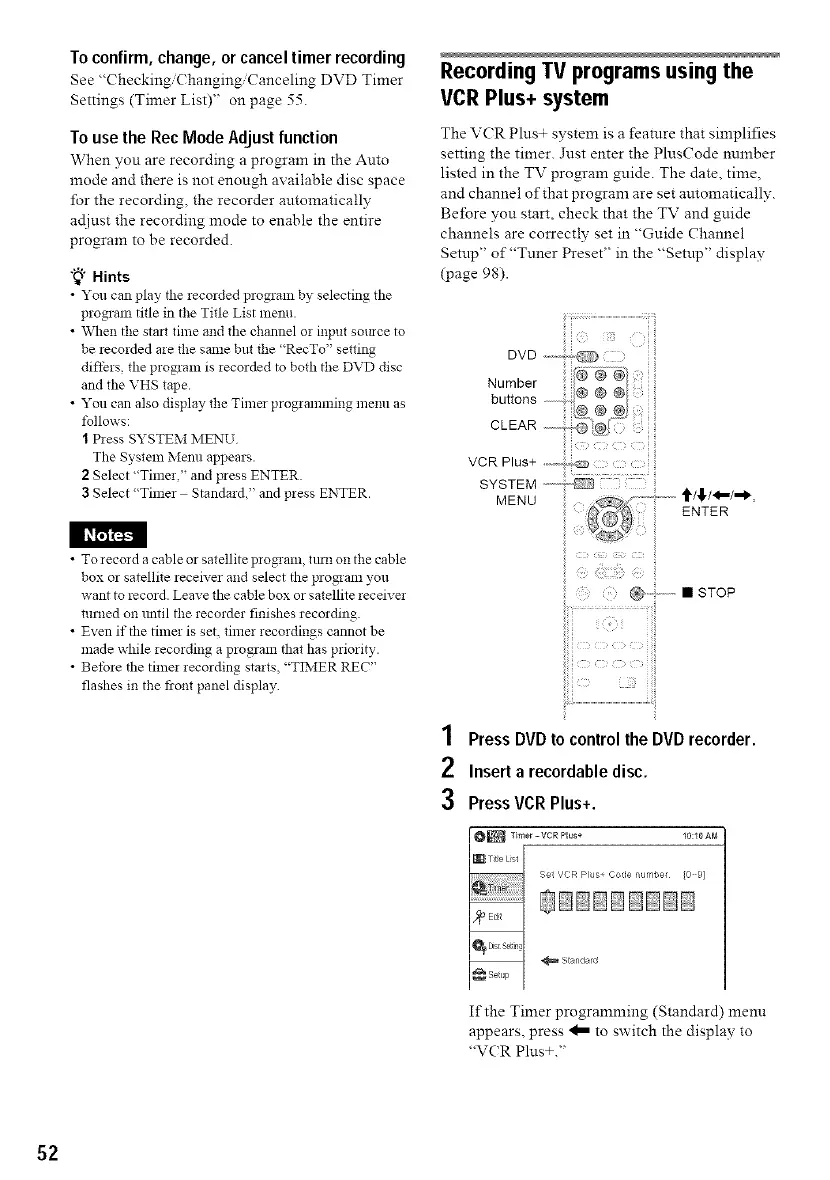
The V(R Pins+ system is a feature that simplifies
setting the timer. Jnst enter the PlusCode number
listed in the TV program guide. The date, time,
and channel of that program are set automatically.
Before you start, check that the TV and guide
channels are correctly set in "Gnide Channe!
Setup" of"Tuner Preset" in the "Setup" display
(page 98).
ENTER
• STOP
1 Press DVDtocontrolthe DVDrecorder.
2 Insert a recordabledisc.
3 PressVCR Plus+.
I_ Timer -VCR Plus+ 10:10 AM
I[_[ ....... [ Set VE:R pl m Code _umber 10 9 }
_ Standard
If the Timer programming (Standard) menu
appears, press _ to switch the display to
"VCR Plns+."
52



 To Next Page