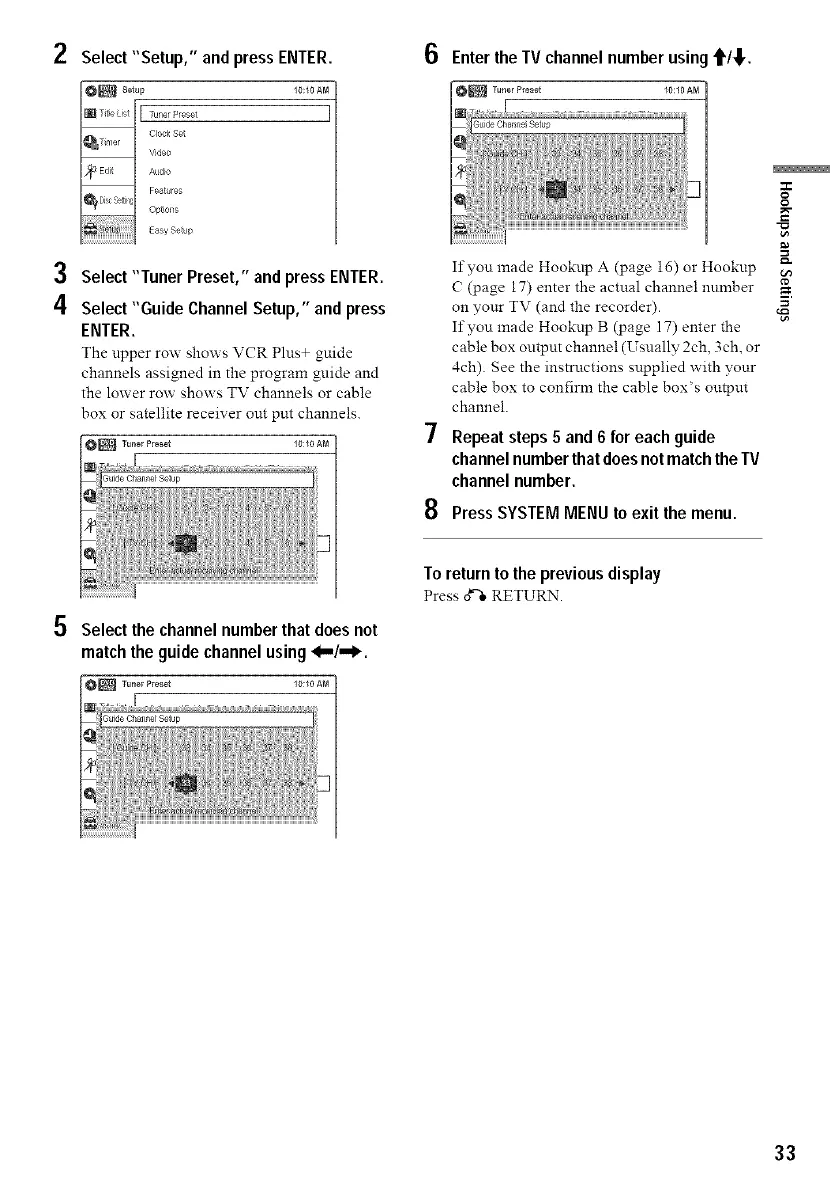
2 Select"Setup," and press ENTER.
I0:I0AM
3 Select "Tuner Preset," andpress ENTER.
4 Select "Guide ChannelSetup," and press
ENTER.
The upper row shows VCR Plus+ guide
channels assigned in the program guide and
the lower row shows TV channels or cable
box or satellite receiver out put channels.
ON_
O Select the channel number that does not
match the guide channel using 4,,,/,,,_.
O_
6 Enter theTV channel number using'1'/_1,.
If you made Hooknp A (page i6) or Hookup
( (page 17) enter the actual channel number
on your TV (and the recorder).
If you made Hooknp B (page 17) enter the
cable box output channel (Usually 2ch, 3ch, or
4ch). See the instructions supplied with your
cable box to confirm the cable box's output
channel.
Repeatsteps 5 and 6 for eachguide
channelnumberthatdoesnotmatchtheTV
channel number.
PressSYSTEMMENU to exit the menu.
To return to the previousdisplay
Press d"l,RETURN.
O
g
33



 To Next Page