Tostoprecording
Press • STOP.
To pause recording
Press |1 PAUSE.
To restart recording, press II PAUSE again.
If you pause recording for more than 5 minutes,
recording stops automatically.
To watch another TV program while recording
1 Slide the TV DVD'VIDEO switch to TV.
2 Press TV VIDEO to switch to the TV's
antenna input.
3 Select another channel on the TV.
To watch a DVD while recording
Press DVD to control the DVD recorder, insert a
disc, then press _ PLAY.
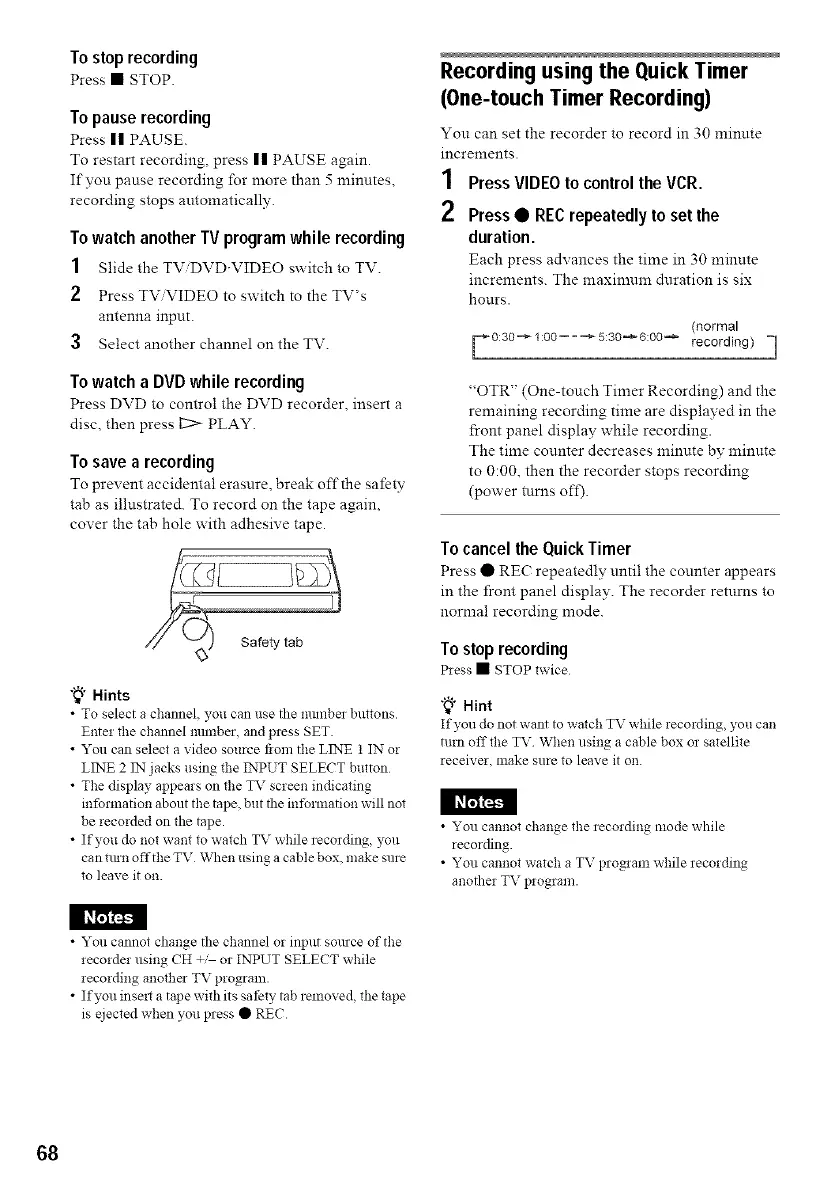
To save a recording
To prevent accidental erasure, break off the safety
tab as illustrated. To record on the tape again,
cover the tab hole with adhesive tape.
"_" Hints
• To select a channel, you can use tbe nmnbez buttons
Enter the channel nmnber, and press SET.
• You can select a video source flora the LINE 1 IN or
LINE 2 IN jacks using the INPUT SELECT button
• The display appears on the TV screen indicating
information about the tape, but tbe intbrmation will not
be recorded on the tape.
• If you do not want to watch TV while recording, you
can tmn offthe TV When using a cable box, make sure
to leave it on.
Recording using the Quick Timer
(One-touchTimer Recording)
You can set the recorder to record in 30 minnte
increments.
1 PressVIDEOtocontroltheVCR.
2 Press• RECrepeatedlyto set the
duration.
Each press advances the time in 30 minute
increments. The maximum duration is six
hours.
(normal
F 0:30_1:00==_5:30_6:00_ recording) =1
"OTR" (One-touch Timer Recording) and the
remaining recording time are displayed in the
front panel display while recording.
The time counter decreases minute by minute
to 0:00, then the recorder stops recording
(power turns oft).
To cancel the Quick Timer
Press • RE( repeatedly until the counter appears
in the front panel display. The recorder returns to
norma! recording mode.
Tostop recording
Pless • STOP twice
"_° Hint
If you do not want to watch TV while lecording you can
turn off the TV When using a cable box or satellite
receiver, make sure to leave it on.
I_I_I
• You cannot change the recording mode while
recording.
• You cannot watch a TV proNam while recording
anotber TV program.
• You cannot change tbe channel or input source of the
recorder using CH _, or INPUT SELECT while
recording another TV program.
• If you inse_ a tape with its sat)ty tab removed, the tape
is ejected when you press • REC
68



 To Next Page