Technical data are subject to change without notice.
© Copyright SPM 2002-04. 71650.B
SPM Instrument AB • Box 504 • S-645 25 Strängnäs • Sweden
Tel +46 152 225 00 • Fax +46 152 15075 • info@spminstrument.se • www.spminstrument.se
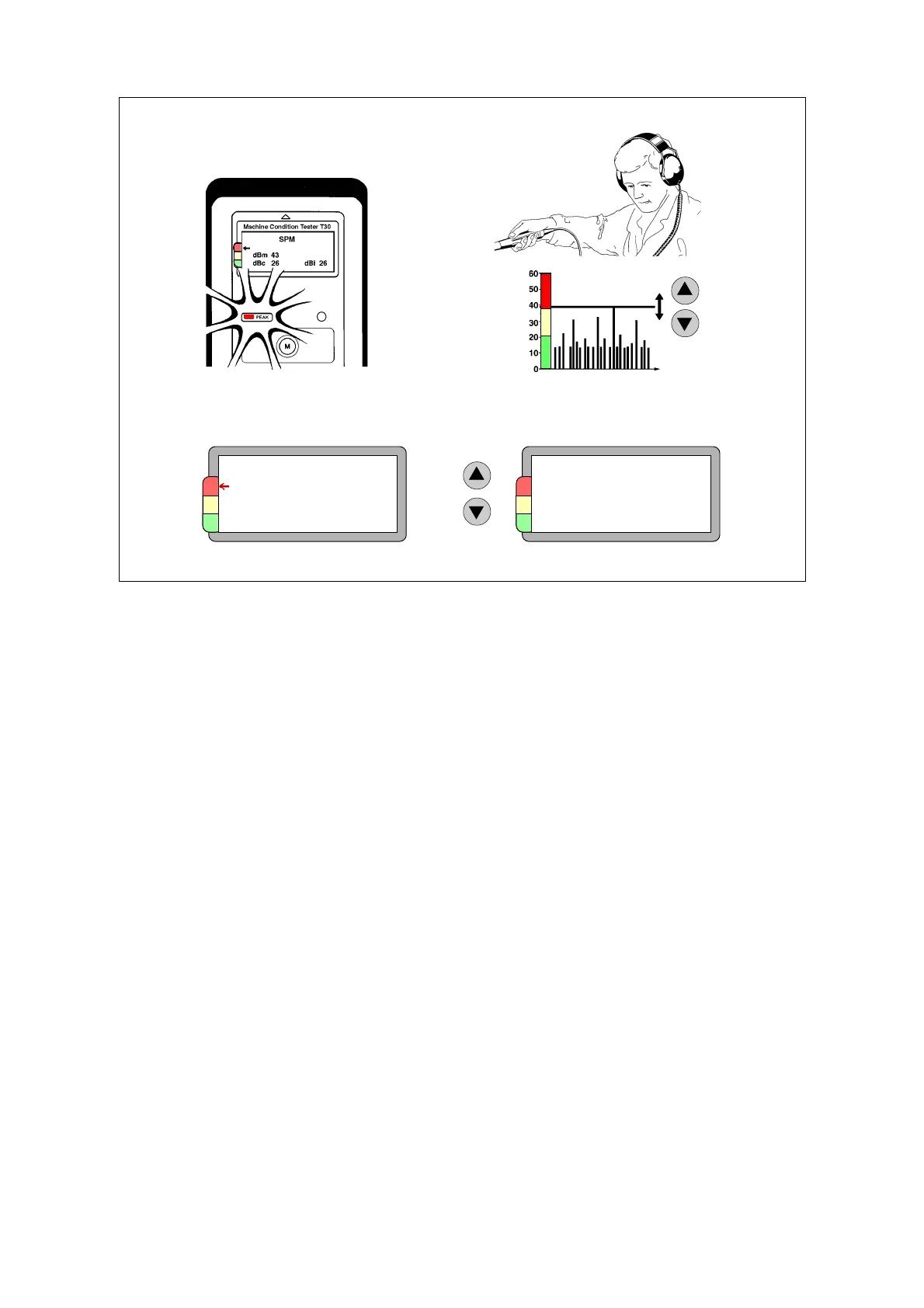
Peak indicator and earphone
The stream of shock pulse from a rotating bearing is, of course, continuous. Their strength varies all
the time, depending on the relative positions of rolling elements and raceways.
A spot of surface damage causing a strong shock pulse will only register, if a roller hits it during the
measuring interval. Especially at low rotational speeds, the instrument can miss the strongest
pulse, simply because it does not occur during the measuring interval. The peak indicator helps
you to catch it.
While the transducer is connected, the instrument continues to measure after displaying a result.
The peak indicator blinks each time it registers a pulse stronger than the displayed value. You can
change the measuring threshold with the UP/DOWN keys to a level where the indicator stops
blinking. The level is shown in dBm position (as normalized shock value in dBn). The measured dBm
is shown in brackets.
The earphone is a means to verify and trace shock pulse sources. The earphones allows you to
listen to the shock pulse pattern. When you connect the earphone to the EXT input, you get the
earphone display, showing shock level in dBsv (unnormalized). With the UP/DOWN keys you can
manipulate the measuring level. To go back to normal measuring mode, disconnect the earphone.
In the earphone, the noise carpet is represented by a continuous tone. The dBc level is approxi-
mately where you can start to distinguish between an even sound and individual pulses. Do not
worry about getting this setting exactly right – you cannot fail distinguishing between a high and a
low noise carpet.
SPM
Probe
Earphone
Level 69 dBsv
Earphone display
SPM
dBm 43 (38)
dBc 26 dBi 26
Altered shock level
Peak indicator
Earphone
dBn
22 SPM measurement



 To Next Page