Technical data are subject to change without notice.
© Copyright SPM 2002-04. 71650.B
SPM Instrument AB • Box 504 • S-645 25 Strängnäs • Sweden
Tel +46 152 225 00 • Fax +46 152 15075 • info@spminstrument.se • www.spminstrument.se
Reading 1:1
Previous
SPM result
New SPM
Result 1
Next point,
technique
M
ENT
M
Reading 1:2
M
Reading 1:3
M
Reading 1:4
M
Reading 1:5
M
New SPM
Result 1
ENT
Sidestep
with
RIGHT
Measure
5 x with
M
Scroll
with
UP/DOWN
Save
with ENT
Backstep for
Reading 2
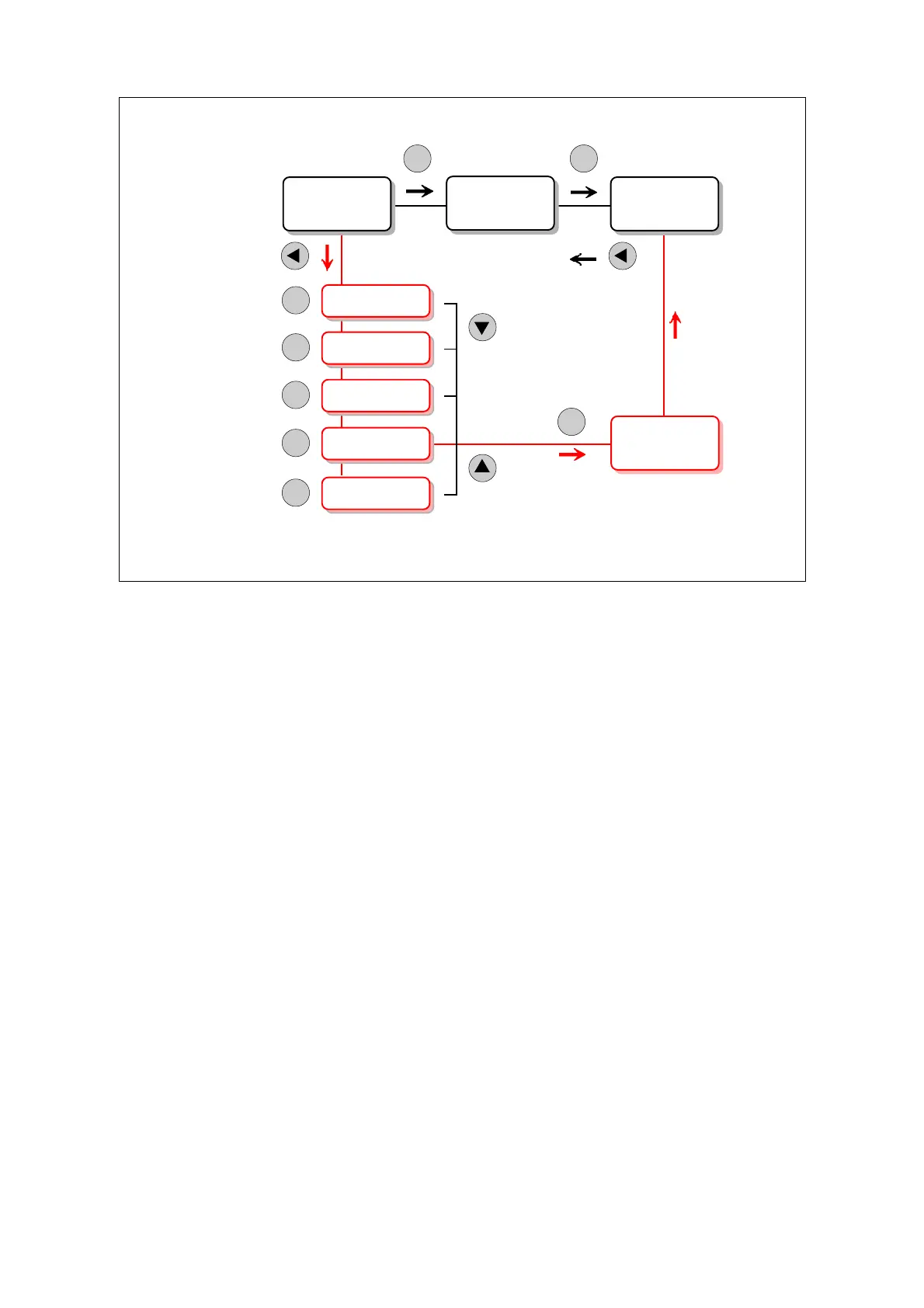
Multiple SPM results [Logger, Expert]
For each SPM measuring point, you have the option of taking two series of 5 readings each, and
save one result from each series.
When you reach the SPM display, you would normally press M, measure once and go on with ENT.
The result is recorded as reading 1. Instead, you can press RIGHT to start the multiple reading
function.
You can now obtain up to five measuring results and afterwards scroll through them with UP/
DOWN. When you press ENT the displayed result is saved as reading 1. This takes you to the next
technique or measuring point. The SPM display you just left is marked with X = measurement
complete.
You can, however, backstep to the SPM display and repeat the same procedure for reading 2. Both
results will be uploaded to Condmaster
®
Pro and saved as two measuring results with a one minute
time interval.
58 Multiple SPM measurements



 To Next Page