Technical data are subject to change without notice.
© Copyright SPM 2002-04. 71650.B
SPM Instrument AB • Box 504 • S-645 25 Strängnäs • Sweden
Tel +46 152 225 00 • Fax +46 152 15075 • info@spminstrument.se • www.spminstrument.se
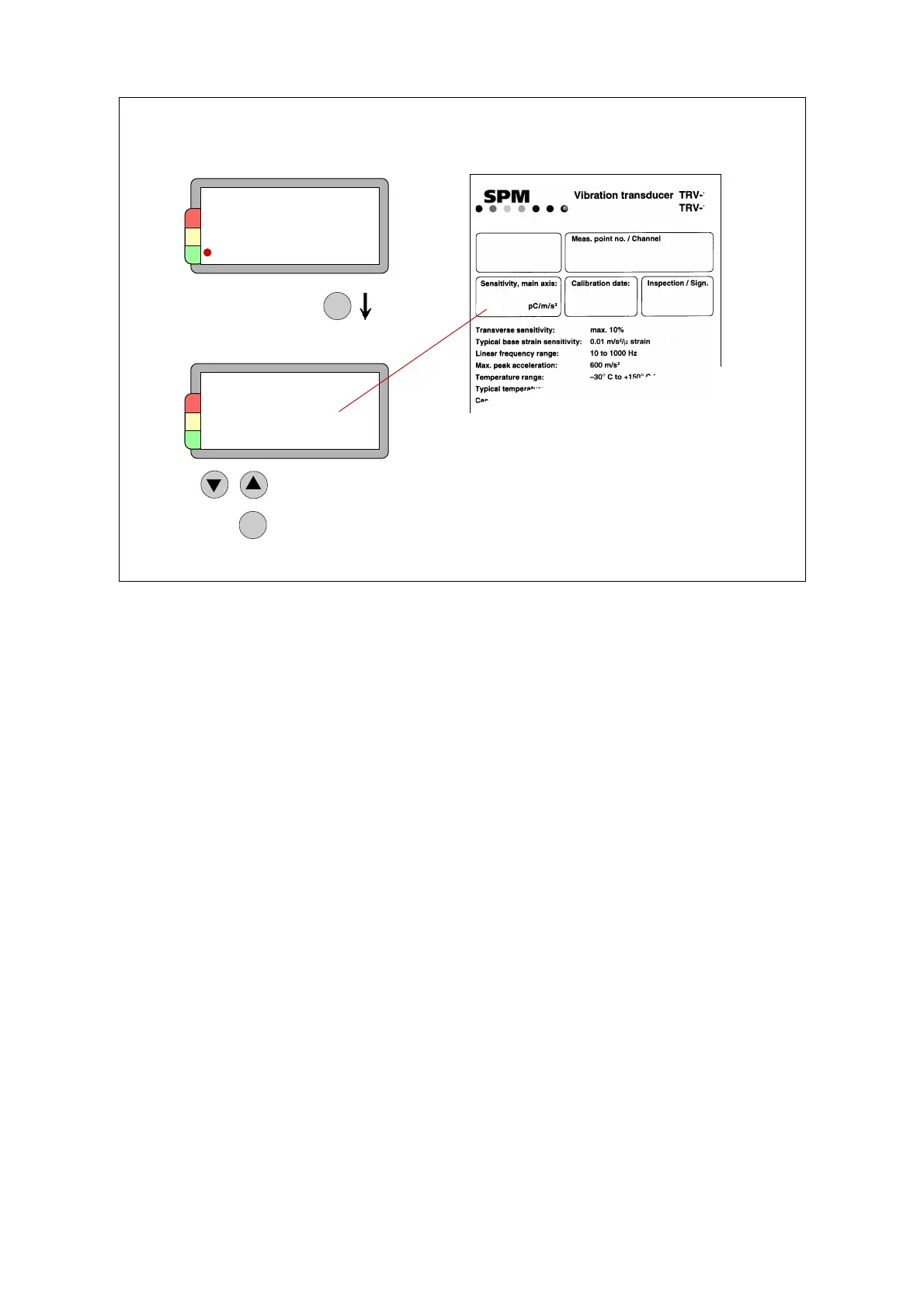
Setting vibration transducer sensitivity
The vibration transducer which you use together with the instrument is delivered with a calibration
card. The transducers are individually calibrated. The calibration value has to be set on the
instrument. If you change transducers, you have to input a new calibration value.
On the VIB display, press SET until “Transducer sensitivity” appears. Adjust the sensitivity to the
value on the card, using UP/DOWN. Leave with ENT.
Transducer
sensitivity
8.9 pC/m/s2
Analysis On
Hz / cpm: Hz
Frequency 3 – 5000
Lines 400
Sensitivity
TRV 12
s/n
9749035
8.90
08. FEB 99 210
JP
VIB - Set display
SET
ENT
Change
Save, exit
22
23
46 Measuring vibration



 To Next Page