Technical data are subject to change without notice.
© Copyright SPM 2002-04. 71650.B
SPM Instrument AB • Box 504 • S-645 25 Strängnäs • Sweden
Tel +46 152 225 00 • Fax +46 152 15075 • info@spminstrument.se • www.spminstrument.se
1
2
5
6
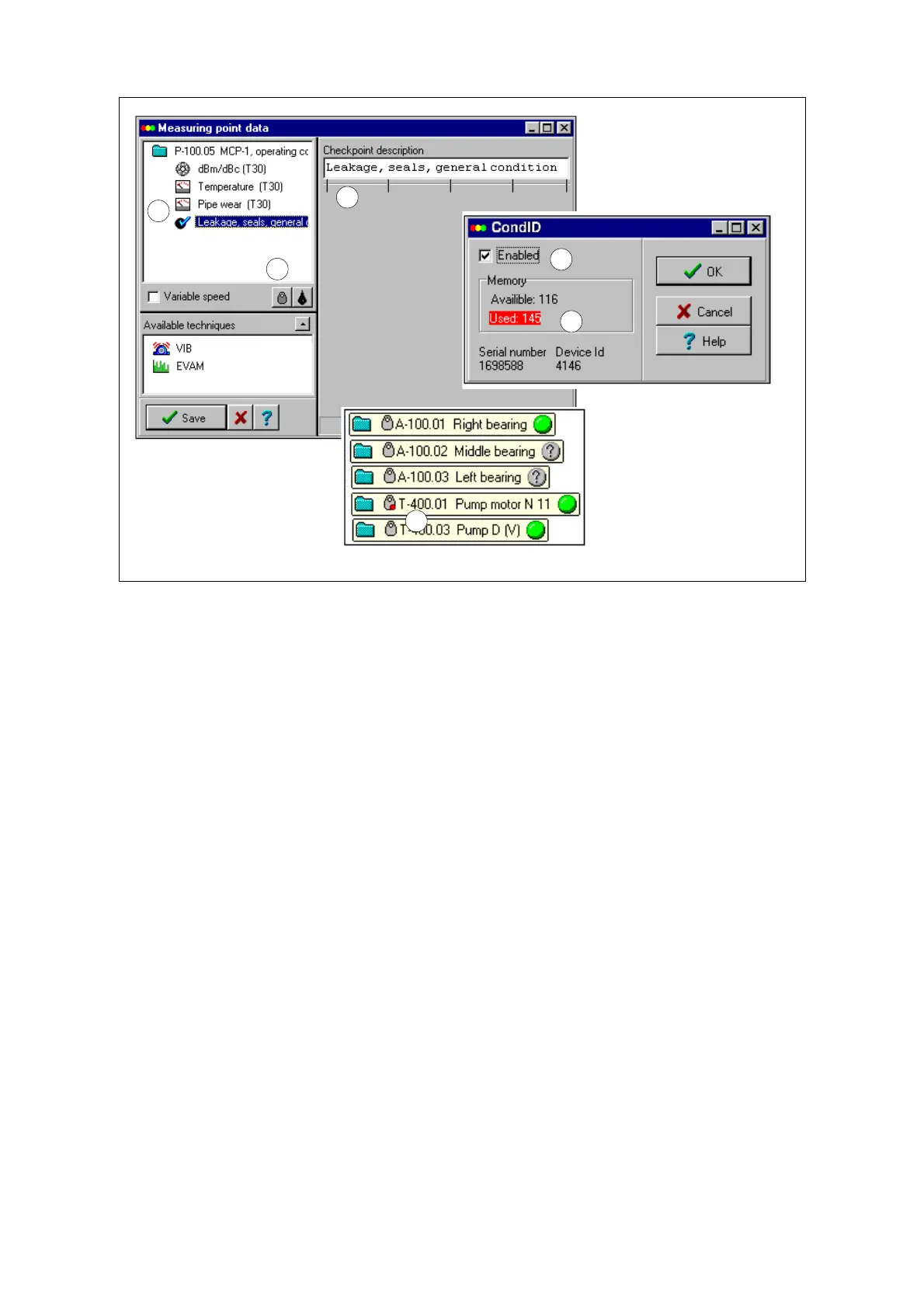
Many techniques (1) plus
long names, numbers and
texts (2) can use more
memory than available
3
Identification tag CondID
TM
in Condmaster
®
Pro
When an Tester T30 with the capability of reading ID tags is loaded with measuring points from
Condmaster
®
Pro, the program will automatically send all necessary codes. For an open system
without password there is no set-up for tags. For a system with the extra password protection, you
have to input the passwords. Everything else is an automatic part of the downloading procedure.
You can use all available measuring techniques together with the tags, checkpoints included. They
are initiated through a first WRITE command. The measuring points must then be uploaded to
Condmaster
®
Pro. After that, the measuring point in the measuring point register will show a tag
button (3), leading to a menu where you can disable (5) the link to the tag in case it gets lost or is
used elsewhere.
In the measuring point tree, ”tagged” measuring points are marked by the tag icon. If it shows a
red dot (6), the tag memory could not accommodate all data. In such a case, data will be left out.
This starts by shortening the measuring point name. Next, the checkpoint text is shortened/left
out, then ”Alternative measuring technique 2” is left out and others, working rear to front. The ID
tag menu will show the used number of bytes (one byte = one character).
In case of memory trouble, edit the measuring point. You may be able to cut down on redundant
information:
• Use short measuring point names and short texts for ”check points”.
• Define ”Measured quantity” for ”Alternative measurements” with as few characters as
possible. Keep the result display format ”##.#” to the minimum.
• Distribute the measuring techniques to two measuring points if necessary.
4
Reduce data:
• Shorten names, texts
• Split techniques on two
measuring point
Tagged point:
• Tag icon in Graphical
overview (6) and
• tag button in Measuring
point register
Identification tag 67



 To Next Page