Objet260 User Guide 6 Operating and Maintaining the Objet260 3DPrinter
DOC-37004 Rev.E 6-35
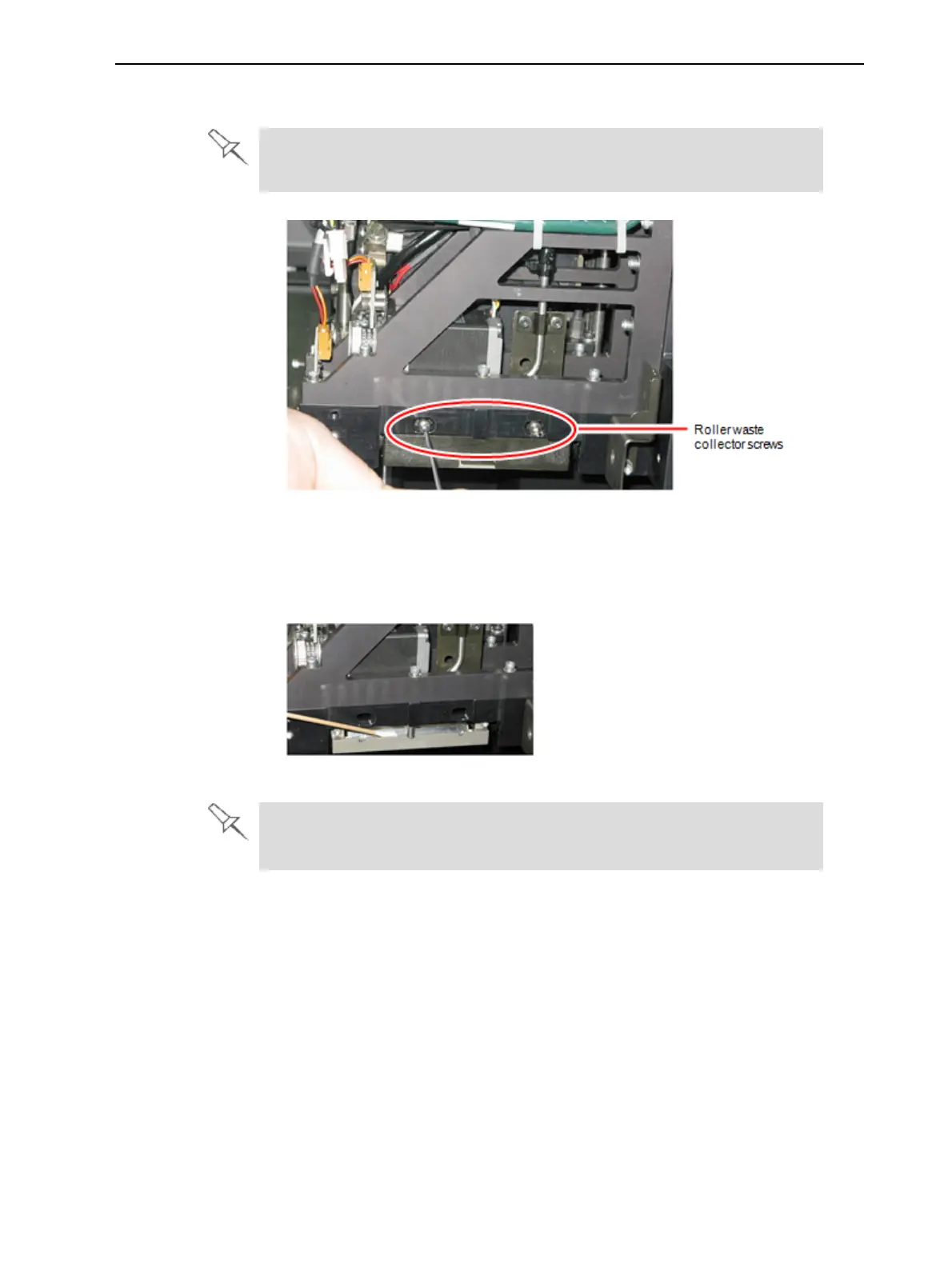
6. Removethetwoscrewssecuringthecoveringoftherollerwastecollector
andremoveit.
Beverycarefultosavethecoveringscrews.Thesearespecialscrews;if
theyarelost,youneedtoorderreplacements.
Figure6-39Removingtherollerwastecollectorcovering
7. Removethecoveringbypullingitout,andthenlowerit.
8. Cleantherollerwastecollectorandthescraperbladesurfaceusingcotton
swabs.Makesuretoremoveanyremainingprintingmaterials.
Figure6-40Cleaningtherollerwastecollector
Beforereplacingthecovering,youcanchecktheeffectivenessoftheroller
scraper—seebelow.
Tochecktheeffectivenessoftherollerscraper:
1. Putonthecleaninggloves.
2. Wetaclothwithisopropanol.
3. Usetheclothtowetthebottomoftheroller.
4. Turntherollerslowlywithyourhand.Asthebladescrapestheroller,
makesuretheisopropanolisspreadevenlyovertheentirelengthofthe
blade.
5. Inspecttheroller.Ifitisnotdry,replacetheblade.(See"Replacingthe
RollerScraper"onthenextpage.)













 To Next Page