Black plate (114,1)
一般Model "A2470GE-B" EDITED: 2010/ 9/ 24
2-18 Keys and doors
1) Unlock side
2. Push the rear side (unlock side) of the
power door locking switch.
3. Within 5 seconds after step 2 is
performed, open the driver’s door.
4. Within 5 seconds after step 3 is
performed, push the rear side (unlock
side) of the power door locking switch
twice while the door is open.
5. Within 30 seconds after step 4 is
performed, close and open the driver’s
door twice.
6. Within 30 seconds after step 5 is
performed, push the rear side (unlock
side) of the power door locking switch
twice while the door is open.
7. Within 30 seconds after step 6 is
performed, close and open the driver’s
door once.
8. Within 5 seconds a fter step 7 is
performed, close the door. A chirp sound
will be heard, and the functions are
disabled.
NOTE
In steps 4 and 6, press the power door
locking switch slowly. If the switch is
pressed quickly, the functions may not
be disabled.
! Enabling functions
When the procedure to disable the func-
tions is performed again, the functions are
enabled.
& When access key does not
operate properly
If the locking/unlocking procedures cannot
be operated because of strong radio noise
in the surrounding area or low battery of
the access key, perform the following
procedures to lock or unlock the doors.
When the battery of the access key is
discharged, replace it with a new one.
! Locking and unlocking by mechan-
ical key
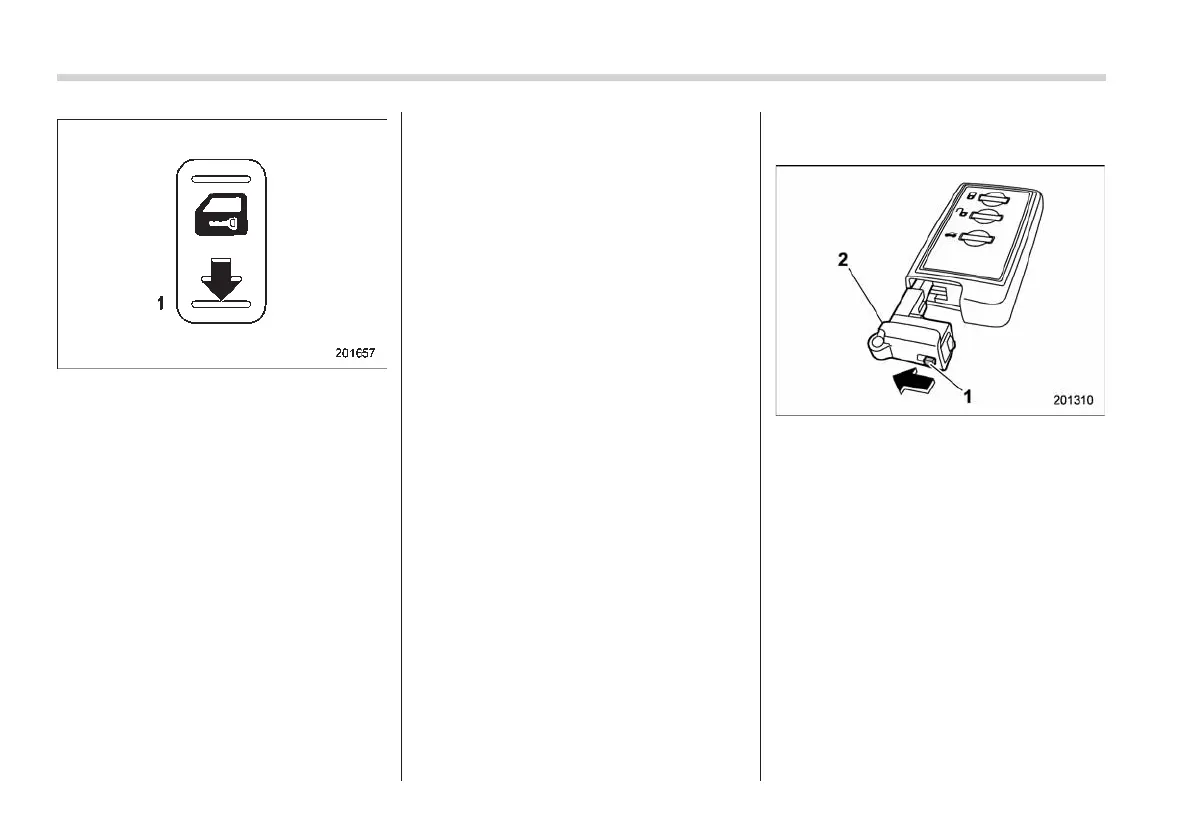
1) Knob
2) Mechanical key
While pulling the knob of the access key,
take out the mechanical key.
Lock or unlock the driver’s door with the
mechanical key.
NOTE
After locking or unlocking, be sure to
attach the mechanical key back to the
access key.














 To Next Page