Black plate (232,1)
一般Model "A2470GE-B" EDITED: 2010/ 9/ 24
5-22 Audio
– Turn the ignition switch to the
“LOCK”/“OFF” position
. When the “SCAN/A.S” button (type
A audio) or “SCAN” button (type B
audio) is pressed while the MP3, WMA
or AAC format data is played back, the
system scans within the current folder.
. When the “SCAN/A.S” button (type
A audio) or “SCAN” button (type B
audio) is pressed while data (except for
the MP3, WMA or AAC formats) is
played back, the system scans the
disc.
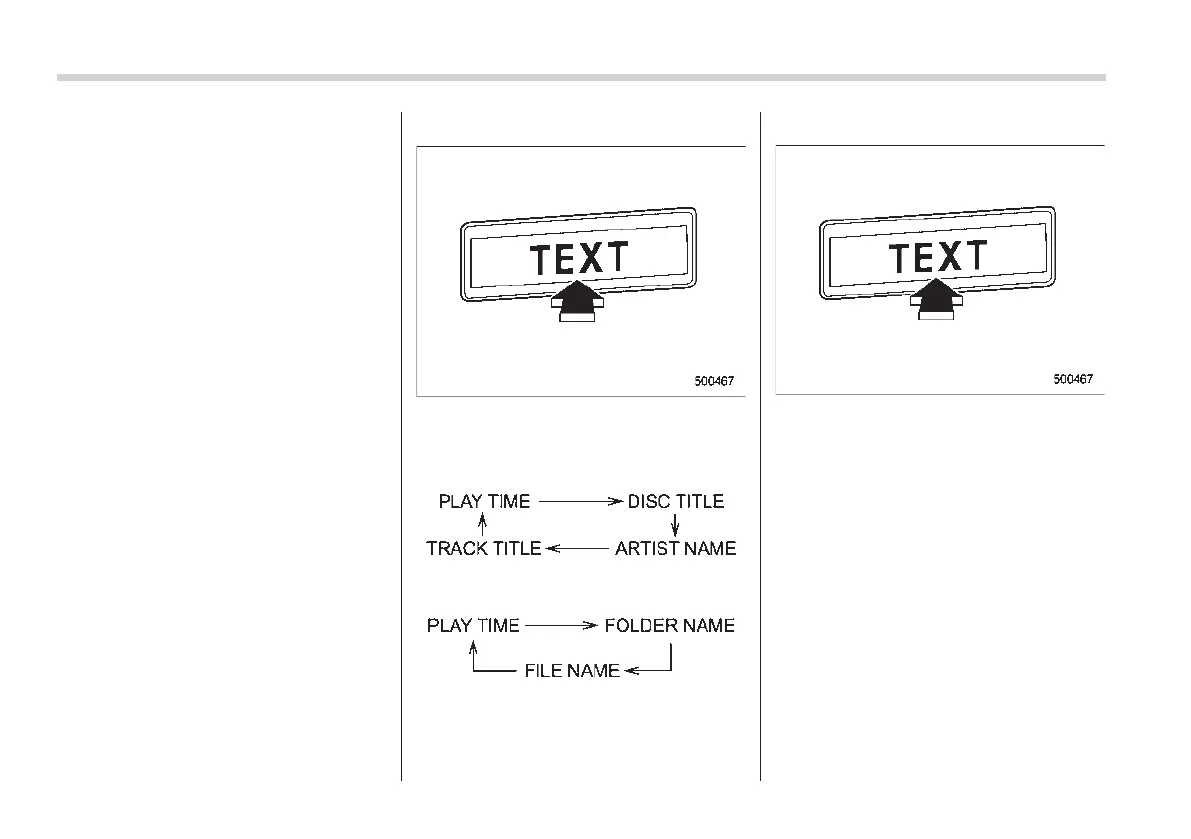
& Display selection
If you press the “TEXT” button during
playback, the indication will change to the
next one in the following sequence.
For CD-DA:
For MP3/WMA/AAC:
! Page (track/folder title) scroll
If you press the “TEXT” button again for at
least 0.5 second, the title will be scrolled
so you can see all of it.
If the “TEXT” button is pressed for more
than 1.5 seconds when a title consists of
more than 16 characters, the display will
show the title in two lines. Up to 15
characters will be shown on each line.
NOTE
The display is designed to show titles
for up to 30 characters.














 To Next Page