Black plate (103,1)
一般Model "A2470GE-B" EDITED: 2010/ 9/ 24
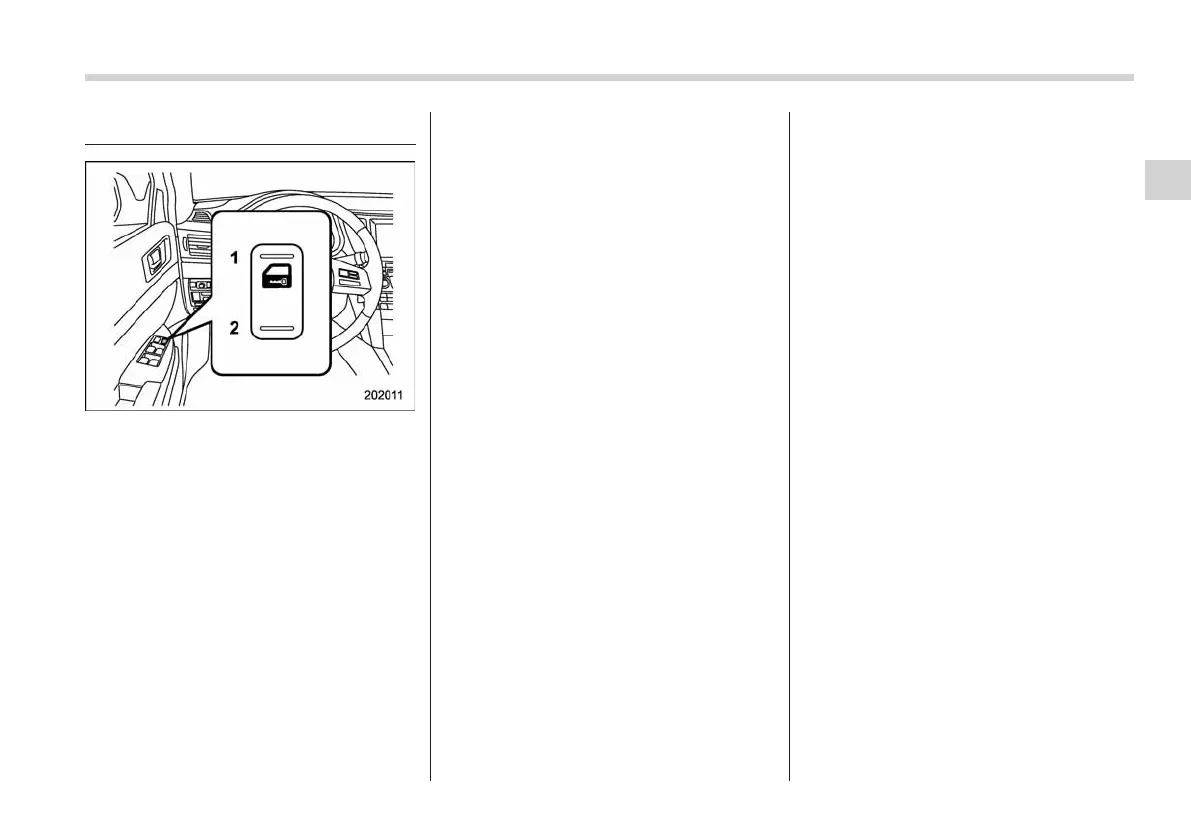
Power door locking switch
1) Lock
2) Unlock
All doors and the rear gate (Station
wagon) can be locked and unlocked by
the power door locking switch located at
the driver’s side door.
To lock the doors including the rear gate,
press the front side of the switch.
To unlock the doors including the rear
gate, press the rear side of the switch.
NOTE
. For models with the double locking
system, pushing the rear side of the
power door lock ing switch has no
effect when the double locking system
is activated.
. If your vehicle is an Australia model,
after locking all doors and the rear gate
(Station wagon) usi ng the remote
transmitter, turning the power door
locking switch to the unlock position
has no effect.
& Key lock-in prevention func-
tion (except models with
double locking system)
This function prevents the doors from
being locked with the key still in the
ignition switch.
! Behavior with key lock-in preven-
tion function operational
With the driver’s door open, the doors are
automatically kept unlocked even if the
front side of the power door locking switch
is pressed.
! Behavior with key lock-in preven-
tion function non-operational
. If the lock lever is turned to the rear
(lock) position with the driver’s door open
and the driver’s door is then closed, the
driver’s door is locked.
. If the spare key is used to lock the
driver’s door from the outside of the
vehicle, the door is locked.
This function’s operational/non-opera-
tional s etting can be changed by a
SUBARU dealer. We recommend that
you contact a SUBARU dealer for details.
NOTE
When leaving the vehicle, make sure
that you are holding the key before
locking the doors.
Keys and doors 2-7
2














 To Next Page