Black plate (242,1)
一般Model "A2470GE-B" EDITED: 2010/ 9/ 24
5-32 Audio
& Using Hands-free system
! Turning on/off Hands-free mode
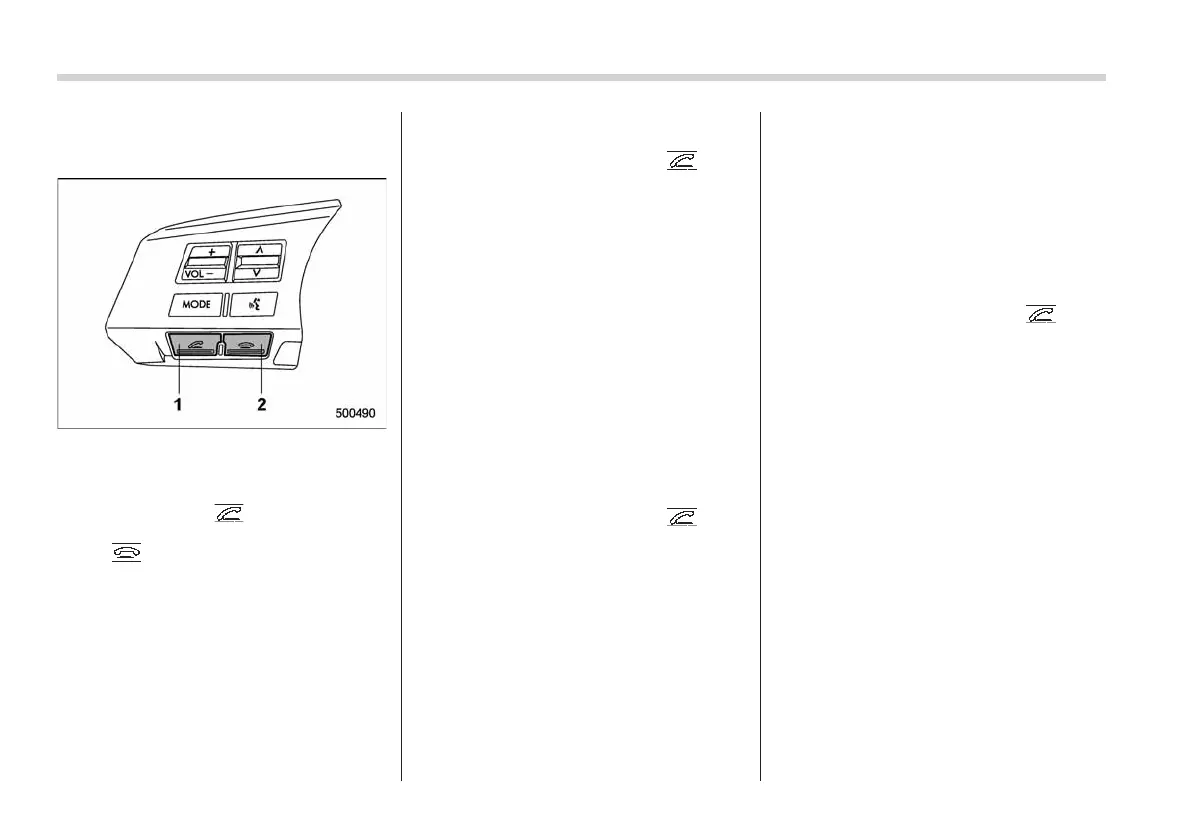
1) OFF hook switch
2) ON hook switch
To turn on the Hands-free mode, press the
OFF hook switch
. To turn off the
Hands-free mode, press the ON hook
switch
.
! Preparation for using Hands-free
system
Before using the Hands-free system, it is
necessary to register a cell phone in the
system. Perform the following procedure
to register a cell phone.
! Newly registering cell phone
1. Press the OFF hook switch
.
2. Select “Record Name” by operating
the “TUNE/TRACK” dial.
3. Say the name to be registered.
4. Select “Confirm” by operating the
“TUNE/TRACK” dial.
5. Input the displayed pass key into the
cell phone. Input the displayed pass key
into the cell phone while “PASS KEY: ****”
is displayed. If you input the correct pass
key, “Paired” is displayed and the register-
ing procedure is finished. If you input an
incorrect pass key, “Failed” is displayed
and the registering procedure was not
successful.
! Registering additional cell phone
1. Press the OFF hook switch
.
2. Select “Set up” by operati ng the
“TUNE/TRACK” dial.
3. Select “Phone setup” by operating the
“TUNE/TRACK” dial.
4. Select “Pair phone” by operating the
“TUNE/TRACK” dial.
5. Say the name to be registered.
6. Select “Confirm” by operating the
“TUNE/TRACK” dial or say “Confirm”.
Then a pass key is displayed.
7. Input the displayed pass key into the
cell phone w hile “PASS KEY: ****” is
displayed. If you input the correct pass
key, “Paired” is displayed and the register-
ing procedure is finished. If you input an
incorrect pass key, “Failed” is displayed
and the registering procedure was not
successful.
! Inputting phone number
1. Press the OFF hook switch
.
2. Select “Phonebook” by operating the
“TUNE/TRACK” dial.
3. Select “Add Entry” by operating the
“TUNE/TRACK” dial.
4. Select “Manual Input” by operating the
“TUNE/TRACK” dial.
5. Input the phone number to be regis-
tered.
NOTE
While inputting the phone numbers, if
“Go Back” is chosen using the “TUNE/
TRACK” dial, the character that was
input last is deleted.
! Registering phonebook data
1. Input the phone number to be regis-
tered. Refer to “Inputting phone number”
F5-32.
2. Say the name to be registered.
3. “Confirm” is displayed.














 To Next Page