Black plate (35,1)
一般Model "A2470GE-B" EDITED: 2010/ 9/ 24
involving serious injury or death.
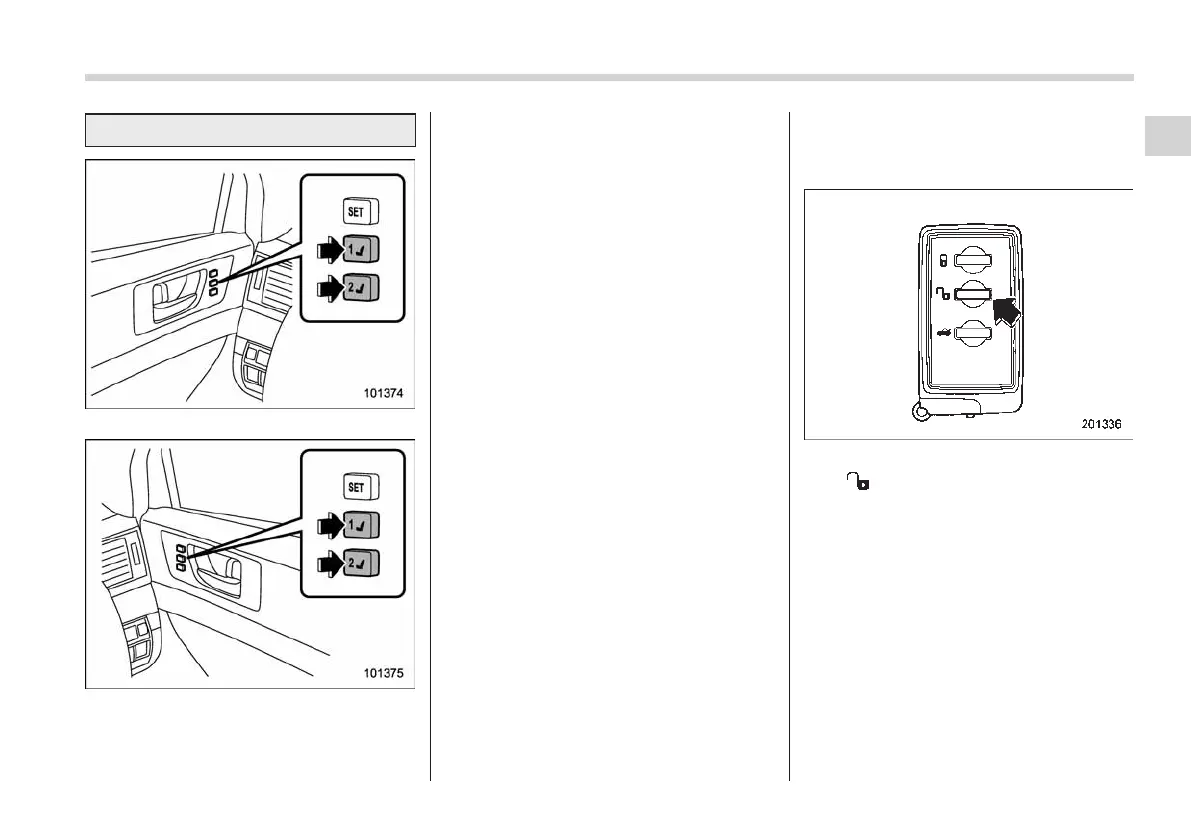
LHD models
RHD models
1. Turn the ignition switch to the “ON”
position.
2. While the select lever is in the “P”
position (AT and CVT models) and the
parking brake is applied, press button “1”
or “2”.
3. The chirp sound sounds once and the
seat moves to the registered position.
4. When the seat moves to the registered
position, the chirp sound sounds.
NOTE
. If a new position is registered for the
same button, the previously registered
seat position is deleted.
. If the battery is removed, the regis-
tered seat position is not deleted.
. When the button “1” or “2” is
pressed within 45 seconds after the
driver ’s door is opened, the registered
seat position can be retrieved even if
the ignition switch is in the “LOCK” or
“OFF” position.
! Retrieval of the seat position regis-
tered with access key
1. Hold the registered access key.
2. Unlock the driver’s door by pressing
the “
” button or gripping the door
handle.
3. Open the driver’s door.
4. The chirp sound sounds once and the
seat moves to the registered position.
5. When the seat moves to the registered
position, the chirp sound sounds.
NOTE
. If the registered seat position cannot
be retrieved after performing the pre-
vious procedu res, try the following
procedures.
(1) Press the “SET” button on the
Seat, seatbelt and SRS airbags 1-7
– CONTINUED –
1














 To Next Page