Innagator | Technical Pack105
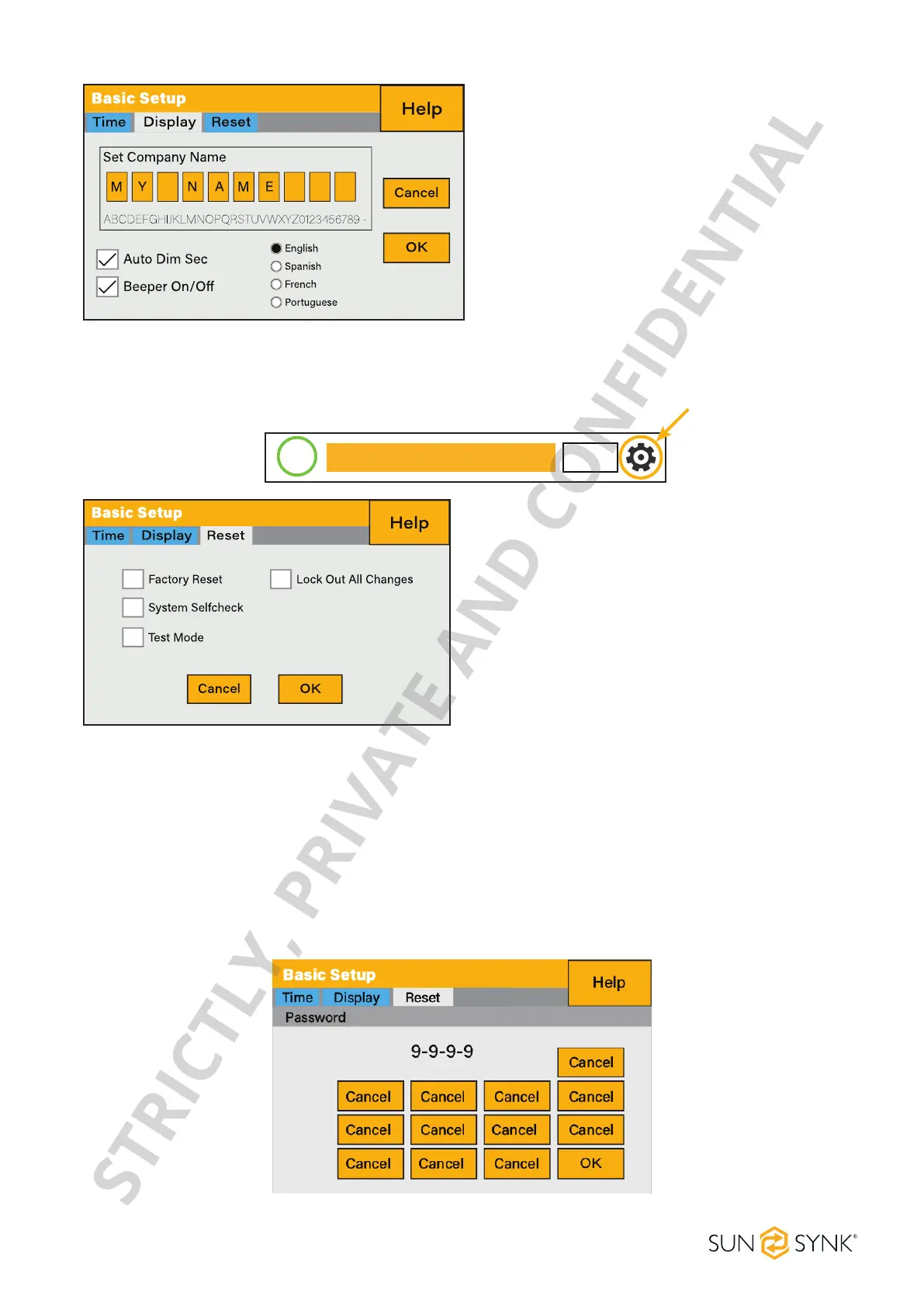
Set a number in the auto dim box to dim the
LCD after a number of seconds.
How to set the auto dim:
How to turn the beep on or o:
Check or uncheck the beep box and the press
OKtocongureitasyouprefer.
Factory Reset and Lock Code
To access the Settings, click on the gear icon on the right top of the menu.
0.0
kWh
0.0
kWh
0.0
kWh
0.0
kWh
0.0
kWh
0.0
kWh
85%
BATTERY IN/OUT MPPT. GRID.
SOLAR/TURBINE AC load
Battery Grid
Reset status.
Whether the ‘lock code’ is used or not.
What this page displays:
Reset the inverter to the factory settings.
System diagnostics.
Change or set the ‘lock code’.
What you can do from this page:
Factory Reset: Reset all parameters of the inverter
Lock out all changes: Enable this menu to set parameters before the unit is locked and cannot be reset.
*Before performing a successful ‘Factory Reset’ and locking the systems, the user must enter a
password to allow the setting to take place. The password for ‘Factory Reset’ is 9999 and for
lockout is 7777.
System self-check: Allows the user to conduct a system diagnosis. After ticking this item, it needs input the
password. The default password is 1234
Test mode (only for engineers): For engineers to conduct tests.
STRICTLY, PRIVATE AND CONFIDENTIAL


 To Next Page