Innagator | Technical Pack158
To operate the high-voltage control box with an external 12V power supply, please contact our service per-
sonnel. Hotline: +852 2884 4318, Email: support@sunsynk.com.
Inthefactoryconguration,thehigh-voltagecontrolboxissuppliedwithworkingvoltagefromaninternal
power supply unit. If your plan requires an external 12V power supply, an adaptive version and a high-volt-
age control box can be provided as requested. Please contact our after-sales service personnel for details.
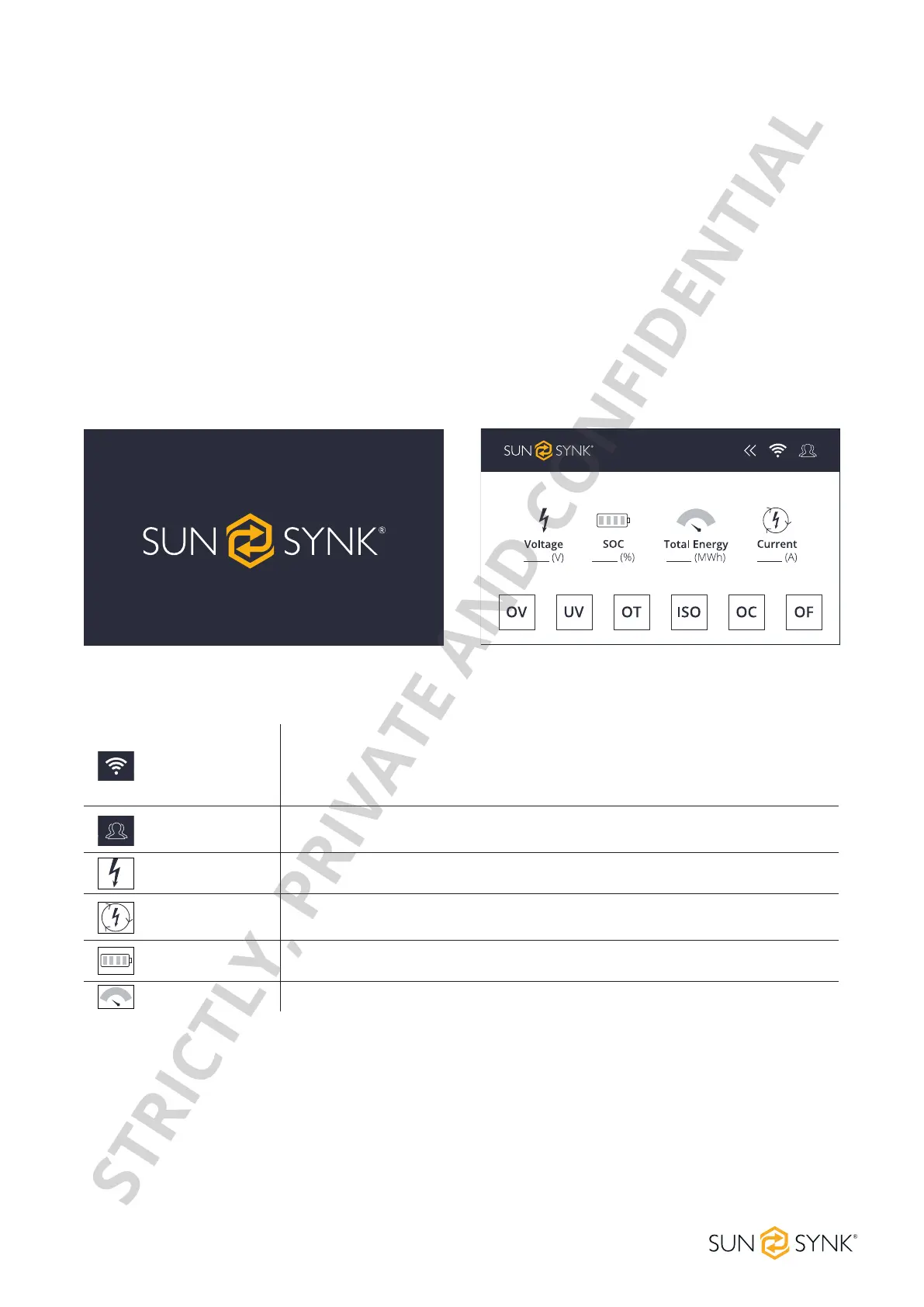
The default interface will appear after powering on. If the screen is not touched for more than 13 minutes, it
will darken and the default interface replaces the other interface. Click this screen to enter the user interface.
Wi-Fi Icon
No Wi-Fi icon on the screen indicates no Wi-Fi signal.
TheashingWi-FiicononthescreenindicatestheWi-Fiisinconnecting.
The Wi-Fi icon on the screen indicates the Wi-Fi is connected.
System
maintenance icon
Click this icon to enter the system maintenance.
Voltage Total battery voltage.
Current
Battery current, the positive value representing discharge, the negative value
representing charge.
SOC Battery remaining energy.
Total energy Accumulated discharging energy.
12V Power Supply for HV Control Box
Display
Home Screen
Basic Parameters
STRICTLY, PRIVATE AND CONFIDENTIAL


 To Next Page