Innagator | Technical Pack160
Main Screen
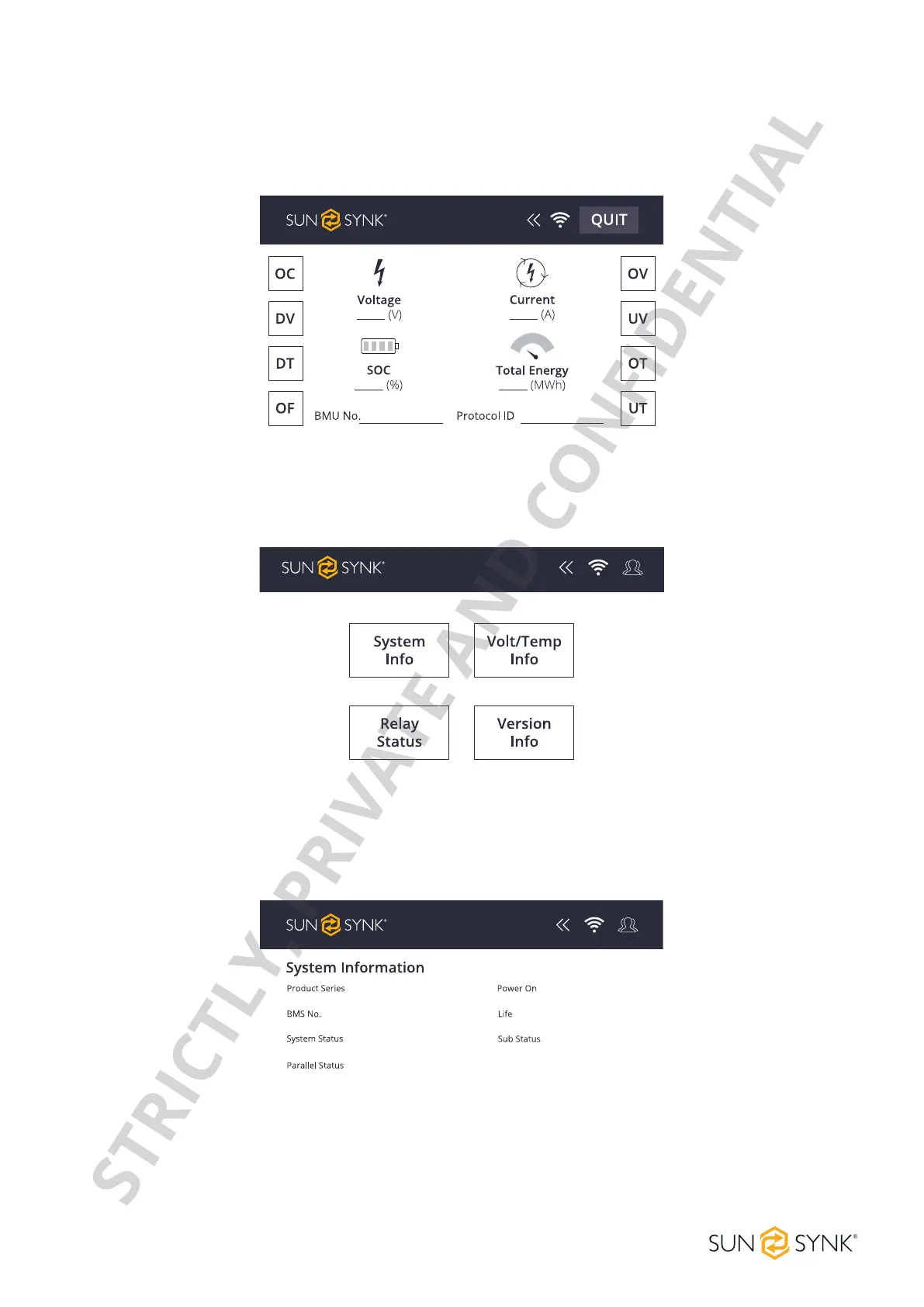
This screen shows the main information of the system, like the Voltage (V), SOC (%), Current (A), Total Energy
(MWh), the BMU number, and the protocol ID. Click this screen to enter the system maintenance menu. Click
on each Fault Indication to enter in the Fault Page.
System Maintenance Menu
The Menu page presents information about High Voltage Series Battery system, voltage, temperature, ver-
sion, and the relay status.
System information
This screen shows the information about the High Voltage Series Battery system. Information like product se-
ries, number of the BMS, the system status, parallel status, power status, battery life status, and sub status.
STRICTLY, PRIVATE AND CONFIDENTIAL


 To Next Page