Innagator | Technical Pack177
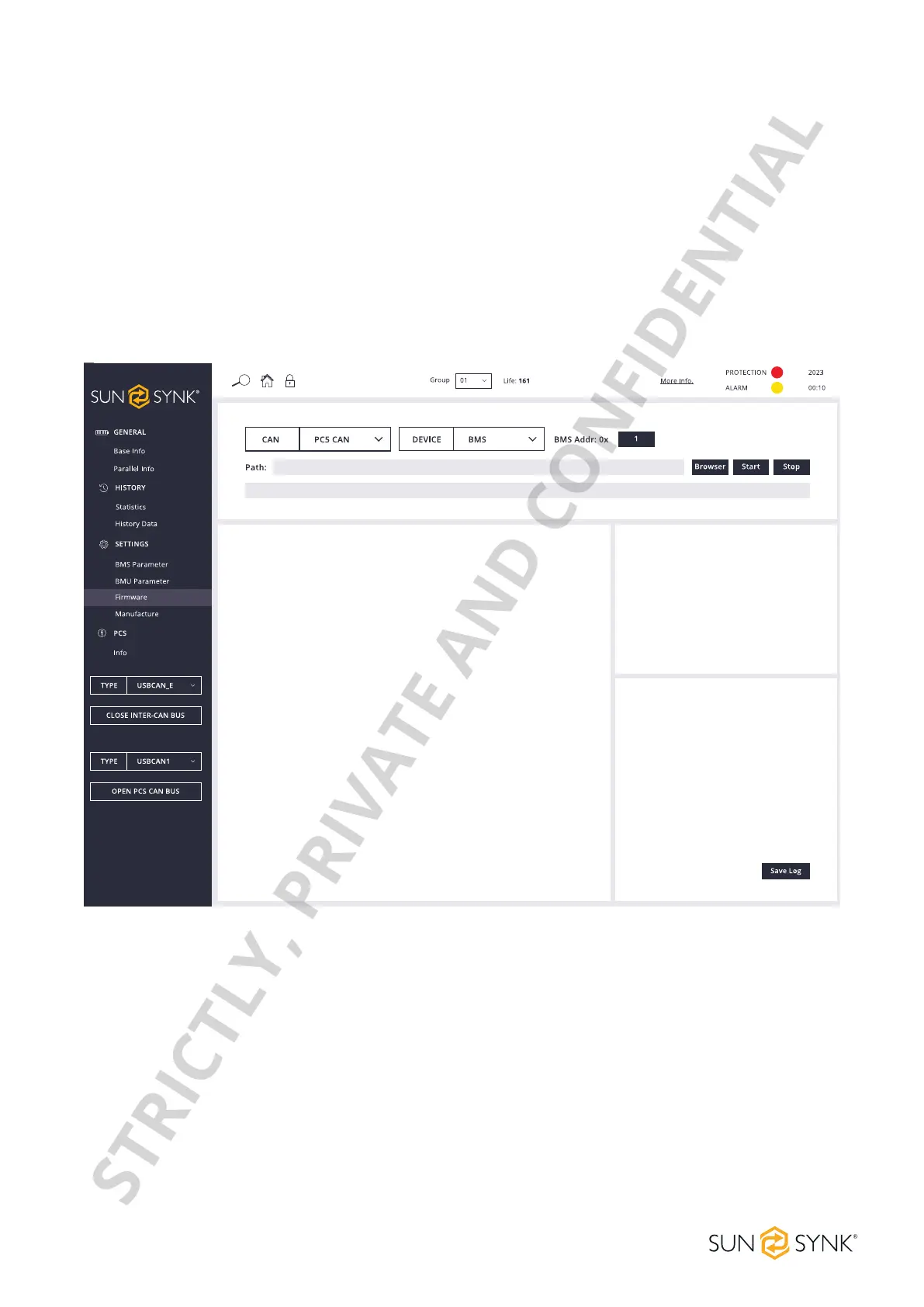
PCS CAN Firmware Upgrade
ClicktheBrowserbutton,selectthecongurationleyouneedtoupgradefromthecomputer,ordragand
droptheBINleyouneedtoupgradetotheupgradeinterface.TheHVESS-Monitorwillreadandanalysethe
dataintheleanddisplayitonthecorrespondinginputinterface.ClicktheStartbuttontostartupgrading.
Inthecaseofparalleldeviceoperation,whenthedeviceaddressislledinwith1,theHVESS-Monitorwill
upgrade the BMS and BMU in the entire system one by one, starting from No.1 BMS. Regardless of wheth-
er a BMS upgrade succeeds or not, it will continue to upgrade BMS at the next address. When the device
addressislledinwithagureotherthan1(forexample,2),theHVESS-Monitorwillonlyupgradeasingle
BMS whose address matches the input. The single BMU upgrade operation is similar. After the upgrade, an
OK message will be displayed.
STRICTLY, PRIVATE AND CONFIDENTIAL


 To Next Page