Innagator | Technical Pack168
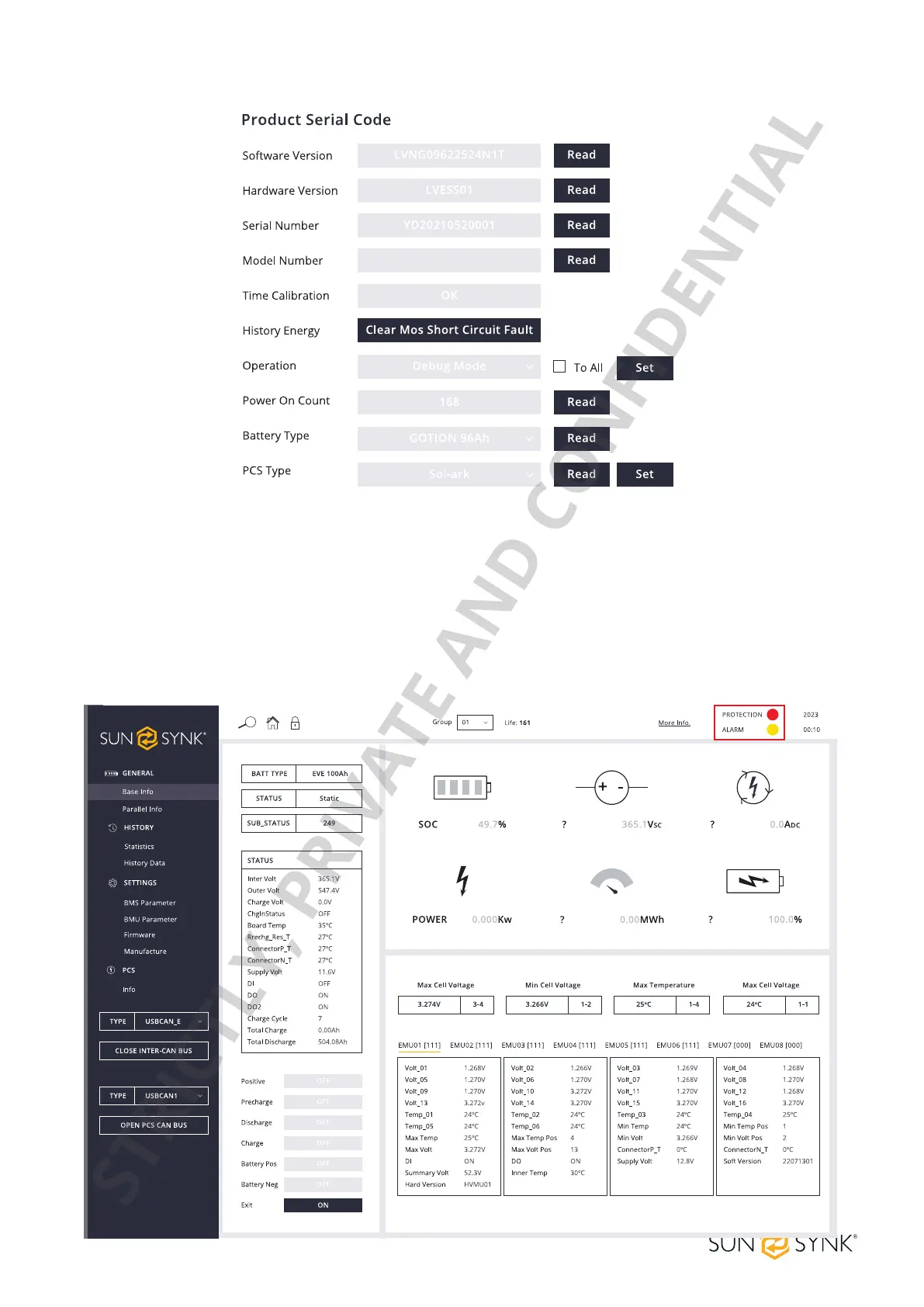
In the parallel system application, click the OPEN INTER-CAN BUS button. By default, the data monitoring
interface will display the real-time information of the module group number 01. To display other module
information, switch to the desired module group number.
Afterthecommunicationisavailable,thespeciccellnumberandtemperatureinformationwillbedisplayed
inreal-time.TheHVESS-Monitordisplaysdierentalarms.Thereareprotectioneventsandalarmevents.
Both types of events are displayed in the list. When an alarm event disappears, it will be removed from the
list.
STRICTLY, PRIVATE AND CONFIDENTIAL


 To Next Page