SWDM40 OPERATION & MAINTENANCE MANUAL
6.6.4 Remote Operation
★Note: This model doesn’t support this function.
When the machine travels onto or off a platform trailer, certain safety risks exist due to
the limited operating field of vision in the driver's cab. The machine provides remote control
operation, and the operator can go out of the driver's cab and observe carefully through the
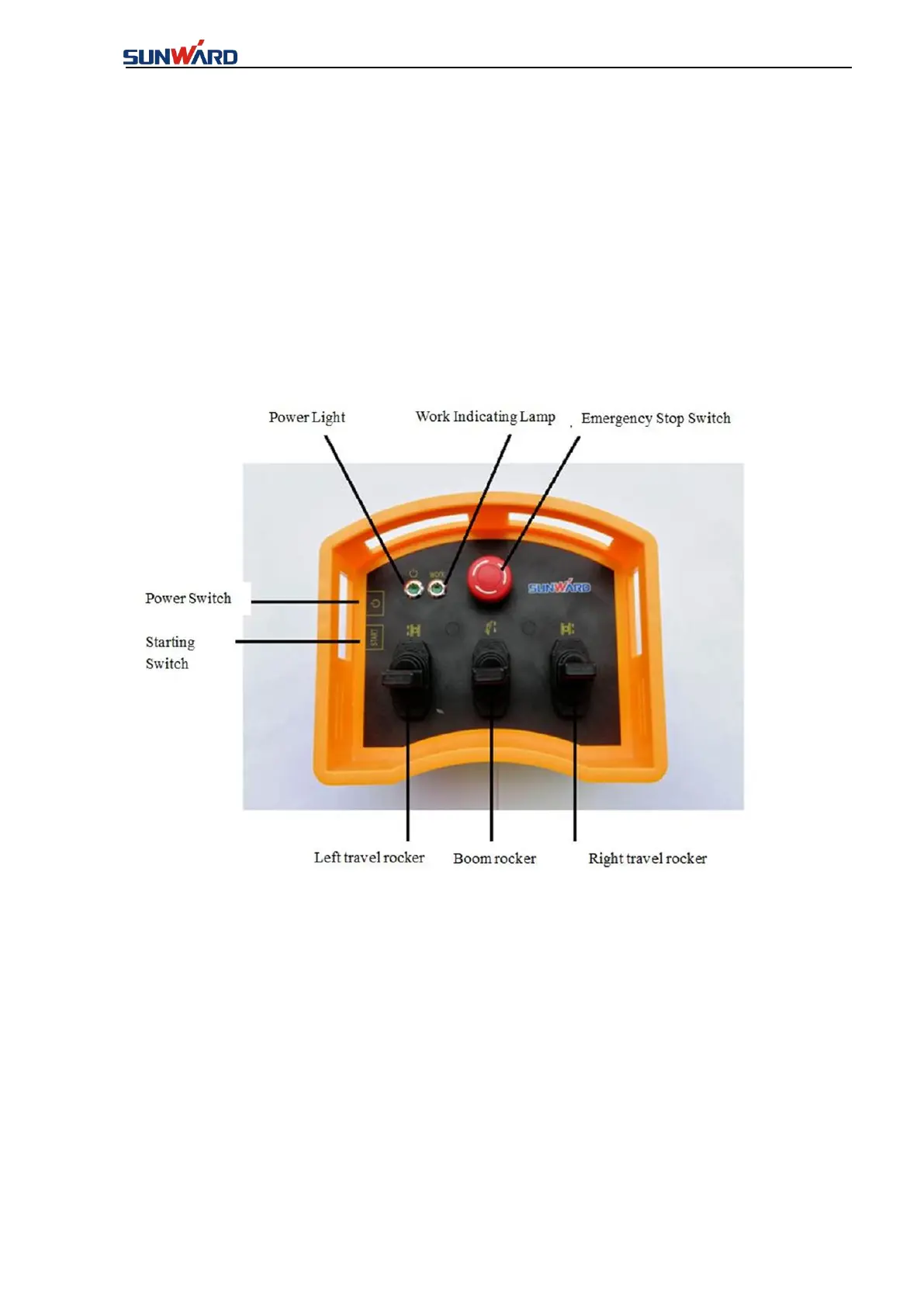
remote control to improve the safety of operation. The remote control is as follows:
Operation steps for remote control are as below:
1. Press down the "Power switch" of the remote control, the indicator light is green, while it's
red, indicating that the remote control should be charged.
2. The working indicator light is green after pressing down the "Starting switch", which
indicates that the communication of emitter of the remote control and the receiver is normal, the
remote control is normal, while the indicator light is red, the communication is abnormal.
Check that after the power is cut off.
3. Push "boom rocker" forward when moving the machine onto the platform trailer, lift the
boom to balance the front and rear position of the machine and keep it stable.



 To Next Page