SWDM40 OPERATION & MAINTENANCE MANUAL
3.5 AIR CONDITIONER
3.5.1 Use of Air Conditioner
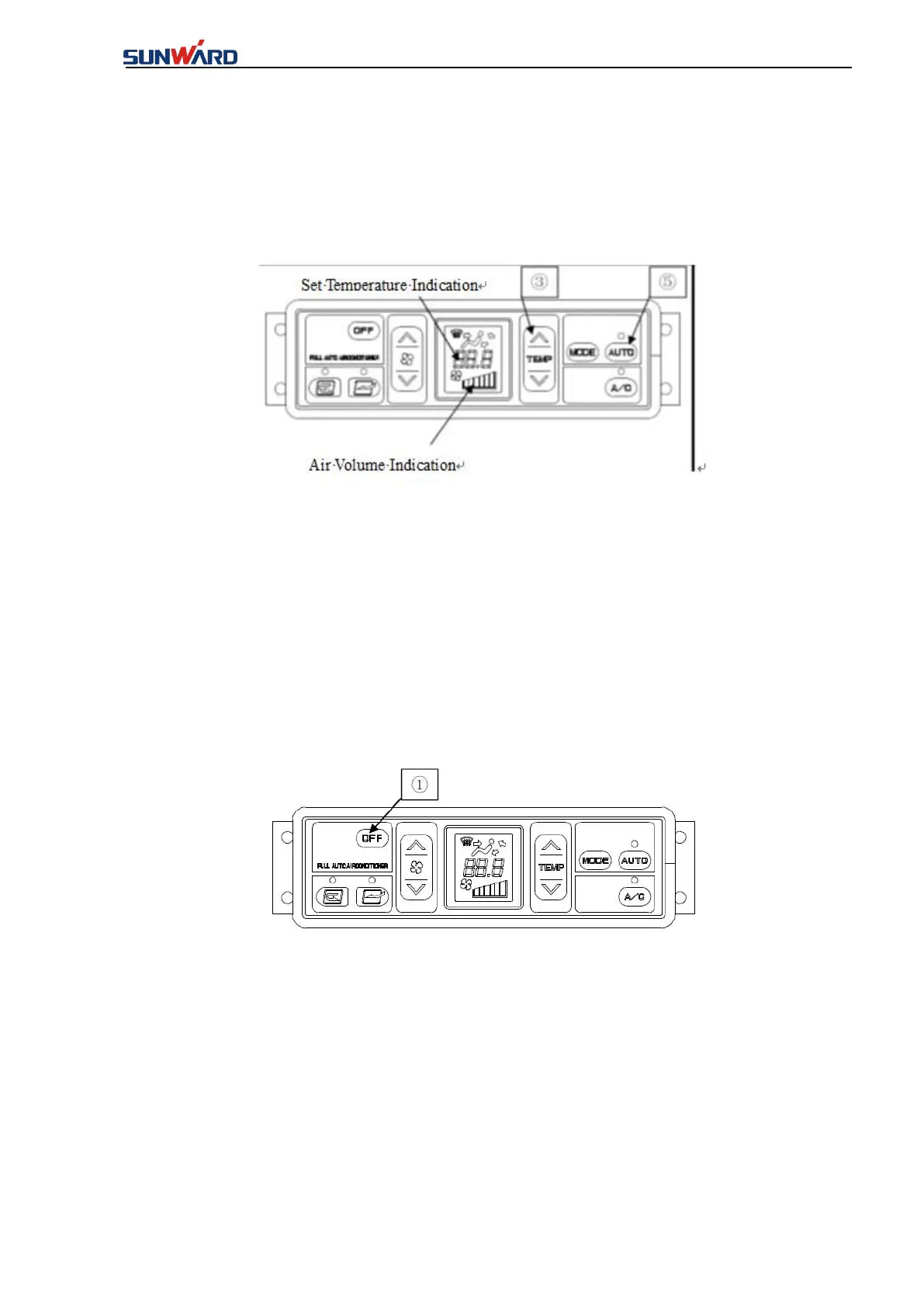
1. Auto-running
1. The auto mode setting switch ⑤ is on and the temperature, air flow rate, auto switch, and
A/C switch indicator lights on the LCD screen are on.
2. Adjust the temperature switch and set the temperature to a comfortable value. Set the
temperature accordingly, and the air conditioner automatically switches in the air flow rate, air
outlet, and internal/external circulation. The air conditioner runs automatically to reach the set
temperature.
Remarks: in the auto mode, the air flow rate is automatically limited to prevent the cool air
from flowing out and the engine coolant temperature is flow.
2. Auto-Running Stop
Press down the OFF switch ①
The set temperature and air flow rate indicators on the LCD screen as well as the auto switch
and A/C switch lights are off and the air conditioner is stopped.



 To Next Page