SWDM40 OPERATION & MAINTENANCE MANUAL
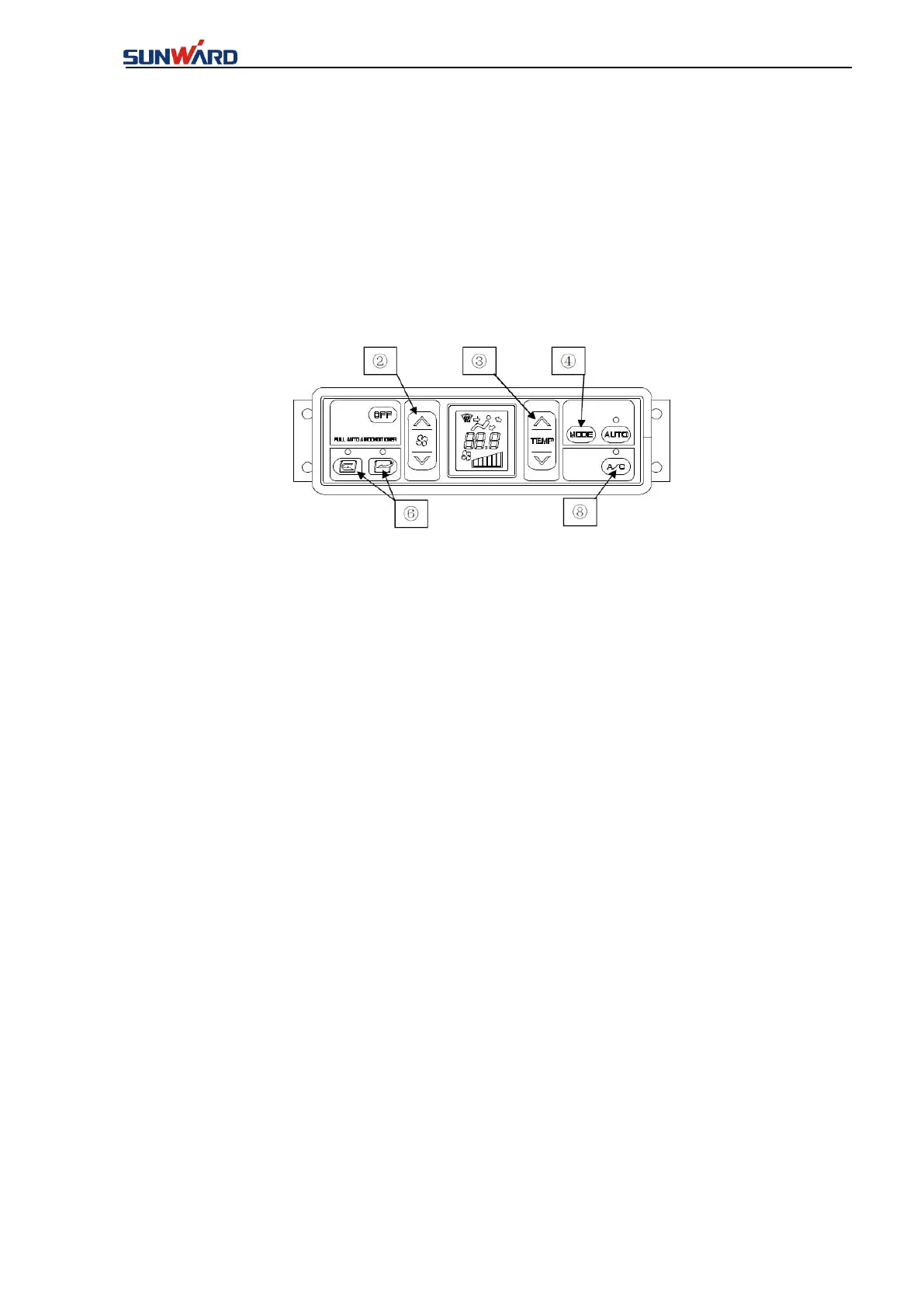
1. Press down the fan switch ② to adjust the air flow rate. The set temperature and air flow
rate are confirmed through the LCD screen.
2. Press down the air outlet mode setting switch ④ to select an air outlet mode.
3. Allow the air conditioner ⑧ in the On state. The light on switch can be used to confirm this.
4. Adjust the fan speed setting switch ②, temperature setting switch ③, and internal/external
air mode switching switch ⑥to the appropriate positions respectively.
6. Defrosting running
1. Press down the fan switch ② to adjust the air flow rate. The set temperature and air flow
rate are confirmed through the LCD screen.
2. Adjust the air outlet mode switching switch ④.
3. Select the external air import state by pressing down the internal/external air switching
button ⑥.
4. Adjust the temperature adjustment switch ③ to set the temperature to 32 ℃ (maximum
heating capacity)
In order to allow the air to be blown onto the glass, adjust the shutter directions of the air
outlets.
In addition, if the glass is covered with moisture or dehumidification is required in the plum
rain season, simply start the air conditioner ⑧ for dehumidification.
7. Self-diagnosis function
Implement the fault check of the air conditioners sensors and parts.
1. Press down the OFF switch ①. The set temperature and air flow rate indicators on the LCD
screen disappear and the air conditioner stops running.
2. Simultaneously, press down the control button of the temperature setting switch ③ for three
seconds or above, and there will be a trouble code on the LCD screen.



 To Next Page