13. BODY COVER
13-3
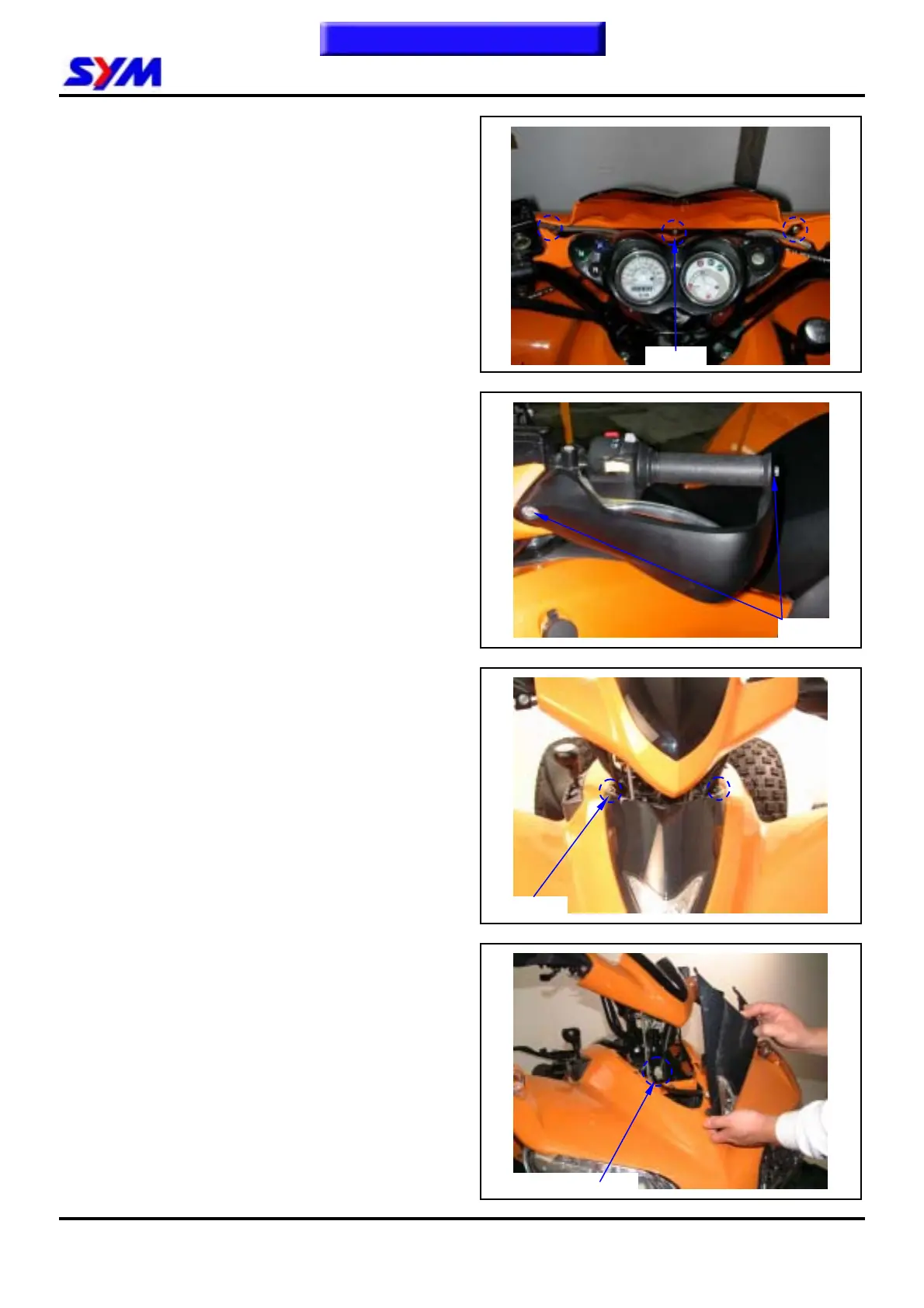
Handle front cover
Disassembly
Loosen 3 screws from handle cover rear side, and
then remove handle cover.
Installation
Install in reverse order of removal procedures.
Handle protect cover
Loosen 2 screw from handle protect cover, and
then remove handle protect cover.
Installation
Install in reverse order of removal procedures.
Front center cover
Remove
Loosen 2 screws from the front center cover.
Please disassemble first then push the cap
upward.
Remove position light coupler, and then remove
front center cover.
Installation
Install in reverse order of removal procedures.
3 Screws
2 bolts
To this chapter contents
2 screws
Position light coupler



 To Next Page