8. V-BELT DRIVING SYSTEM/KICK STARTER
8-5
Drive Belt
Removal
Remove left crankcase cover
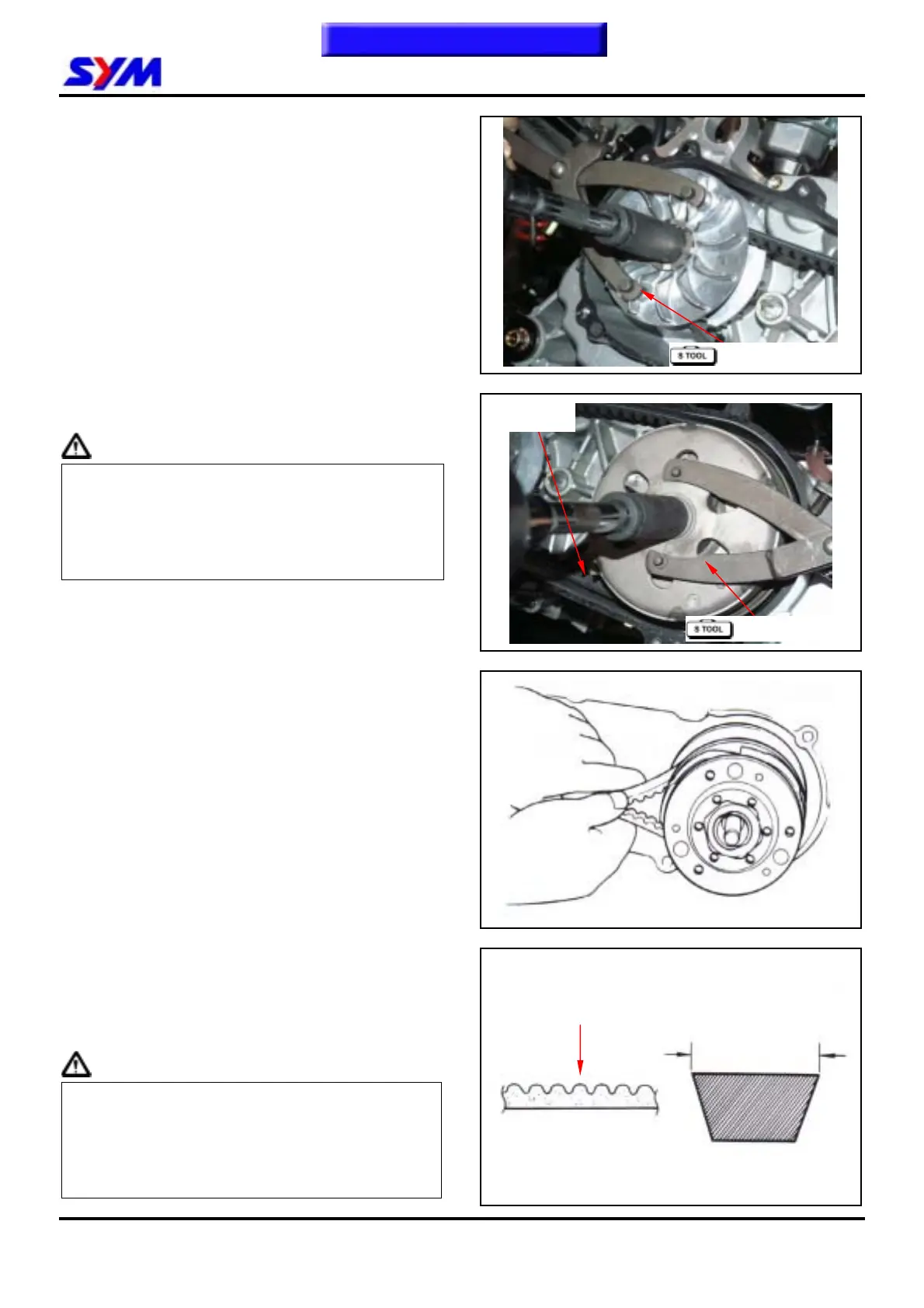
Hold drive face with universal holder, and remove
nut and drive face.
Special Tool:universal holder
Tools number:SYM-2210100
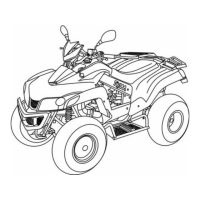
Hold clutch outer with universal holder, and
remove nut and clutch outer.
Caution
y Using special service tools for tightening or
loosening the nut.
y Fixed rear wheel or rear brake will damage
reduction gear system.
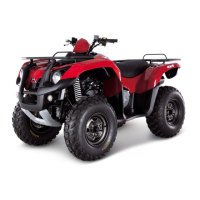
Push the driving belt into belt groove as diagram
shown so that the belt can be loosened, and then
remove the driven pulley.
Remove driven pulley. Do not remove driving
belt.
Remove the driving belt from the groove of driven
pulley.
Inspection
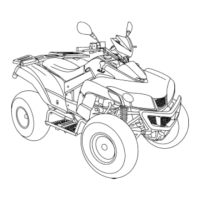
Check the driving belt for crack or wear. Replace
it if necessary.
Measure the width of driving belt as diagram
shown.
Service Limit: 17.5 mm
Replace the belt if exceeds the service limit.
Caution
y Using the genuine parts for replacement.
y The surfaces of driving belt or pulley must be
free of grease.
y Clean up all grease or dirt before installation.
Drive belt
Universal holder
Width
Belt tooth
To this chapter contents
Universal holder



 To Next Page