ES3000 User Guide
3-30
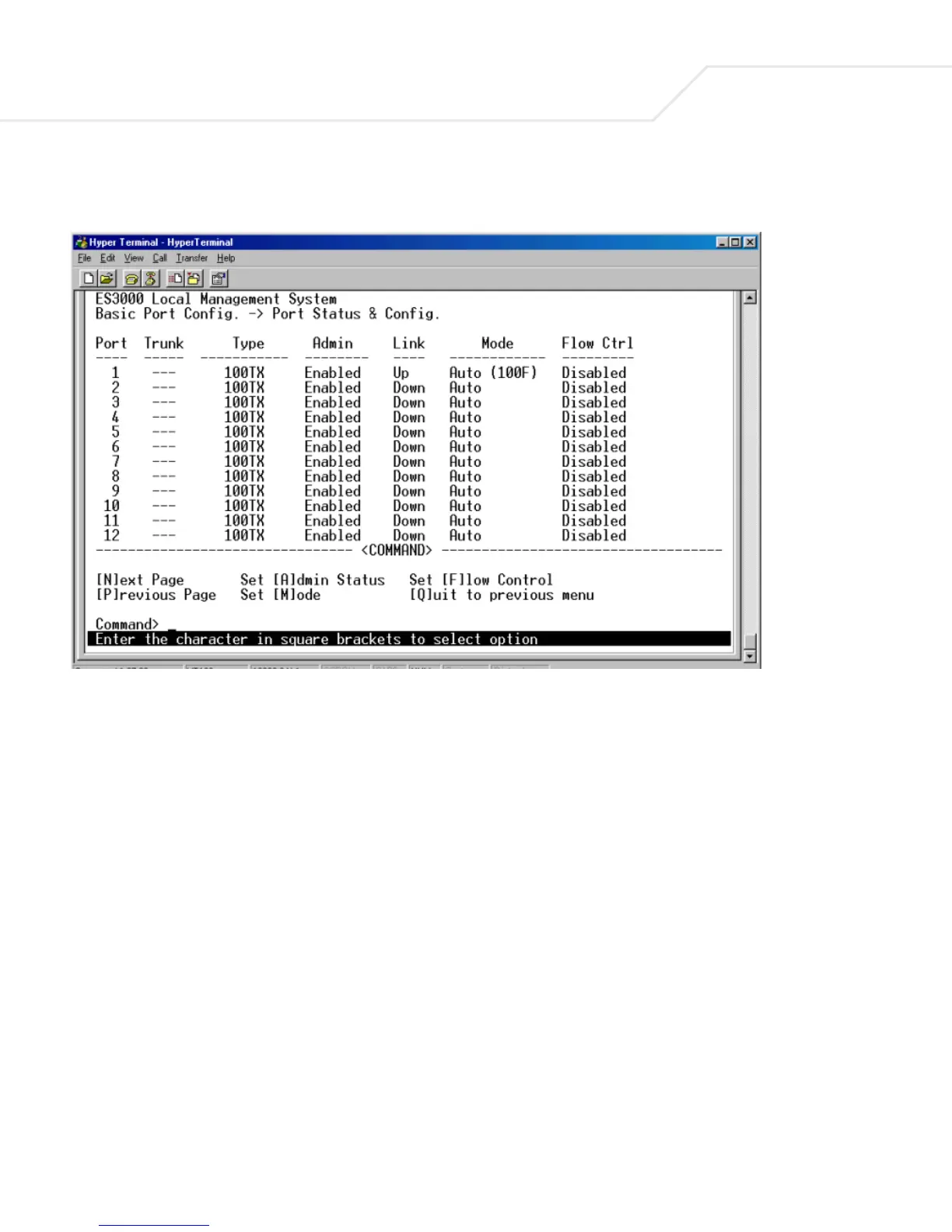
3.5.19 Main Menu->Ports->Basic Port Config.->Port Status & Config.
The Port Status & Configuration menu contains the following editable fields:
Type
The type of a port, this field is not user configurable.
Admin field
Enables or disables the port.
Link
The status of a port. The status is Up when a port is connected and active.
Mode
Provides the choice of Full-duplex, Half-duplex, or Auto negotiation as well as speed selection among
10Mbps, 100Mbps, 1000Mbps, or auto negotiation. Enabling auto-negotiation on a port allows a port
to sense the communication speed and negotiate the duplex mode (full duplex or half duplex)
automatically. The ports select the highest possible throughput. The port can auto-negotiate with any



 To Next Page