C
LEAR
P
ATH
-EC
U
SER
M
ANUAL REV
1.11
66
C
HANGING
D
IAGNOSTIC
P
ORT
A
CCESS
M
ODES
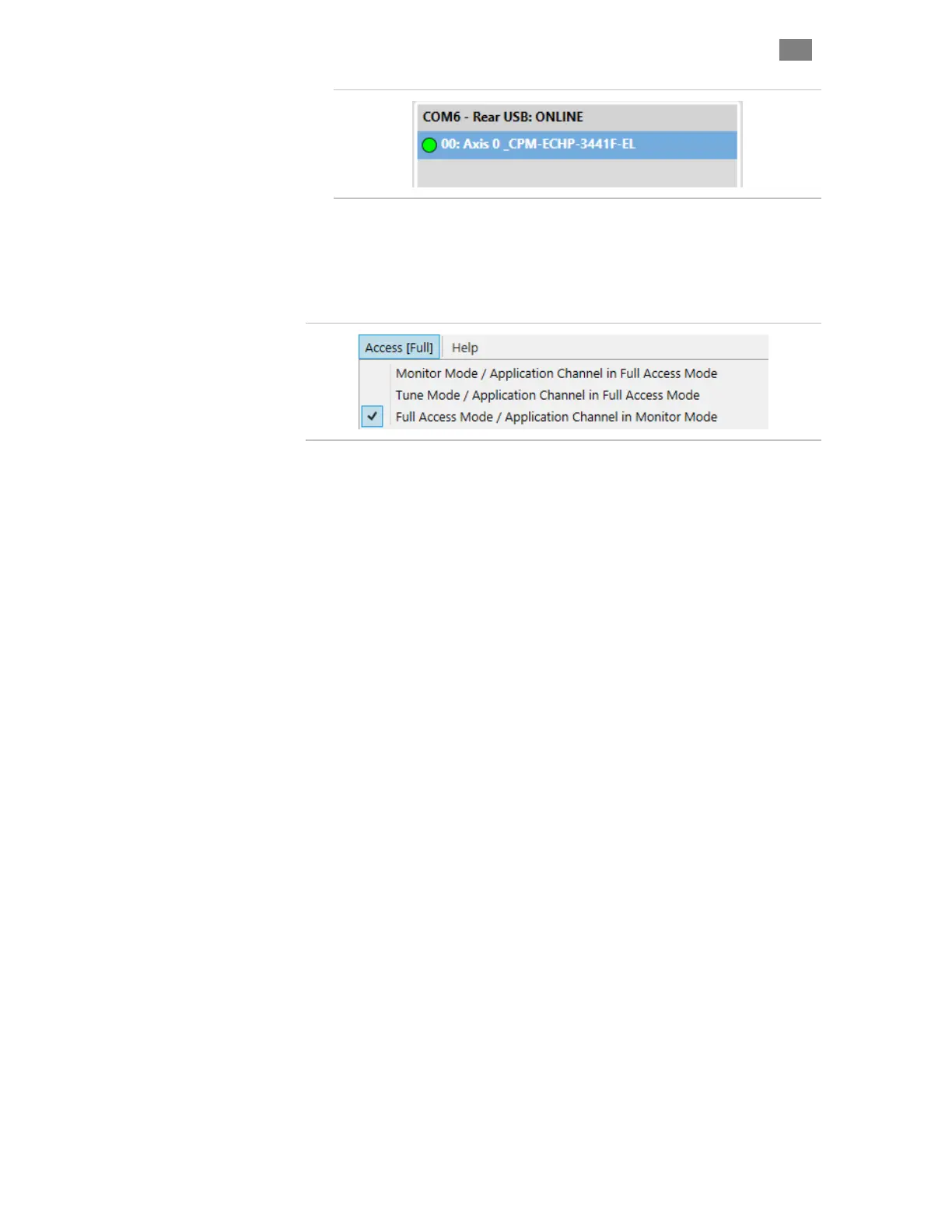
Set the access level from the Access menu in ClearView 3.0. Users
primarily use Monitor Mode or Tune Mode. Note: Access modes are
explained below.
D
IAGNOSTIC
A
CCESS
M
ODES
Monitor Mode
In Monitor Mode, ClearView 3.0, through the Diagnostic Port, can access
the Soft Scope. Most other settings and parameters are restricted. Note:
All restricted UI items will be grayed out in the ClearView 3.0 UI. The
EtherCAT Master has "Full Access" in this mode.
Tune Mode
In Tune Mode, ClearView 3.0 has access to the Soft Scope and most of the
tuning gains, RAS settings, following error limit, and fine tuning controls.
The EtherCAT Port has "Full Access" in this mode.
Full Access Mode
In Full Access Mode, ClearView 3.0 has full control of the motor,
including access to all normally available settings and parameters. The
EtherCAT Master is forced into "Monitor Mode" in this case. Any
commands sent by the Master will be ignored.
T
ROUBLESHOOTING
D
IAGNOSTIC
P
ORT
C
ONNECTIONS
If your motors stop communicating with ClearView 3.0, or if you get baud
rate errors when connecting or reconnecting to the USB Port, follow these
steps:
1. Check that DC Bus Power and Logic Power (if applicable) are
present at the motor.
2. Verify that the USB-IR Converter is attached to the motor's IR
Port.
3. Check that the motor's USB-IR port is free of dirt and debris.
4. Restart ClearView 3.0
T
EKNIC
,
I
NC
. T
EL
.
(585)
784-7454


 To Next Page