C
LEAR
P
ATH
-EC
U
SER
M
ANUAL REV
1.11
58
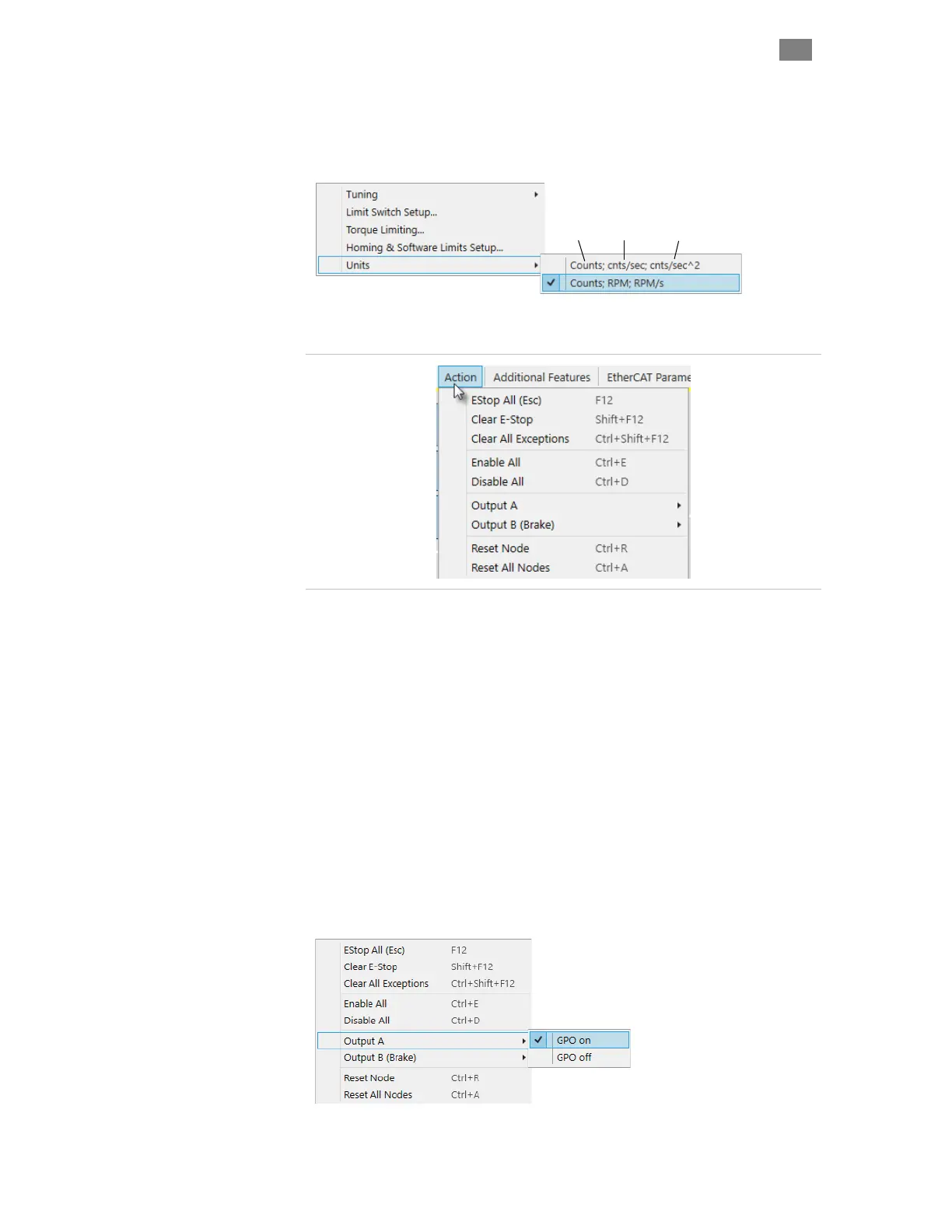
Units. Lets the user choose which units to display for velocity and
acceleration values (motor encoder counts or RPM). Distances are always
displayed in motor encoder counts.
Distance Velocity Acceleration
A
CTION
M
ENU
Action Menu
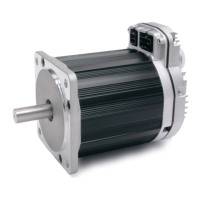
E-Stop All. Issues an E-stop (node stop) to all ClearPath-EC motors on
the port.
Clear E-Stop. Clears E-stop and returns motor to previous operating
states.
Clear All Exceptions. Clears exception state and messages. Note: The
exception condition may recur if the underlying cause of the exception still
exists.
Enable All. Enables all motors on the port.
Disable All. Disables all motors on the port.
Reset Node. Resets the currently selected motor.
Reset All Nodes. Resets all motors on the port.
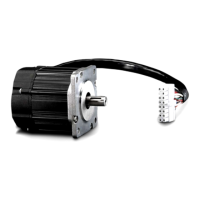
Output A. Lets the user manually switch Output A on and off when
configured as a GPO (General Purpose Output).
T
EKNIC
,
I
NC
. T
EL
.
(585)
784-7454


 To Next Page