Transmitting Waveforms
&
The 2221A, 2224, St 2232 Optional GRIB & RS-232 Interfaces User Manual
(070-8159-01) provides you with information about using either interface
option to drive a printer or plotter.
Plot Menu
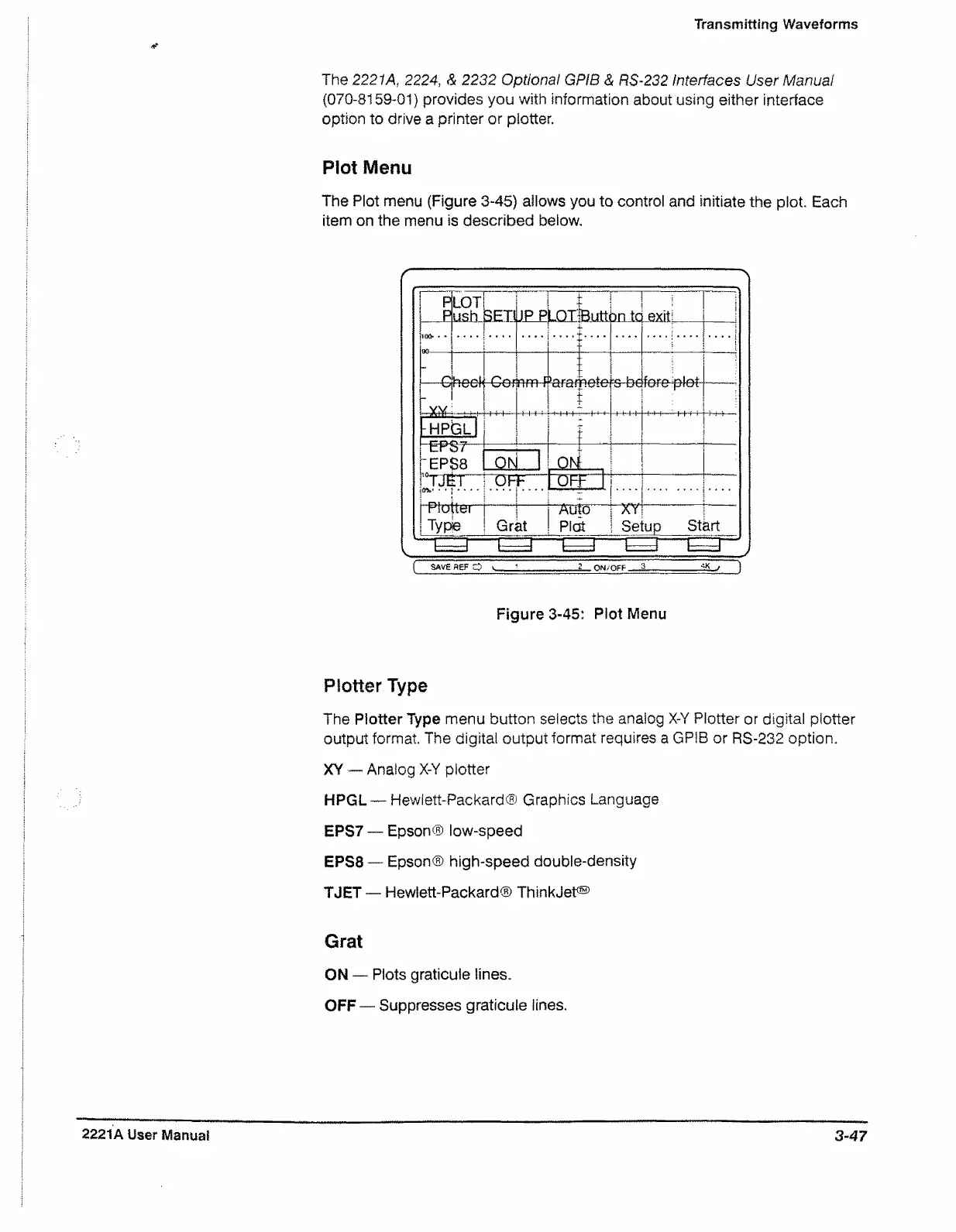
The Plot menu (Figure 3-45) allows you to control and initiate the plot. Each
item on the menu is described below.
-------------------------------------------------
--------
-------
p
p
LOT
LiS-tL
3.ETJ
JPP
LOT
Butt
3n tc
exit: _
|
\
beet
r r
«l
nete
fereiptet-
-----
;
-HPGL
mSPST
-EPS8
ON
_QL1
10TJET
o'fc* ■♦I***-
OFF
----
----
OFF
....
moxiem [
Type Grat
A U tO j AY
Plat ! Se
up Start
I- -I I
-----
1 ( ."I i—~~i I 1 j
( SAVE aeF CQ ^ 1 ' 2 O N/OFF ....£ T < 1 )
Figure 3-45: Plot Menu
Plotter Type
The Plotter Type menu button selects the analog X-Y Plotter or digital plotter
output format The digital output format requires a GPIB or RS-232 option.
XY — Analog X-Y plotter
HPGL — Hewlett-Packard® Graphics Language
EPS7 — Epson® low-speed
EPS8 — Epson® high-speed double-density
TJET — Hewlett-Packard® ThinkJet®
Grat
ON — Plots graticule lines,
OFF — Suppresses graticule lines.
2221A User Manual
3-47


 To Next Page