Manual 0-4691 5-35 SERVICE
5
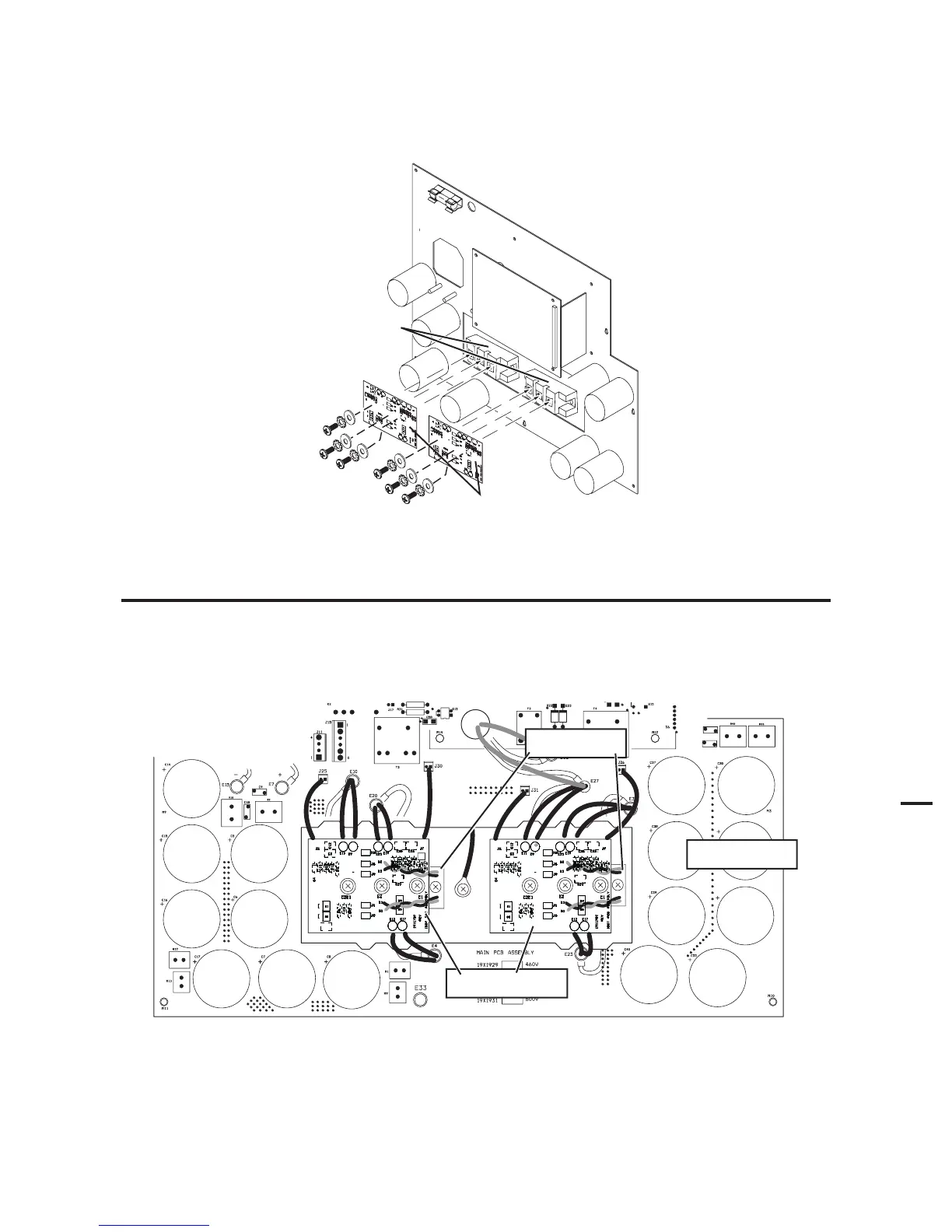
9. Secure replacement IGBT PC Board(s) with the hardware removed previously. Ensure that the washers are
under the heads of the screws.
Art # A-04643
IGBT PC Boards
IGBT Modules
10. Torque screw(s) to 22 in-lb. (2.5 Nm).
NOTE
Failure to torque properly will cause component damage.
11. Connect wires per the illustration.
Art # A-04644
Main PC Board
IGBT PC Boards
IGBT Modules
12. Stand the unit upright; reinstall the cover.











 To Next Page