3
Learning Center
Basic Instrument Operations
224 NanoDrop One User Guide Thermo Scientific
Search Experiment Database
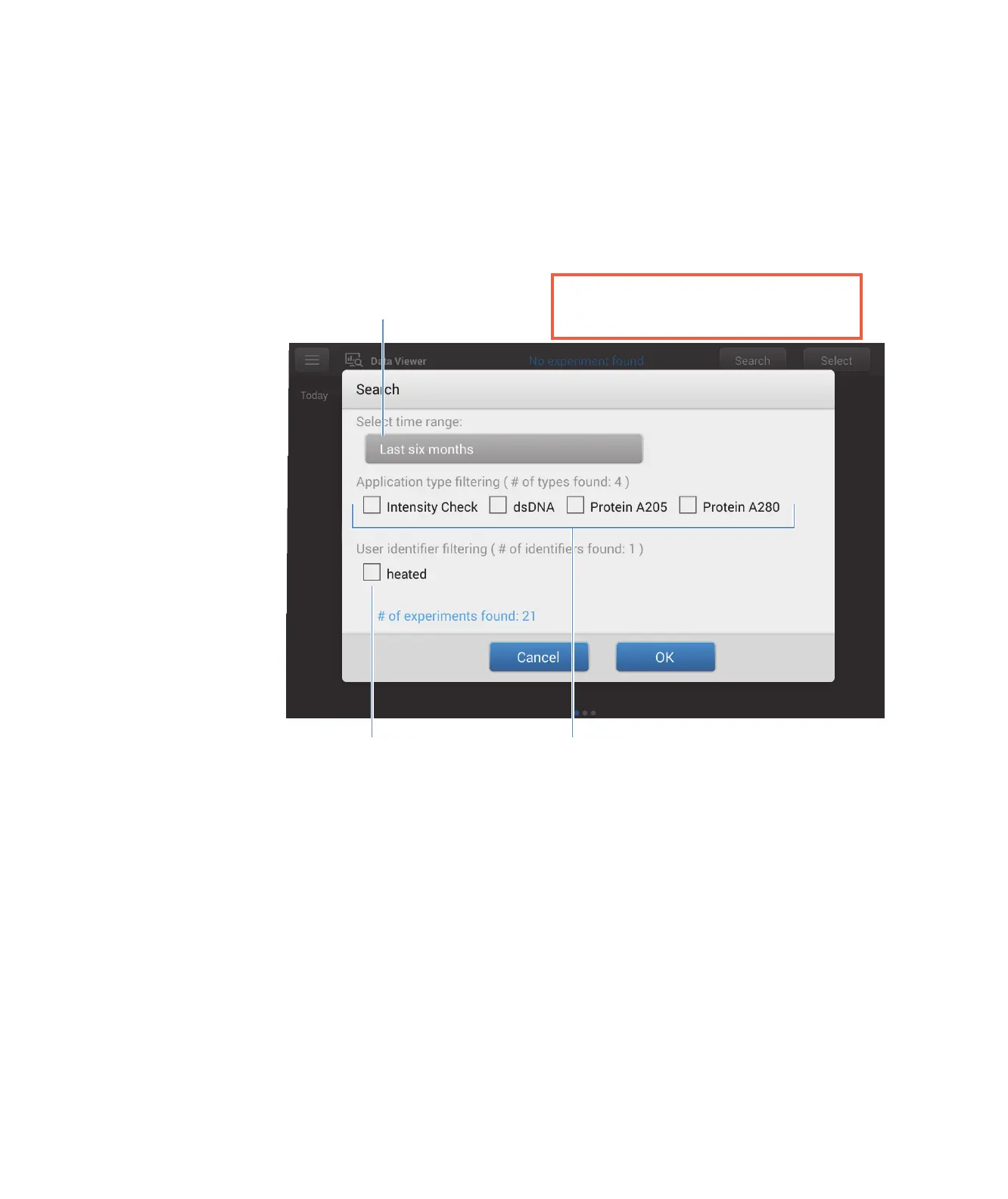
Tap Search in the Data Viewer to search the selected database for an experiment or to change
the time range or other search filters. The database is filtered using the current settings in the
Search box. Filters include time range, application type and any user-defined labels (see
Manage Identifiers for information about adding and deleting labels). Here is an example:
Export Selected Experiments
Use Select in the Data Viewer to select experiments to be exported.
Export selected experiments
–tap row in Data Viewer to list experiments acquired on that date, or use Search
feature to find experiment
– insert USB memory device into available USB port on instrument (front, back-left or
back-right)
–tap Select
Tap to change
time range filter
Tap to select or deselect
application filters
Tap to select or deselect
user-defined labels
Change a filter and tap OK to
display updated list of experiments



 To Next Page
 Loading...




