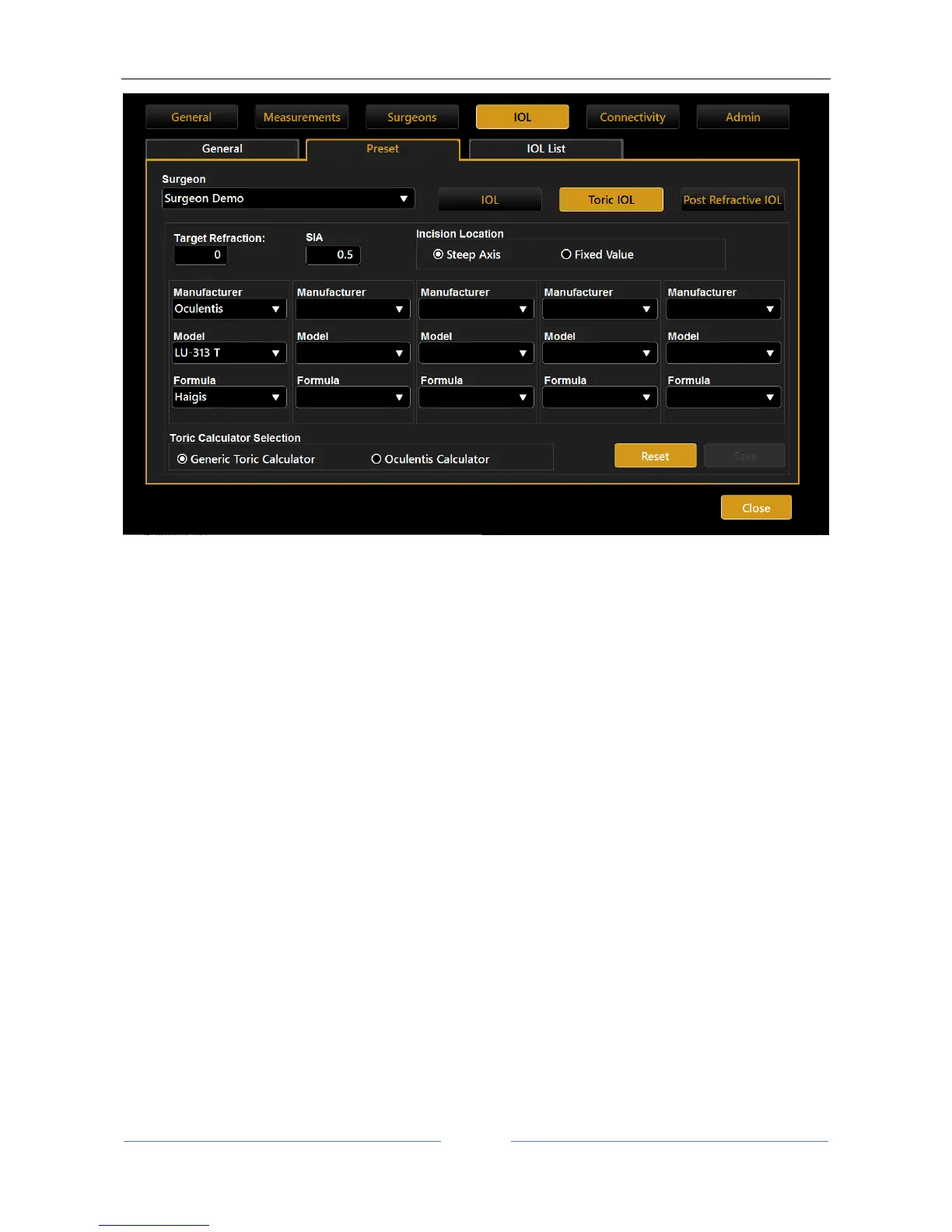
Figure 79
Toric preset uses a different set of lenses (with only toric ones) and requires some additional settings with
respect to “IOL” and “Post Refractive IOL” sections.
In particular, you can specify the “Surgical Induced Astigmatism (SIA)” induced by the surgeon and the
“Incision Location” used during the surgery. You can decide to set the “Incision Location” at the Steep Axis
of the Keratometry or at a Fixed Value to be specified.
The “Toric Calculator Selection” is to choose between:
“Generic Toric Calculator”, that allows to define the lenses preset from a fully customizable collection
of models and manufacturers.
“Oculentis Calculator”, that allows to limit the collection of available lenses to Oculentis
manufacturer only. In this case the manufacturer selection is locked both in the preset set-up and in
the Toric IOL calculation environments.
This setting is per Surgeon.



 To Next Page