13.15.5 Connectivity
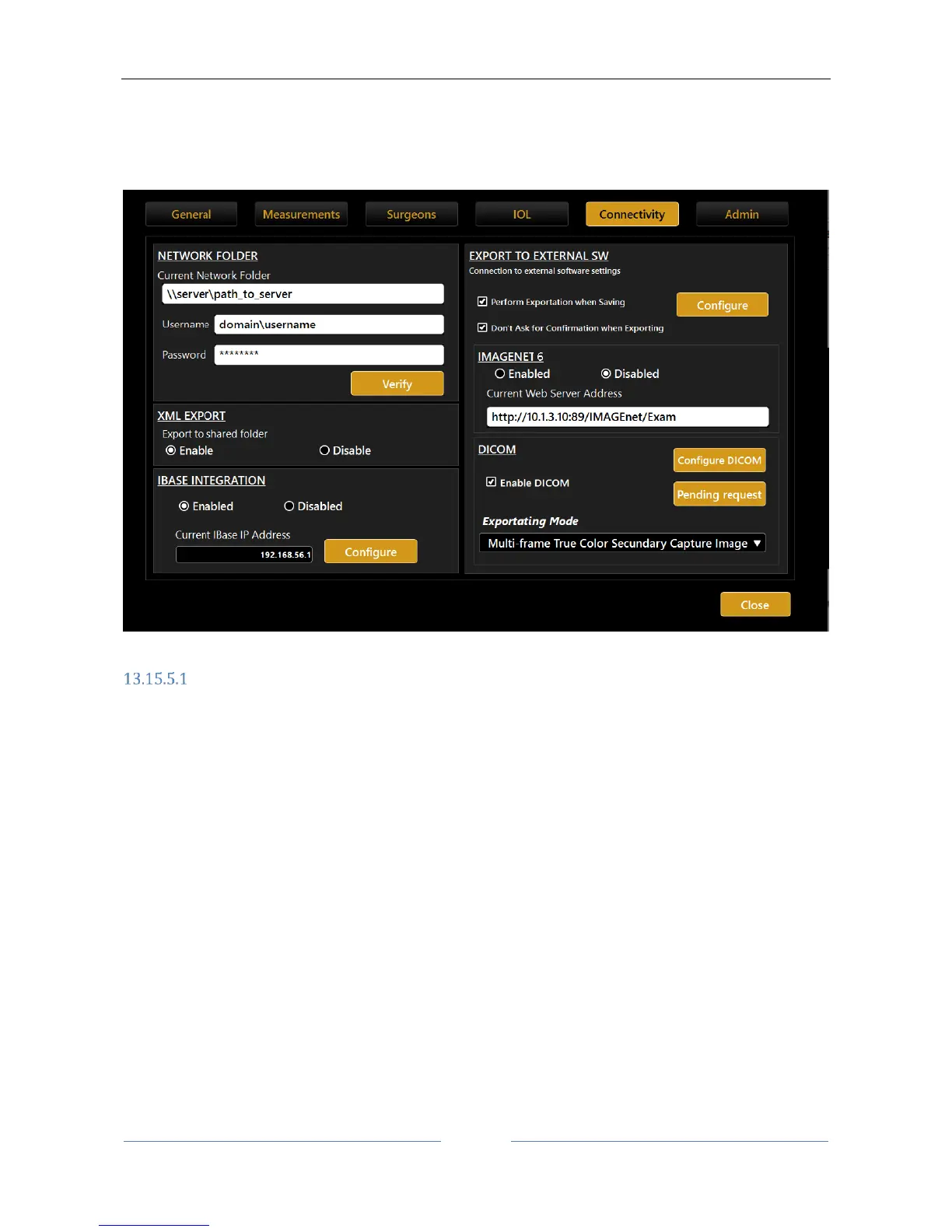
This panel (Figure 88) allows you to configure all the settings relative to network connectivity with external
softwares or storage destinations.
Figure 88
Network folder configuration
The “NETWORK FOLDER” panel allows the user to configure and use a remote network folder to store Aladdin
reports.
That resource will then become selectable as a destination in the report’s print form.
In order for Aladdin to be able to connect to the remote network folder, you must configure Aladdin setting
the correct access credentials for the remote resource.
Configuration parameters:
Network folder path: the path to access the network folder location (without trailing backslashes)
eg.
\\10.0.0.81\path_to\AladdinSandbox
\\TopconNetwork\path_to\AladdinSandbox
Username: specify the domain name if needed
eg.
TopconDomain\username
Password: for the specified username
When you click on the “Configure” button the system starts searching for the network resource. This
procedure may take some time depending on the network. Failure or success to connect to the network



 To Next Page