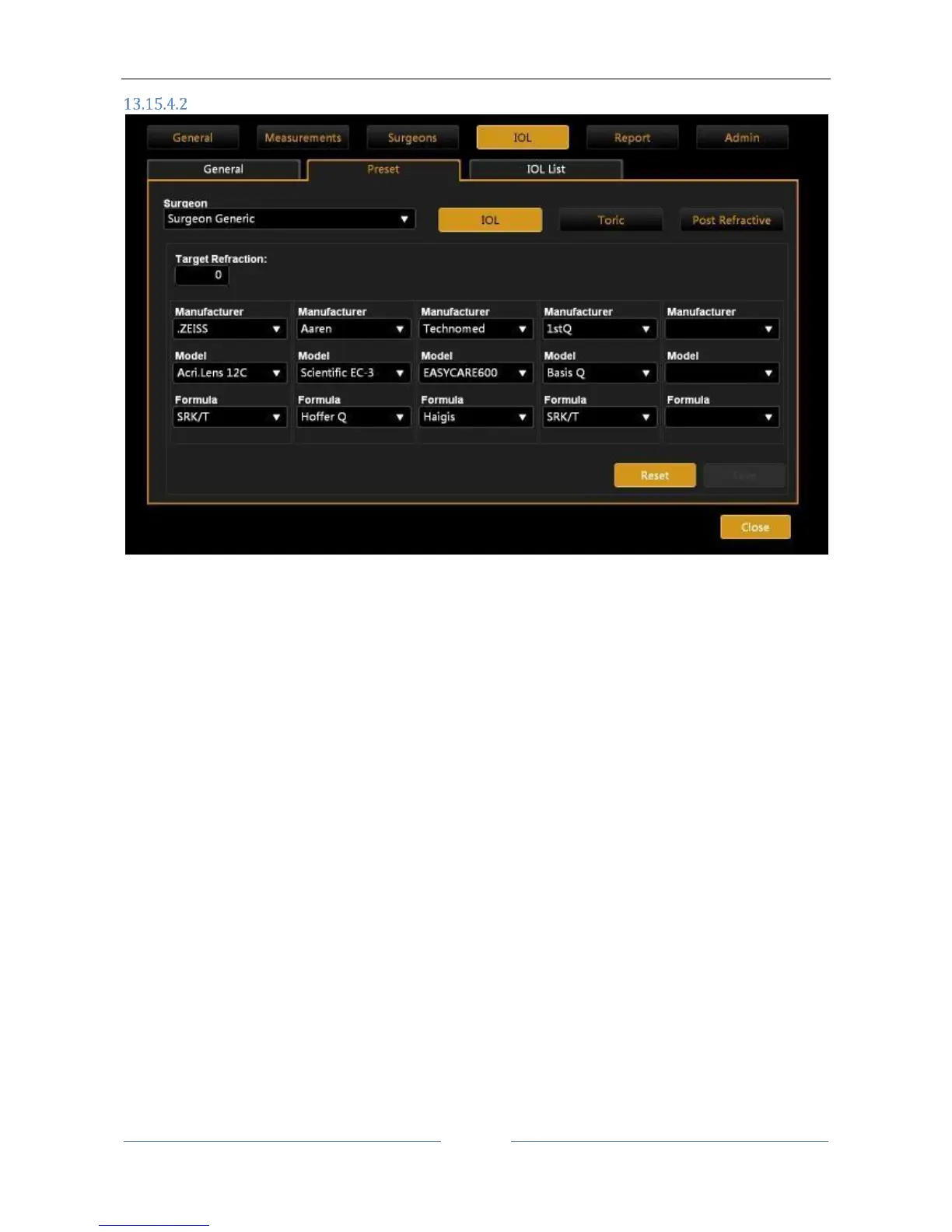
Preset
Figure 78
The screen presented is as shown in Errore. L'origine riferimento non è stata trovata..
Each surgeon can set:
- Under “IOL” the preset for the IOL Calculation
- Under “Toric” the preset for the Toric IOL Calculation
- Under “Post Refractive” the preset for the Post Refractive IOL
By clicking on “Save” the selected settings are saved. This function will be particularly useful during the IOL
calculation, when the settings are reloaded each time as preset.
By pressing the “Reset” key, previous selections are reset, deleting all presets associated with the surgeon.
“IOL” and “Post Refractive IOL” sections have the same screen, the “Toric” one is presented in Figure 79.



 To Next Page