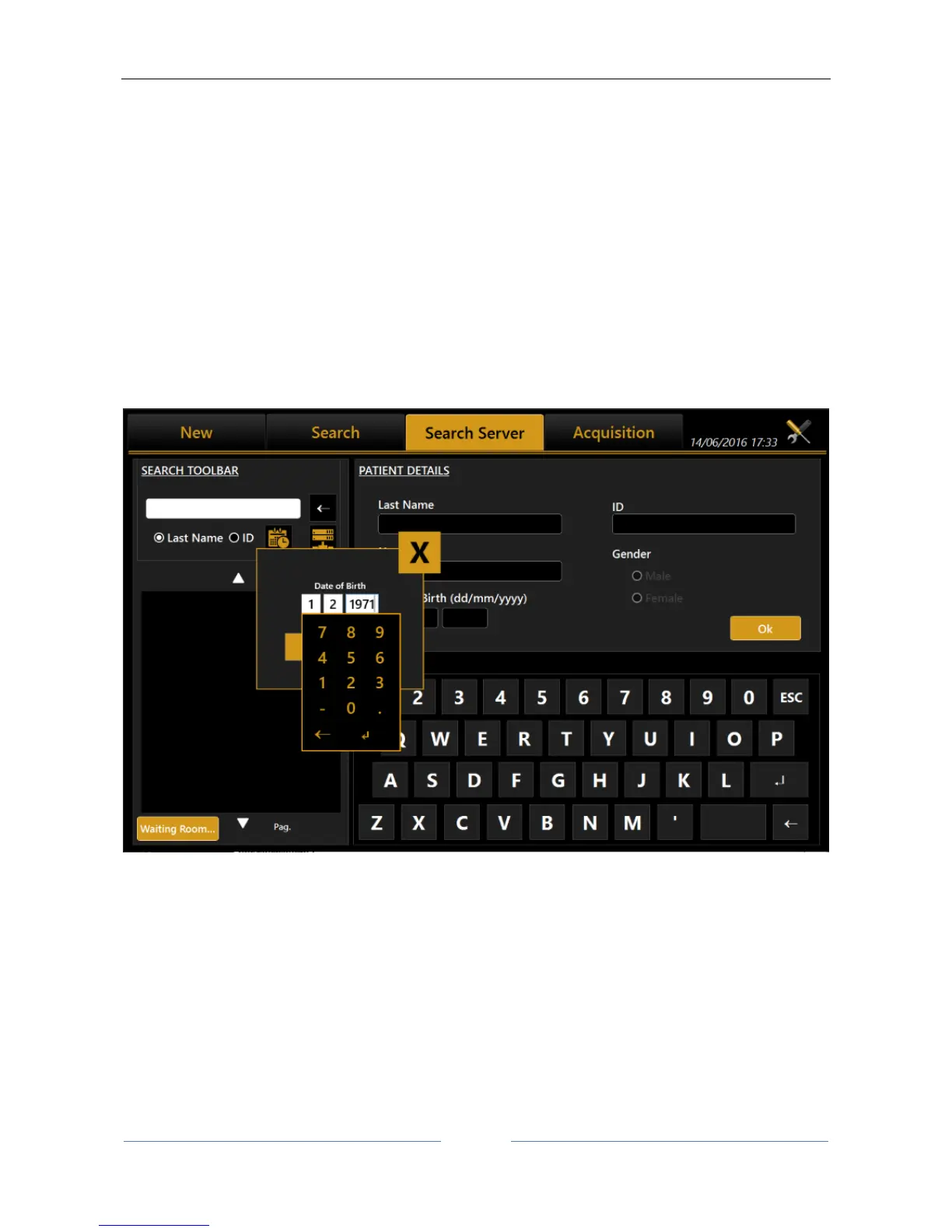
13.3.3 Selecting a patient from Server
Once enabled, Aladdin IMAGEnet i-base’s integration from Aladdin’s settings panel (refer to IMAGEnet i-
base configuration), it’s possible to select a new patient from the patient list retrieved from IMAGEnet i-base
(Figure 25).
In the same way, Aladdin can be activated to search patients from DICOM services (refer to DICOM
configuration section):
DICOM Patient Root Query: search patient’s details on enable patient’s archive server
DICOM Modality Worklist: get the list of patients and tasks in the waiting room
The user can search for a patient either by surname, by id or by date of birth (i-base only). Will be created a
list of patients corresponding to the search criteria (Figure 27). Once selected a patient, the user can create
a new examination in the standard mode by clicking on the Acquisition or OK button button.
Figure 25
The user can search from IMAGEnet i-base and/or DICOM sources at the same time by enabling/disabling
the corresponding options using the server selection button.



 To Next Page