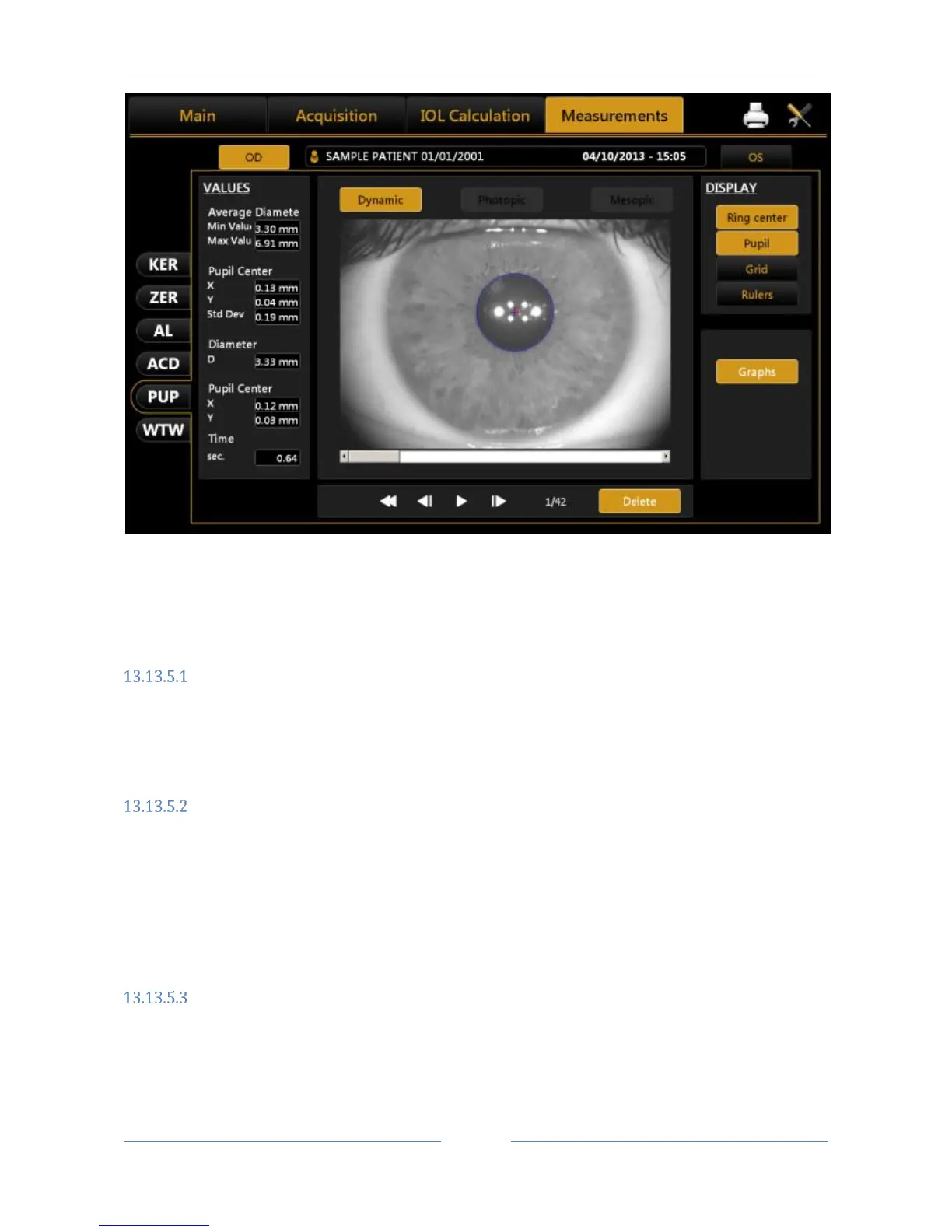
Figure 67
Click on “OD” or “OS” to display the pupillometry of the right or left eye, respectively.
With the patient's eye in view, buttons are located below the home screen. These buttons are used to
navigate between the acquired frames. The current frame is shown next to the buttons.
Display
Ring Center: Shows the position of the fixation point
Pupil: Shows the blue ring, which highlights the pupil's edges
Grid: Shows an overlaid grid
Rulers: Shows calibrated rulers
Sequences
The user can select the sequence of images to be displayed using the buttons at the top:
Dynamic
Photopic
Mesopic
The active buttons are those for which at least one acquisition is present.
Dynamic
Clicking on the "Dynamic" button to display the dynamic pupillometry in the left column, the following
information will also be displayed:
Average: Value of the maximum and minimum pupil diameter measured in all the images acquired
during the sequence
Pupil Center: Cartesian coordinates of the average pupil center and its standard deviation



 To Next Page