If a warning sign is shown above a measurement, it is recommended to make further acquisitions until
reliable data is obtained.
It is very important that the main types of measurement (KER-AL-ACD) taken are shown without a
warning sign, otherwise it will not be possible to proceed to IOL Calculation with the current data
(valid ACD is needed only if using Haigis formula).
Caution should be practised when using the device’s ACD measurement for any given intraocular lens
calculation because of the high variability of this measurement.
The ACD measurement is the distance between the corneal epithelium and the crystalline lens surface.
As shown in the figure above, accessing IOL Calculation, an error window will be shown warning the user to
reacquire the measurements or to manually enter a new set of data.
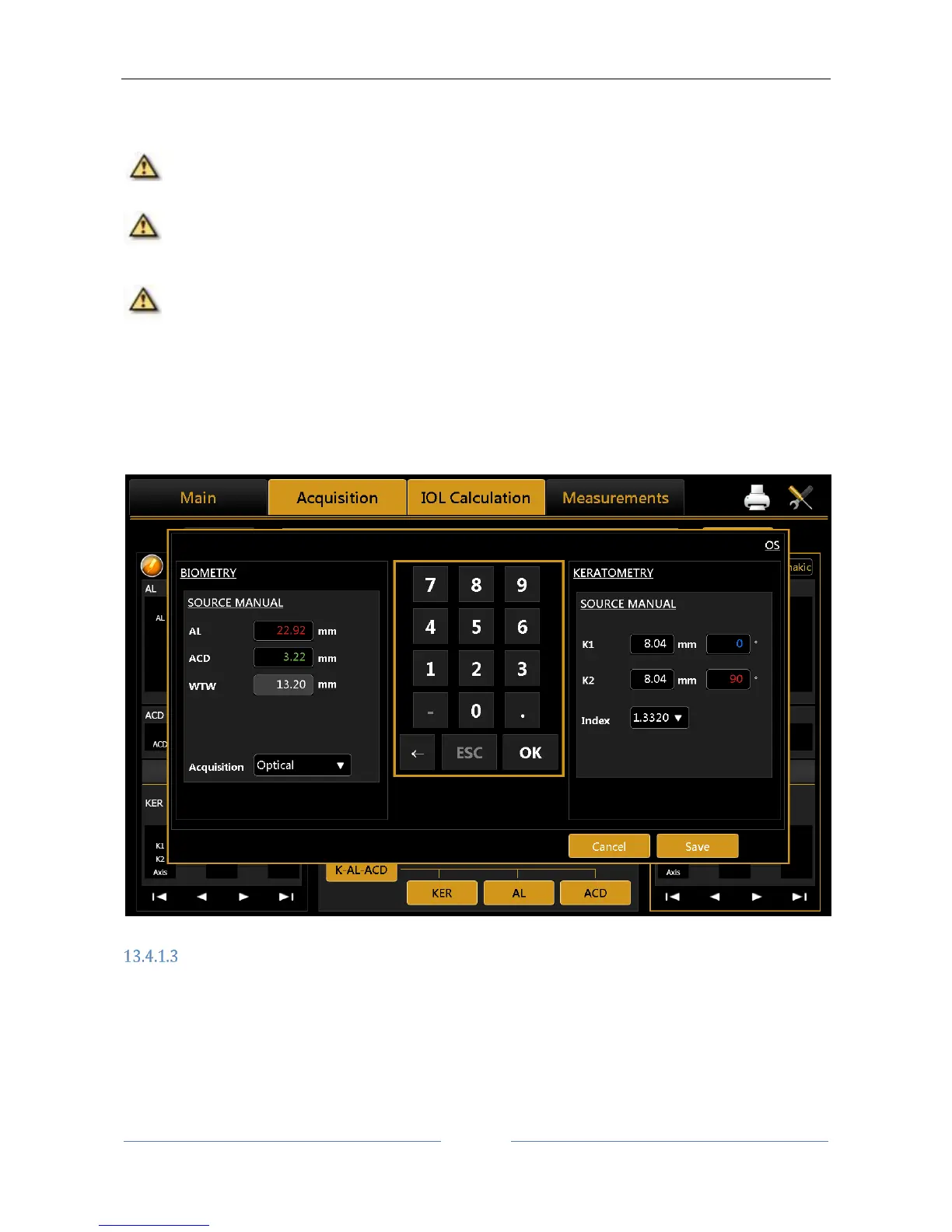
If the user proceeds manual input (Figure 33), the software will pre-populate all the fields with acquired data,
even those with error or warning signs. . It is also possible to enter arbitrary data, if possible taken with other
instruments.
Figure 33
Biometry
Selecting the "Biometry" button, you can perform the axial length, anterior chamber depth and keratometry
acquisitions either individually or in a full "AL-ACD-K" measurement, where the instrument executes all the
measurements in sequence, i.e.
Axial Length
Anterior Chamber Depth
Keratometry



 To Next Page