13.10 Report printing
After every measurement, you can print the corresponding report or print all the measurements made in the
current exam. In the top-right corner of the screen, press on the button.
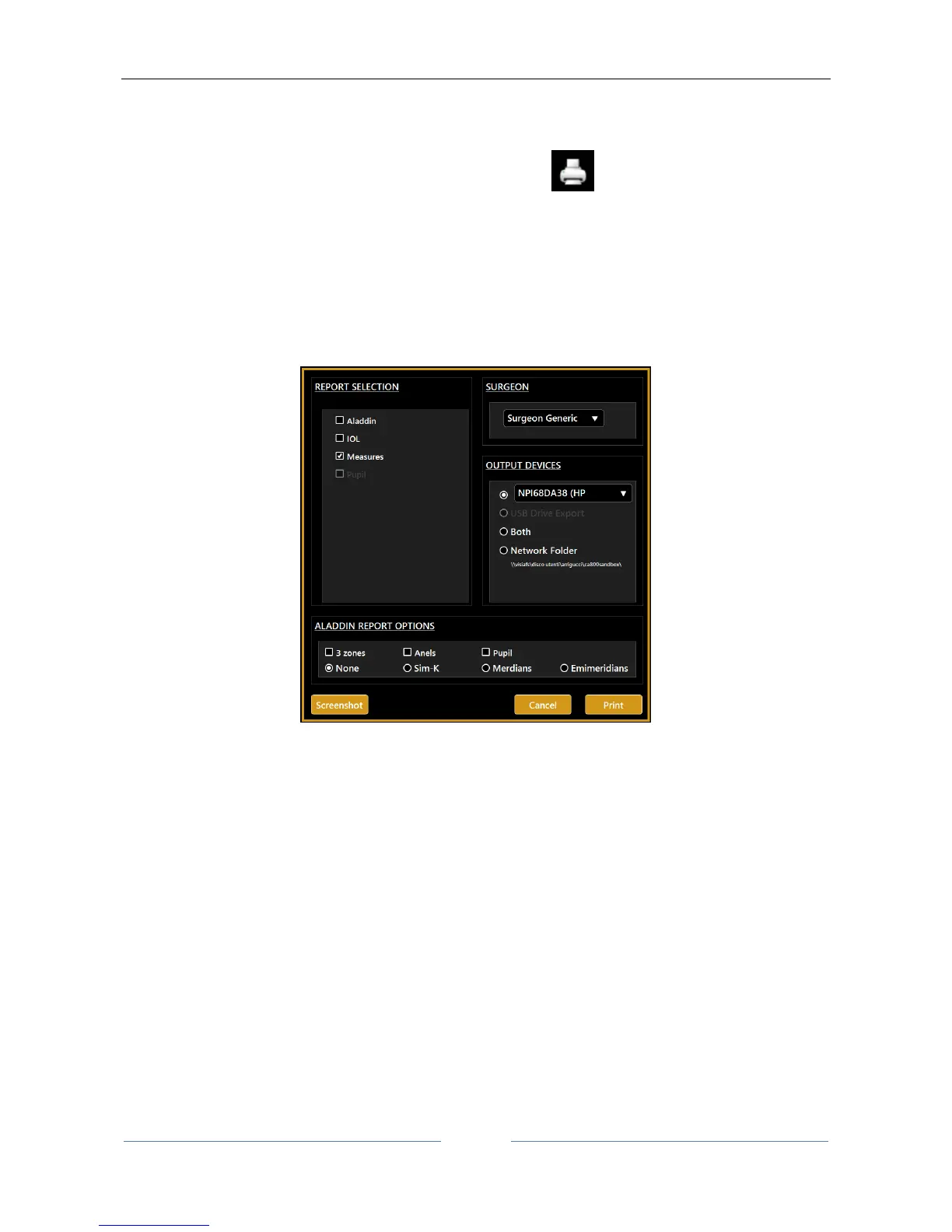
As shown in Figure 43 you can now select from the left column which report to print and also with which
surgeon preset (from the “Surgeon” box).
You can print directly to an external printer or a USB drive and also print to both simultaneously.
Figure 43
In addition to these two options you can select a network folder as destination of report to print. For network
folder settings, see 13.15.5.1.
The “Aladdin Report Options” allow to define which overlay will be printed in the topography maps images
of the “Aladdin”. Refer to sections 13.13.1 and to 13.15.2 for details about this options.
By clicking on the Screenshot button (Figure 43) you can open the print screen preview and, as shown in
Figure 44, send to print the document as represented in the preview.



 To Next Page