13.15.6 Admin
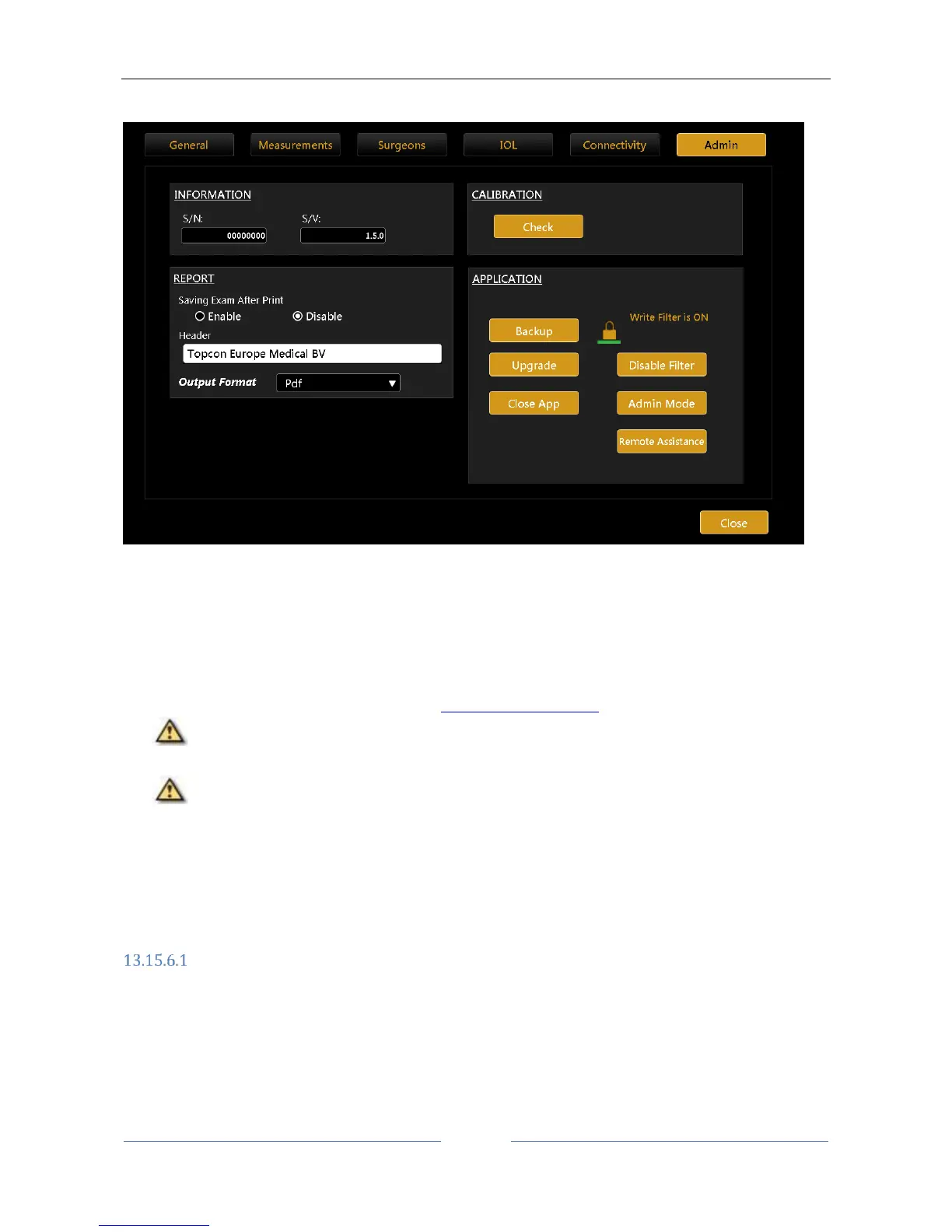
Figure 92
This is the instrument's administration panel (Figure 92).
It provides certain information on the system: serial number (S/N) and software version (S/V).
The “Check” button starts the calibration check procedure.
Check the calibration
See the paragraph describing the procedure Checking the calibration.
It is absolutely essential to check the calibration when the device has been transported from
one place to another and when it has suffered an impact or thermal shocks.
It is recommended to check the measurements every day when turning on the device.
The “Application” frame manages the behavior of the integrated software:
Upgrade
Updates the integrated software
Backup
Starts the backup procedure on a USB driver
Close App Closes the application
Report
In the “Report” panel of Admin section it is possible to set a Custom header for all the reports, as well as
setting the output format of reports exported to network folder. The available formats are: Pdf, Jpeg, Bmp,
Tiff, Png.
It is also possible to set the automatic saving of the exam after printing.



 To Next Page