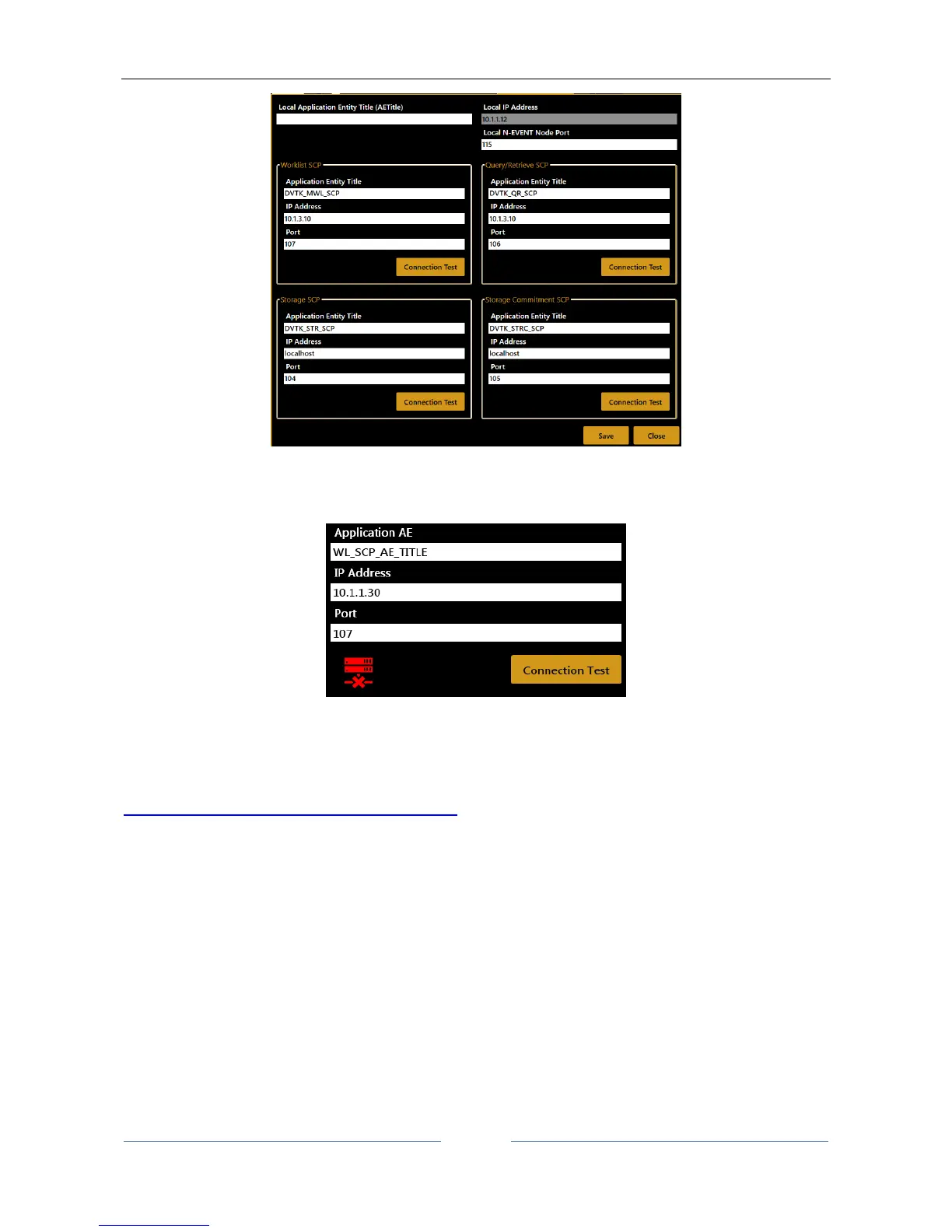
The connectivity to the defined server can be tested using the “C-ECHO” function activated by the relative
“Connection Test” button. The result of connection test is shown by the green or red icon.
In order to configure properly the full DICOM workflow it could be necessary to perform some operations or
configurations on the server’s side. In order to do this contact the System Administrator.
The DICOM module of Aladdin is describe in detail in its DICOM Conformance Statement. Visit
http://www.topconmedical.com/conformance.cfm to download it.



 To Next Page