It is now very important to re-enable the Write Filter. Follow the instructions under “Re-
Enabling the Write Filter”, otherwise there is the risk of damaging the device.
17.4 Installing a network printer (LAN)
Connect ALADDIN to an external network through the LAN port using an Ethernet cable.
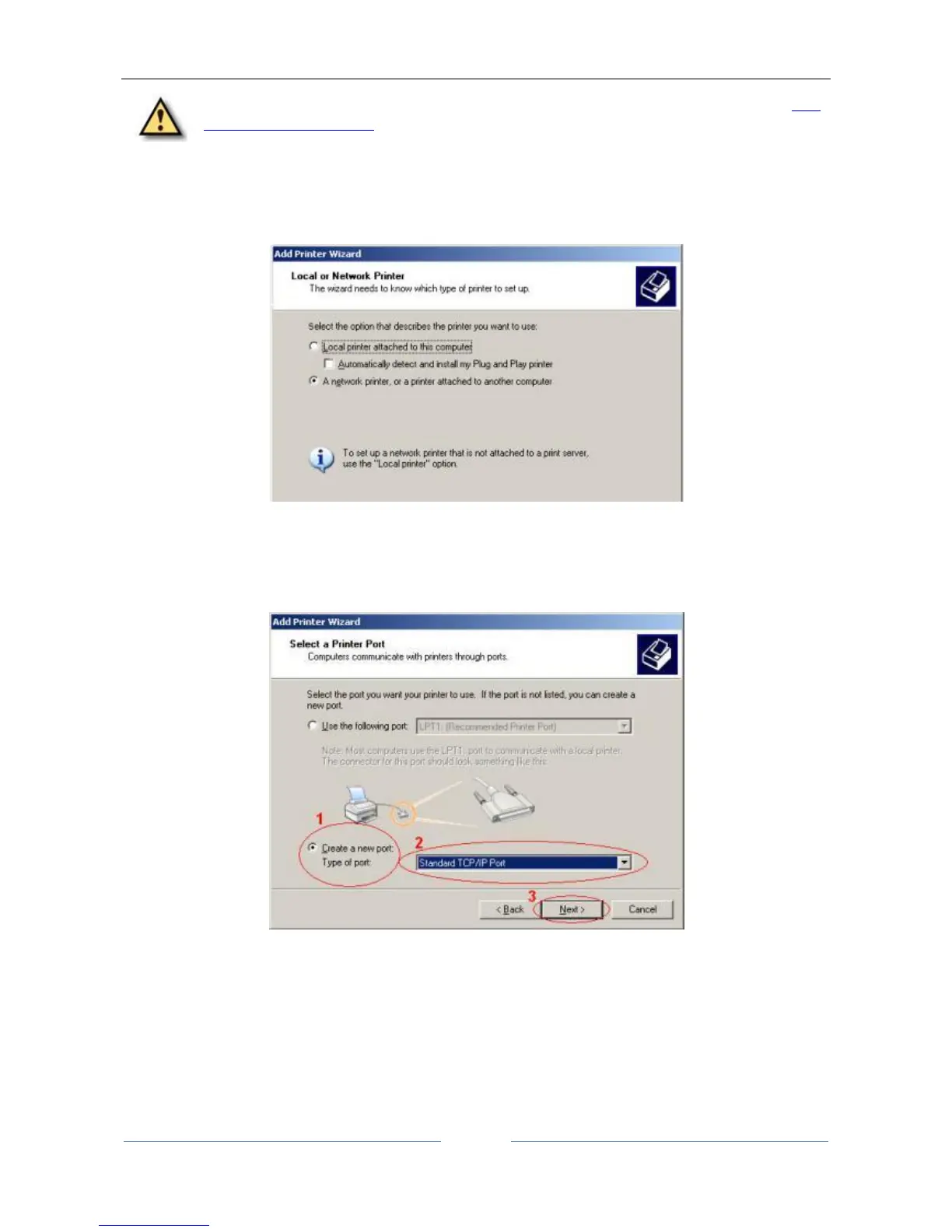
Figure 110
This time, select “A network printer, or a printer attached to another computer”
Now select “Create a new port”, then select "Standard TCP/IP Port" from the Type of port drop-down menu.
Click Next.
Figure 111
Enter the Printer Name or IP address in the “Printer Name” textbox. Port Name will automatically be
entered. You can leave the default. Click Next. There will be a small delay while your computer configures
the port.



 To Next Page