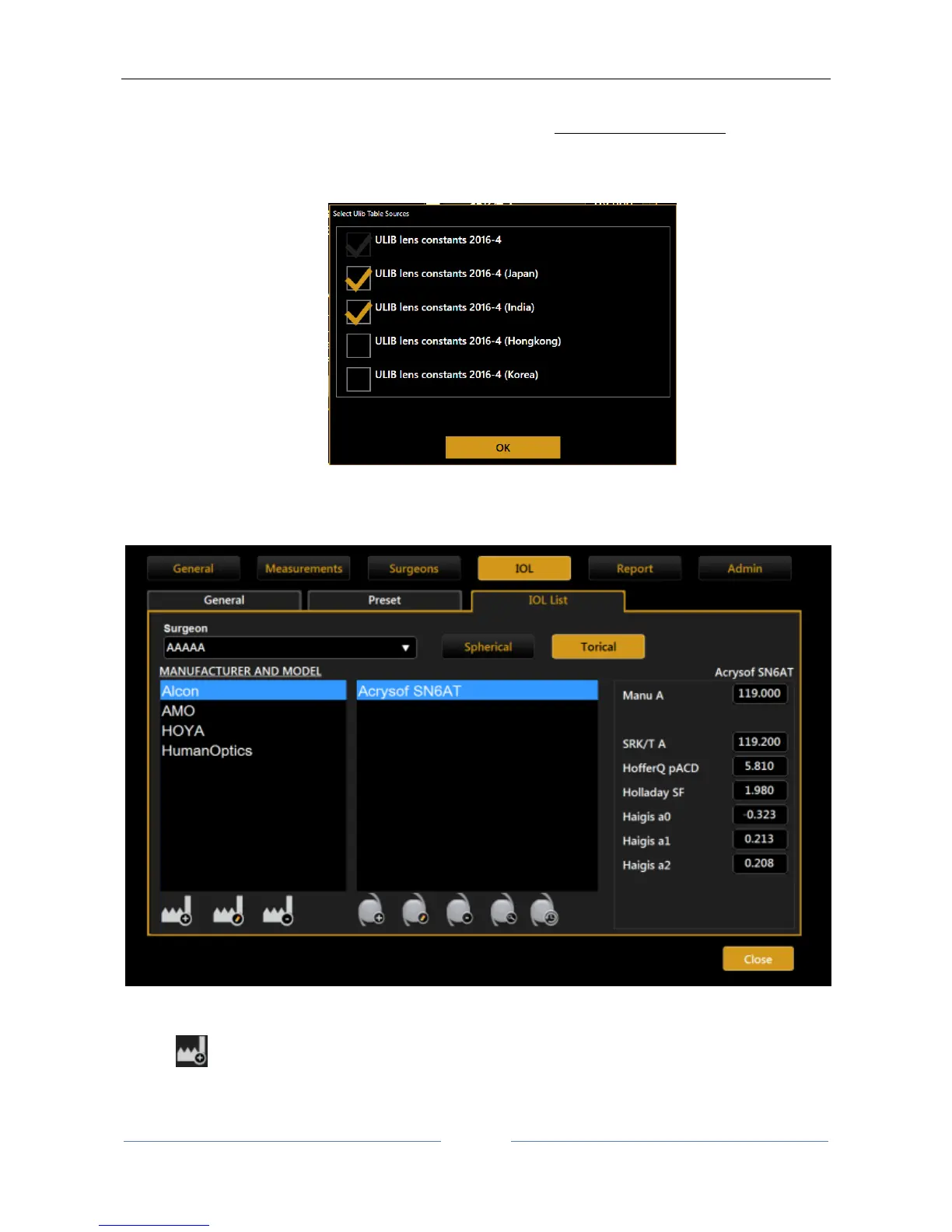
With the “Ulib” button you can import .zip files of ULIB (User Group for Laser Interference Biometry) format.
Download the file and copy it to the root (main card) of an empty FAT32-formatted USB pen
1. Insert the USB pen in the Aladdin device.
2. Click on the “Ulib” button on the “IOL list” panel.
3. Select which data to import among the list of source tables available in the downloaded package.
13.15.4.3.2 IOL Torical List
The “Torical” layout is shown in Figure 85.
Figure 85
List of functions for IOL manufacturer column:
- Add: add a new manufacturer not present in the current list
o Insert the manufacturer name
o Insert the model name



 To Next Page