Deleting Files
P/N 7010-0557 www.topconpositioning.com
4-13
9. Click Exit on the File Manager dialog box.
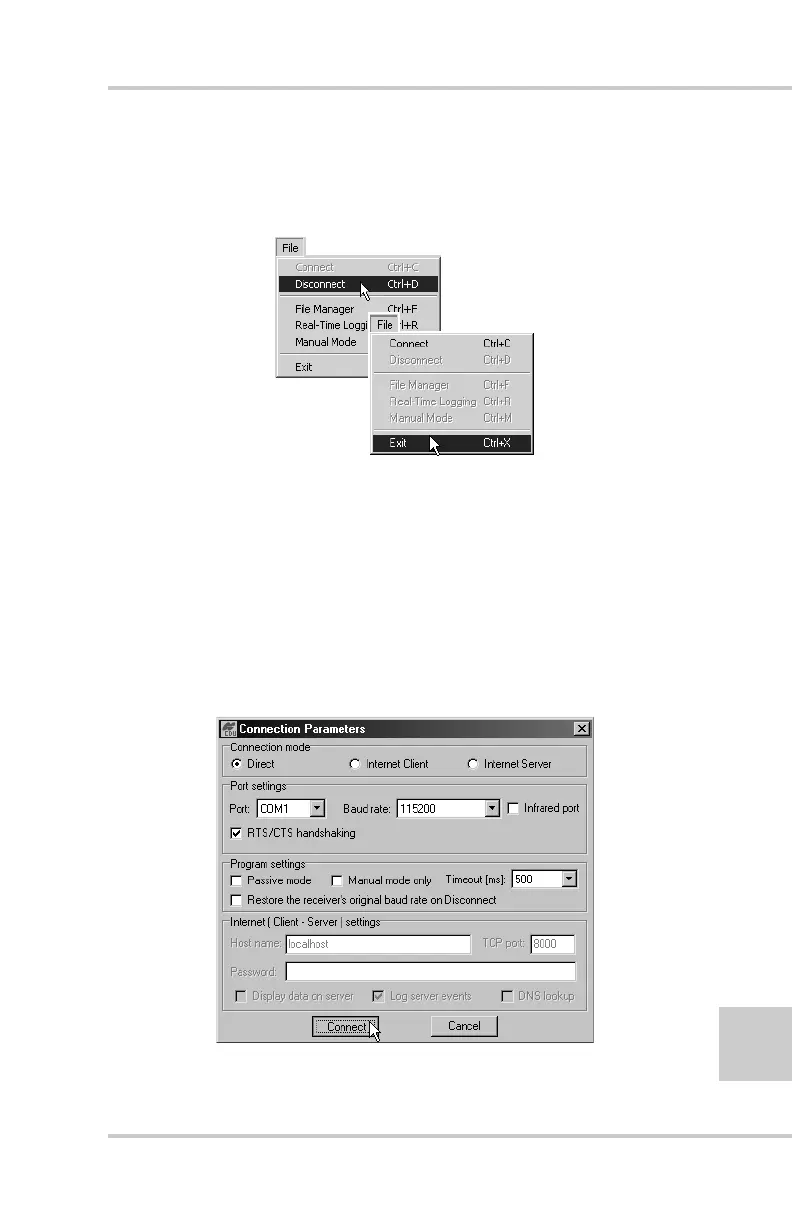
10. Continue with other operations. Or, click FileDisconnect,
then FileExit to quit PC-CDU (Figure 4-7).
Figure 4-7. Click Disconnect then Exit
Deleting Files
Use the following steps to delete files from your receiver.
1. Connect your receiver and computer. See “Connecting the
Receiver and a Computer” on page 2-11 for this procedure.
2. On the Connection Parameters dialog box, enable RTS/CTS
handshaking (Figure 4-8).
Figure 4-8. Connection Parameters – RTS/CTS Handshaking



 To Next Page