Configuration
Topcon HiPer Lite and HiPer Lite+ Operator’s Manual
2-30
Radio Configuration
NOTICE
NOTICE
To comply with RF exposure requirements, maintain at
least 20cm between the user and the receiver.
The internal radio in the Rover receiver and the Base radio can be
configured differently depending on your needs and working
conditions. To access the radio modem, use Modem-TPS, software
designed specifically for Frequency-Hopping Spread Spectrum
radio modems with 915 MHz frequency band, to:
• access the internal modem
• configure the modem
• check or change the modem configuration
First, download and install Modem-TPS, then connect your
computer and the receiver, and run the configuration program.
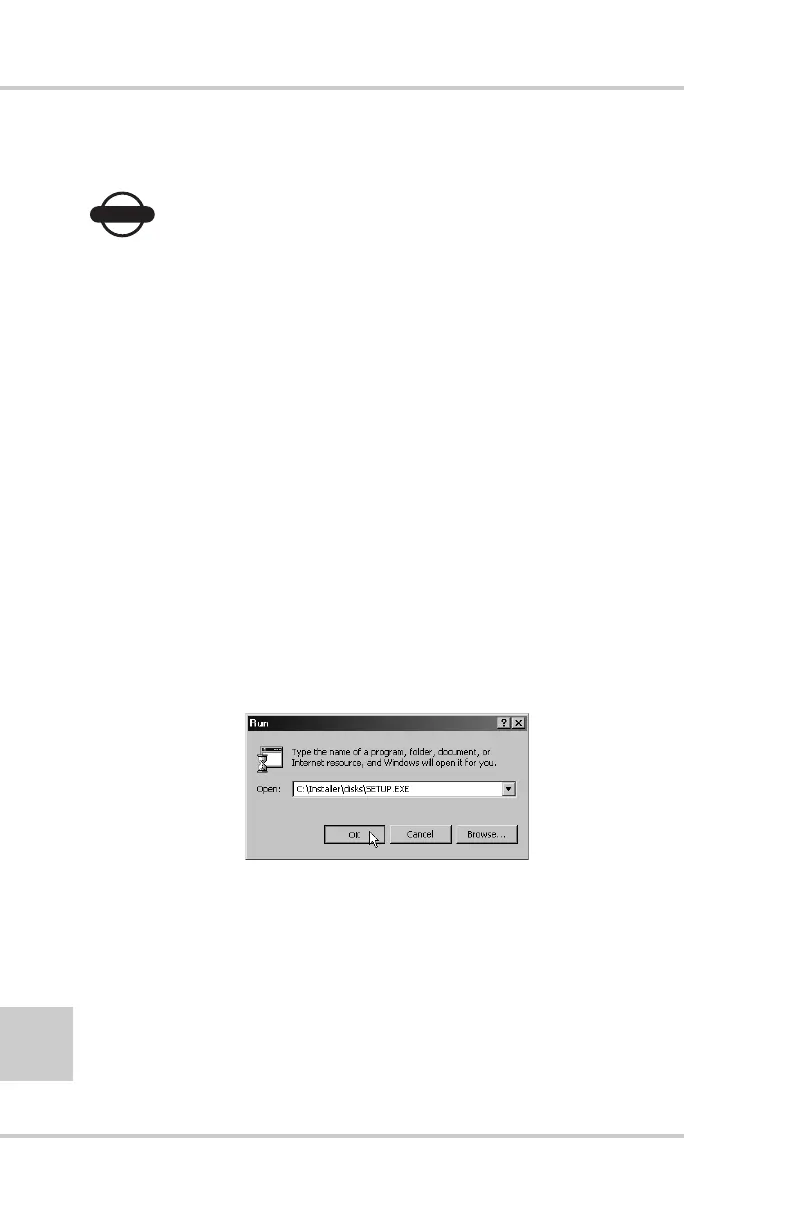
1. On your computer, click StartRun to open the Run dialog
box. Click the Browse button to find the Modem-TPS setup.exe
program, and click OK (Figure 2-25).
Figure 2-25. Run Modem-TPS
2. Follow the on-screen instructions to complete the installation.
To uninstall Modem-TPS, use the Start menu on your computer:
Click StartProgramsModem-TPSUninstall Modem-TPS,
and click Yes at the prompt. Then click OK when the uninstall
completes.



 To Next Page